
6 quick setup code of the dv-90, Printing the quick setup codes, Quick setup code of the dv-90 -28 – KEYENCE DV-90 User Manual
Page 166: Quick setup code of the dv-90
7-28
E DV-90-IM
7
How to Use the Setup
So
ftw
a
re
7-6
Quick Setup Code of the DV-90
All the settings in the SetUp Software can be printed as barcodes. By simply scanning the barcodes with the bar-
code reader connected to the DV-90, the DV-90 settings can be configured.
Printing the Quick Setup Codes
1
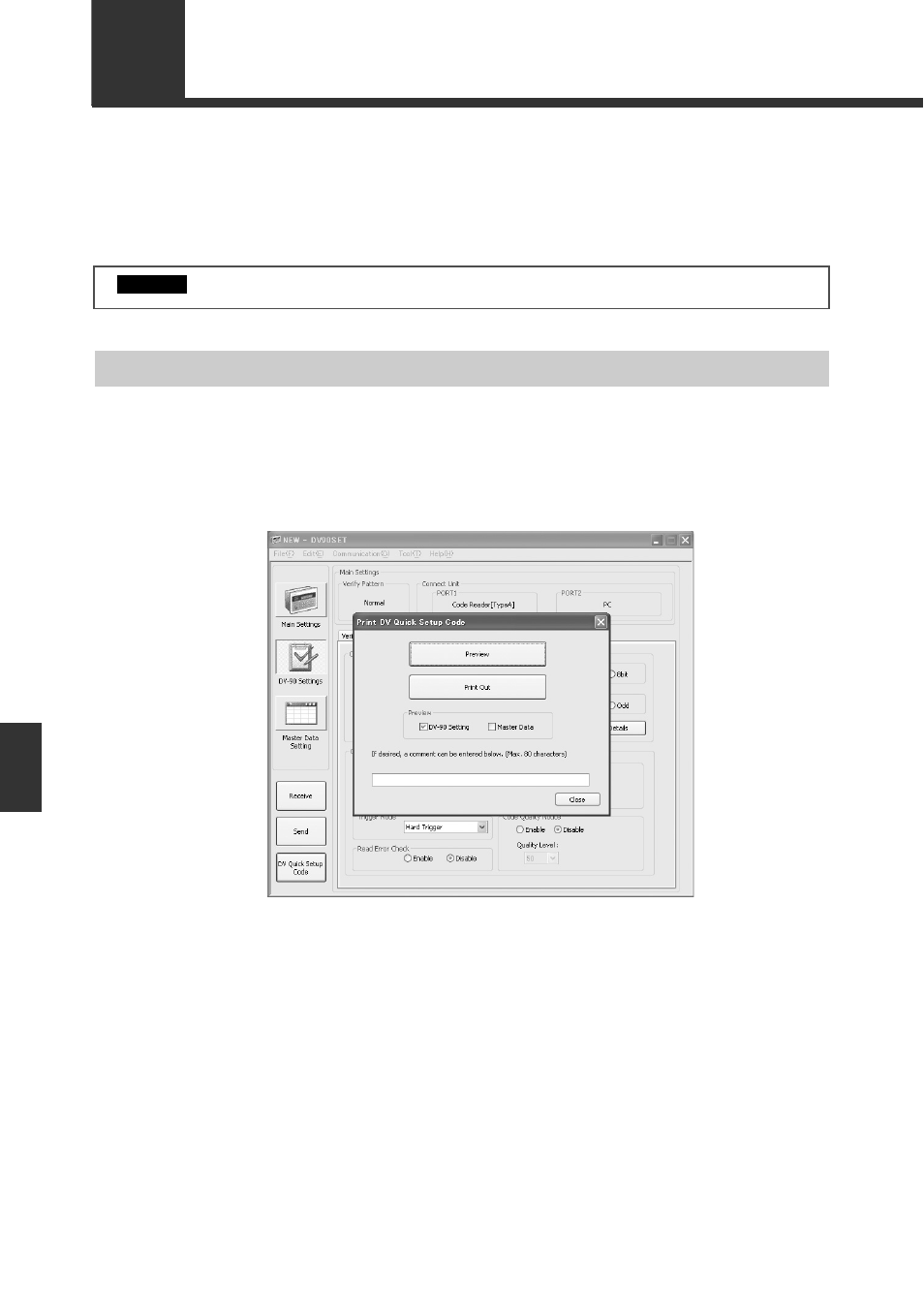
Click the [DV Quick Setup Code] button.
The [Print Quick Setup Code] dialog box is displayed.
This dialog box can also be displayed by selecting [Print DV Quick Setup Code] from the [File]
menu.
Clicking the [Print Preview] button displays a preview of the barcode print image.
To attach a comment, enter it in the comment field.
2
Place a check mark by “DV-90 Setting” or “Master Data” in Preview, and click the
[DV Quick Setup Code] button.
The barcode readers that support the DV-90 Quick Setup Code are BL-1300/700/600/180.
Important
- LR-TB2000 Series (12 pages)
- LR-TB5000 Series (12 pages)
- LR-ZB250AN/AP (4 pages)
- LR-ZB250AN/P (3 pages)
- LR-ZBxN/P Series (3 pages)
- LR-ZBxxB (3 pages)
- OP-85135 (1 page)
- PZ-G Series (2 pages)
- PZ-V/M (2 pages)
- PS-N10 Series (12 pages)
- PX-10 (10 pages)
- CZ-V21A(P) (10 pages)
- CZ-K1(P) (8 pages)
- CZ-V1 (8 pages)
- FS-N10 Series (6 pages)
- FS-N10 Series (116 pages)
- FS-N15CN (1 page)
- FU-93(Z) (2 pages)
- FU-V Series (2 pages)
- FS-V30 (6 pages)
- FU-A40 (1 page)
- NU/FS-N Series (16 pages)
- FS-V33(P) (8 pages)
- FS-V21 (4 pages)
- FS-V22 (4 pages)
- FS-V11(P) (4 pages)
- FS-V1(P) (4 pages)
- LV-N10 Series (112 pages)
- LV-N10 Series (12 pages)
- LV-S62 (1 page)
- OP-84350 (1 page)
- LV-SA (10 pages)
- LV-SB (12 pages)
- OP-87305 (1 page)
- LV Series (10 pages)
- LV-B102 (1 page)
- EV-108M(U) (1 page)
- EZ Series (1 page)
- EM Series (1 page)
- ES-M1(P) (3 pages)
- EX-V Series (120 pages)
- EX-500(W) Series (16 pages)
- GV Series (10 pages)
- IA Series (8 pages)
- LB-1000(W) (24 pages)