
HEIDENHAIN IK 5394-3D User Manual
Page 333
Quadra-Chek
®
5000
4-61
Step 2
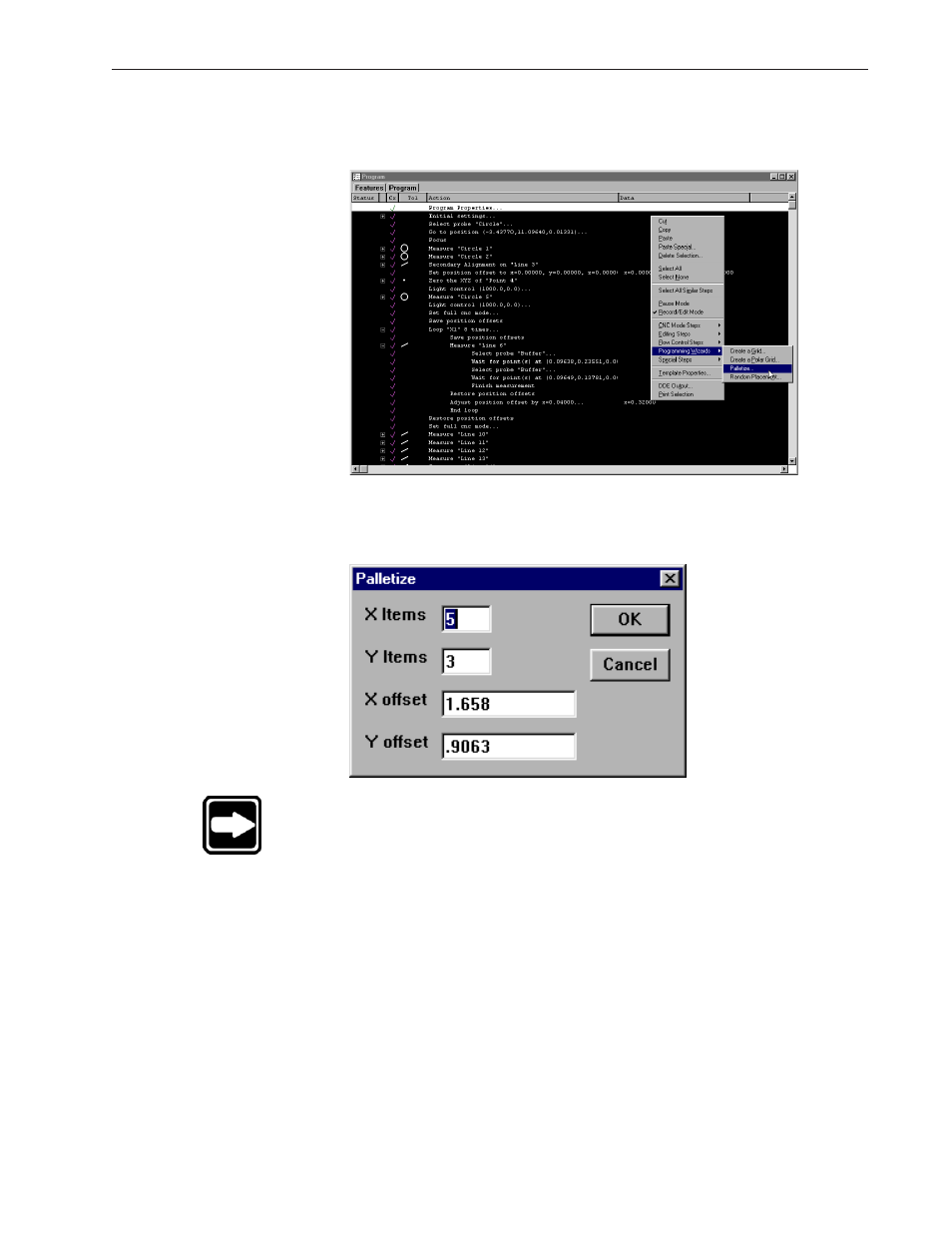
Right-click in the program template and select programming wizards, then se-
lect palletize.
Step 3
Enter the number of features and type in the desired X and Y offsets as shown.
NOTE
Items are the number of parts in each axis direction. Offsets are
the distance to the next part relative from previous part.
This manual is related to the following products: