
Autocue WinCue Pro News Version 1.3 User Manual
Page 69
WinCue Pro News User Guide
WinCue Pro News Configuration
• 69
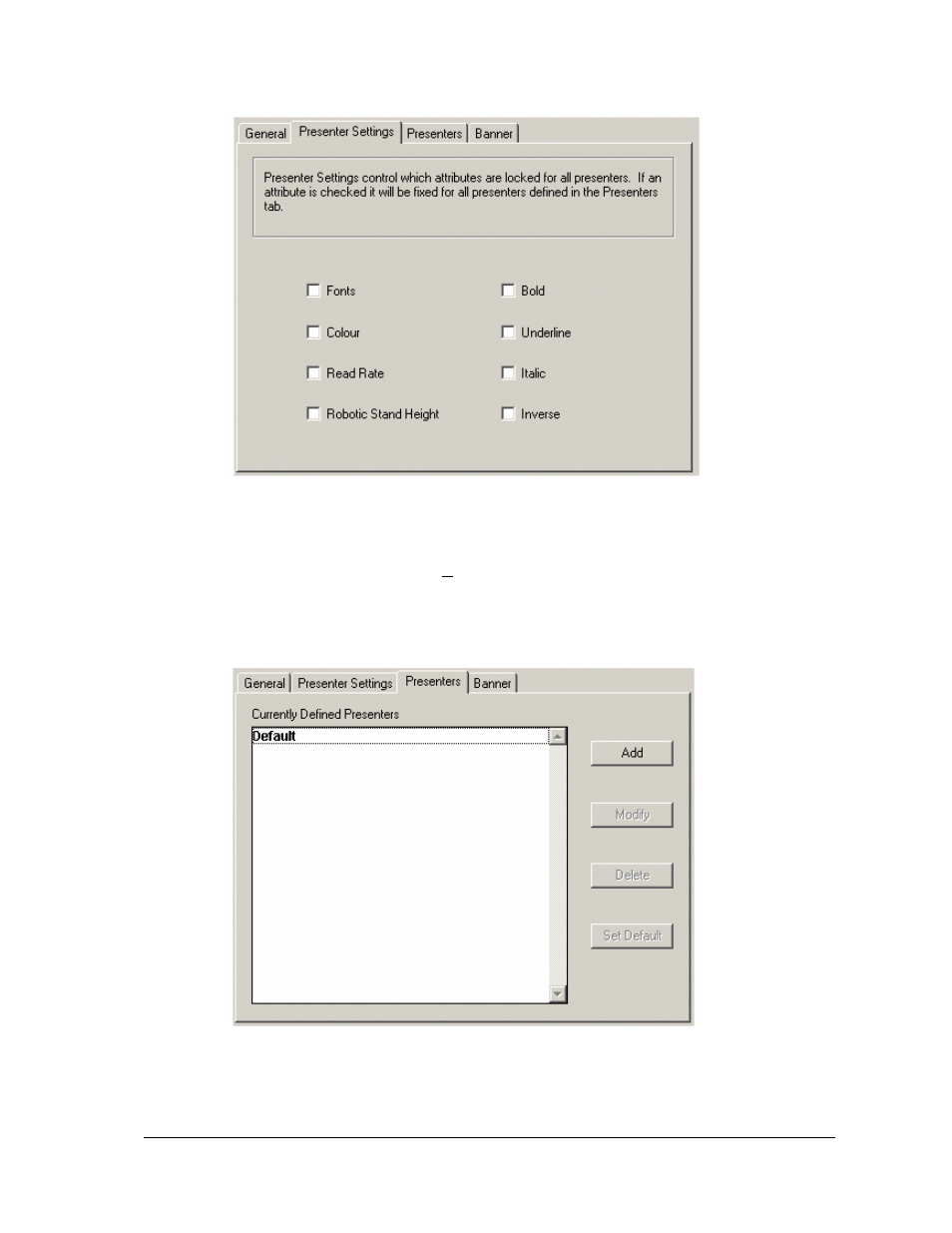
Presenters Tab
To add a new presenter, click Add. The Presenter Properties dialog box opens. Enter
the presenter’s name in the Presenter Name text box and click OK. The new
presenter will then be shown in the list of Currently Defined Presenters.
See also other documents in the category Autocue Hardware:
- Digital Cue Light Kit - Autocue QTV (2 pages)
- Gold Plate (2 pages)
- LWA Hood (2 pages)
- MS LWA Hood (2 pages)
- MWA Hood (2 pages)
- Medium Video Tripod (2 pages)
- Over Hood TFM (2 pages)
- QBox Connection (2 pages)
- Softbox Kit (2 pages)
- CRT Upgrade Kit (2 pages)
- Glide (2 pages)
- Heavy Video Tripod (2 pages)
- DLP USB Scroll Control (13 pages)
- WinCue LT Shuttle Controllers (11 pages)
- BORIS Multiple control (13 pages)
- K8055 (6 pages)
- QMaster and WinCue Pro News AP ENPS (23 pages)
- WinCue Pro News ADR 2006 (35 pages)
- WinCue Pro News (135 pages)
- WinCue Pro News (24 pages)
- WinCue v1.3 Shuttle Controllers (10 pages)
- US 10-11-01 WinCuePro News AvStar Interface (121 pages)
- WINCUE (100 pages)
- USB Controller For Use With QPro (2 pages)
- On-Camera Unit (4 pages)
- HPS-120 (10 pages)
- Motion Pro (2 pages)
- IR-Controller (4 pages)
- iPrompt Controls (2 pages)