
Roland ATELIER AT-500 User Manual
Page 237
235
Enjoying Music and Video
Enjoying Music and Video
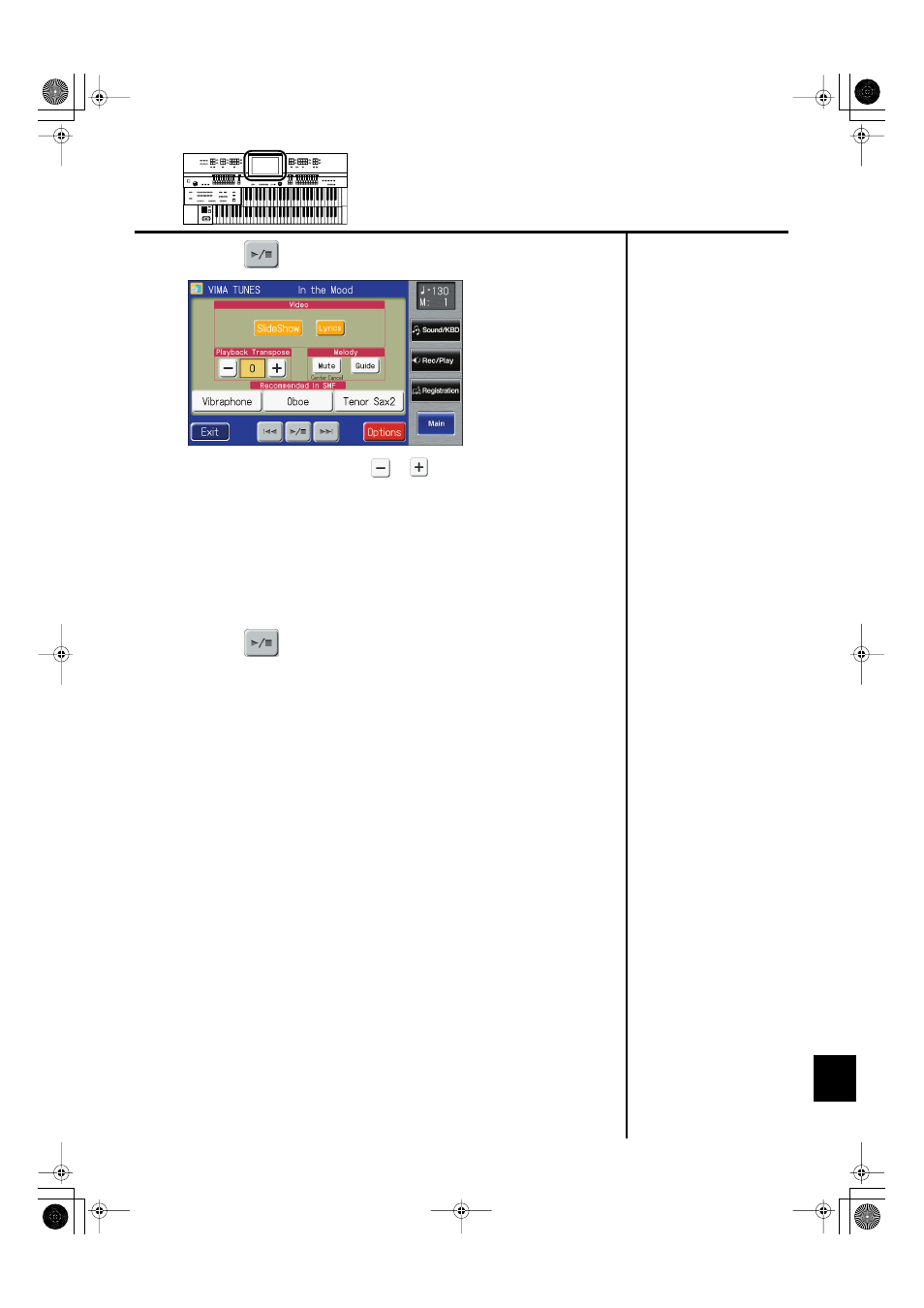
6.
Touch <
> to start playing back the song.
You can touch Playback Transpose <
> <
> to change the key of the song.
When you touch Melody
You can mute the melody, and play the melody yourself.
When you touch Melody
lowered. You can leave the melody playing at a lowered volume and play along until
you’ve learned the melody. Since you will still be able to hear the melody, you can use
it as a guide during practice.
7.
Touch <
> to stop playing back the song.
AT-500_e.book 235 ページ 2008年7月28日 月曜日 午後4時17分
See also other documents in the category Roland The input devices:
- JUNO-D (132 pages)
- HP102e (224 pages)
- Fantom-S88 (228 pages)
- AT15 (120 pages)
- GR-UPR-P (5 pages)
- RK-300 (228 pages)
- DP-1000 (29 pages)
- DP990RF (2 pages)
- HPi-5 (68 pages)
- Classic Organ C-200 (52 pages)
- Digital Piano LX-15 (64 pages)
- ATELIER 5100001499-01 (144 pages)
- KR-15 (212 pages)
- F-50 (36 pages)
- GAIA D-501987 (16 pages)
- HP302 (92 pages)
- Atelier AT900 (308 pages)
- V-Synth GT (248 pages)
- MP-60 (44 pages)
- FP-4-BK (4 pages)
- V-Arranger Keyboard VA-76 (264 pages)
- ATELIER AT-100 (148 pages)
- HP-207 (120 pages)
- DP-990 (108 pages)
- DP990F (2 pages)
- HP-7/3 (52 pages)
- SH-201 (84 pages)
- E-50 (220 pages)
- Backing Keyboard BK-5 (152 pages)
- MIDI Implementation DP990F (32 pages)
- RD-700NX (106 pages)
- JUNO-Di (136 pages)
- HP-203 (108 pages)
- KR111 (186 pages)
- KF-90 (196 pages)
- HPi-6 (124 pages)
- Lucina AX-09 (12 pages)
- GW-8 ReleaseNote 2 (32 pages)
- EP-880 (216 pages)
- FR-3sb (66 pages)
- VIMA RK-100 (76 pages)
- HP 237R (44 pages)
- cakewalk A-300PRO (92 pages)
- EDIROL PCR-300 (2 pages)