
Loading a set of registrations, P. 106) – Roland ATELIER AT-500 User Manual
Page 108
106
Using the Registration Buttons
Here’s how to recall a previously saved Registration set from the User memory
or USB memory into the memory of the ATELIER. Registrations can be selected
in the following three ways.
Loading a Set of Registrations (Load)
→
You can load a “set” (a collection of settings for Registration buttons [1]–[8])
from USB memory or user memory.
Loading an Individual Registration (Load One)
Recall the settings of one of the Registration [1]–[8] buttons.
Recalling the Order that the Registrations are Saved on the USB
Memory or User Memory (Load Next)
Assign “RIGHT+ Load Next” to the foot switch, and recall Registration sets in
the order in which they are stored in USB memory or user memory.
1.
If you want to load a Registration from USB memory,
connect your USB memory to the External Memory
connector.
If you want to load a Registration from a floppy disk, connect the floppy disk
drive to the Ext Drive connector, and insert the floppy disk containing the
Registration into the floppy disk drive.
2.
Touch
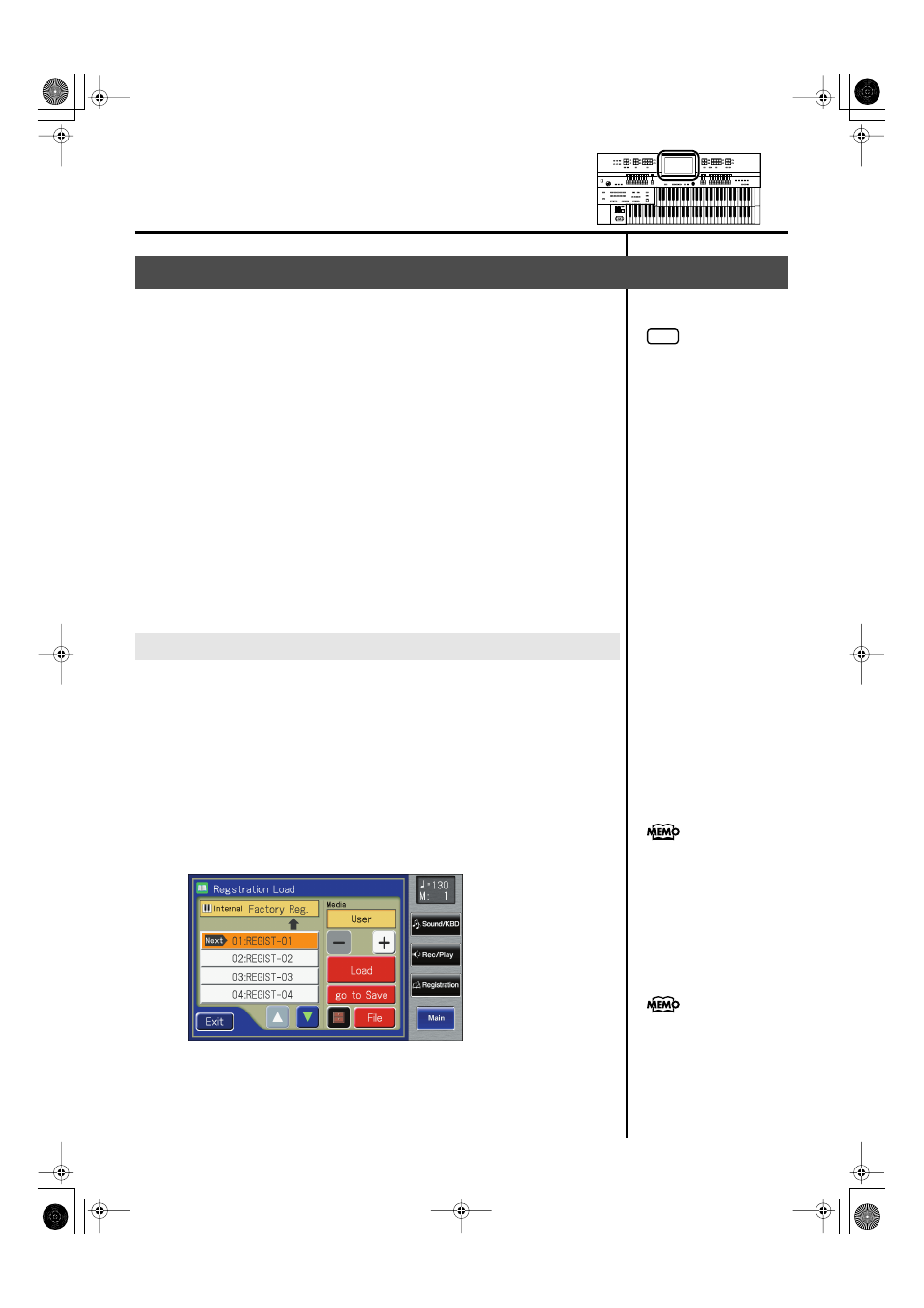
The Registration Load screen appears.
fig.03-05.eps
Loading Previously Saved Registration Sets Into the ATELIER
Loading a Set of Registrations
NOTE
Be aware that when you load
Registrations from a USB
memory or user memory, the
Registrations that were
previously in internal memory
will be lost. It is a good idea to
save important Registrations to
USB memory or user memory
(p. 103).
You can also open the
Registration Load screen by
pressing the [Registration]
button.
When you touch
the instrument jumps to the
Registration Save screen.
AT-500_e.book 106 ページ 2008年7月28日 月曜日 午後4時17分