
Deleting an image stored in internal memory – Roland ATELIER AT-500 User Manual
Page 224
222
Various Other Settings
1.
Touch
The System screen appears.
2.
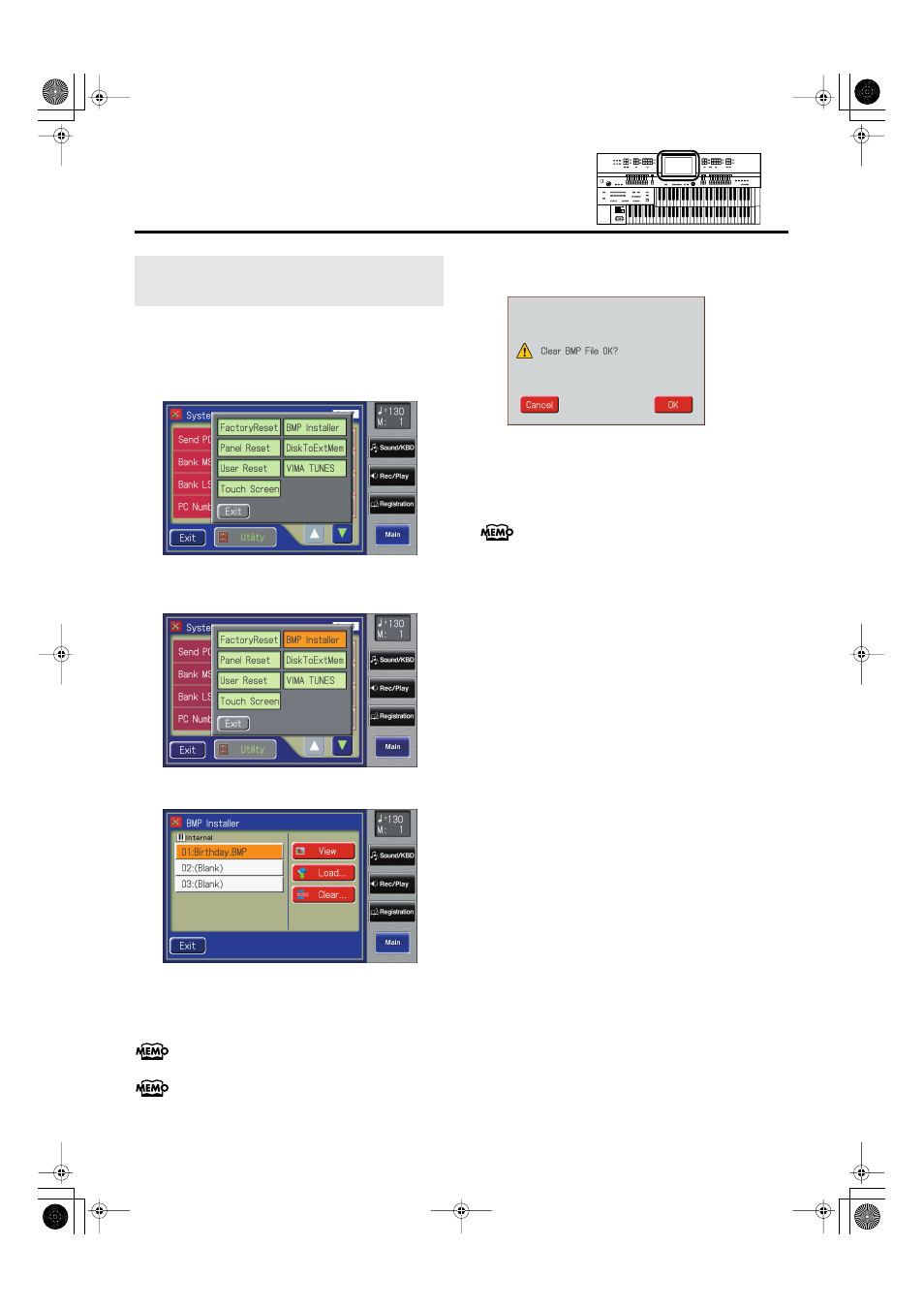
In the System screen, touch
fig.00-38.eps
3.
Touch
fig.09-32.eps
The BMP Installer screen appears.
fig.09-34.eps
4.
In the screen, touch <01>–<03> to select the
image that you wish to delete.
You can touch
Numbers for which “(Blank)” is shown have no image.
5.
Touch
The following screen appears.
fig.09-39.eps
To cancel without deleting the image, touch
6.
Touch
The image will be deleted.
Once the image has been deleted, the screen will indicate
“(Blank.)”
Deleting an Image Stored in Internal
Memory
AT-500_e.book 222 ページ 2008年7月28日 月曜日 午後4時17分
See also other documents in the category Roland The input devices:
- JUNO-D (132 pages)
- HP102e (224 pages)
- Fantom-S88 (228 pages)
- AT15 (120 pages)
- GR-UPR-P (5 pages)
- RK-300 (228 pages)
- DP-1000 (29 pages)
- DP990RF (2 pages)
- HPi-5 (68 pages)
- Classic Organ C-200 (52 pages)
- Digital Piano LX-15 (64 pages)
- ATELIER 5100001499-01 (144 pages)
- KR-15 (212 pages)
- F-50 (36 pages)
- GAIA D-501987 (16 pages)
- HP302 (92 pages)
- Atelier AT900 (308 pages)
- V-Synth GT (248 pages)
- MP-60 (44 pages)
- FP-4-BK (4 pages)
- V-Arranger Keyboard VA-76 (264 pages)
- ATELIER AT-100 (148 pages)
- HP-207 (120 pages)
- DP-990 (108 pages)
- DP990F (2 pages)
- HP-7/3 (52 pages)
- SH-201 (84 pages)
- E-50 (220 pages)
- Backing Keyboard BK-5 (152 pages)
- MIDI Implementation DP990F (32 pages)
- RD-700NX (106 pages)
- JUNO-Di (136 pages)
- HP-203 (108 pages)
- KR111 (186 pages)
- KF-90 (196 pages)
- HPi-6 (124 pages)
- Lucina AX-09 (12 pages)
- GW-8 ReleaseNote 2 (32 pages)
- EP-880 (216 pages)
- FR-3sb (66 pages)
- VIMA RK-100 (76 pages)
- HP 237R (44 pages)
- cakewalk A-300PRO (92 pages)
- EDIROL PCR-300 (2 pages)