
Printronix T2N User Manual
Page 81
81
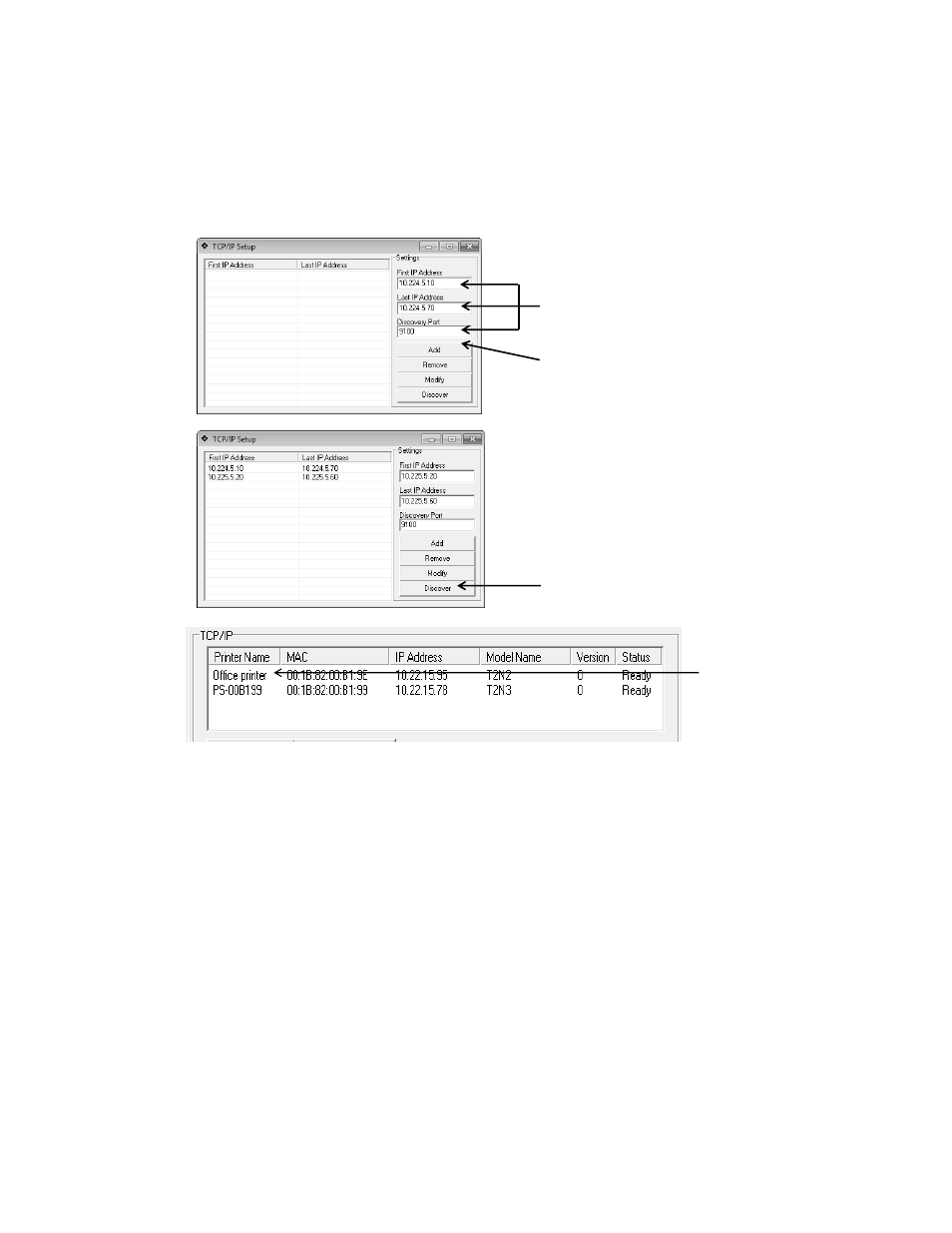
3. Click
the “Discover” button to find the T2N printers on the network for the ranges entered.
Allow the Configuration Utility a few moments to find the printers. Upon completion, the
printers found will show in the TCP/IP window.
4. Select the target printer from th
e left and perform a “Read” operation to confirm the
connection.
Step 1: Enter First/Last IP Address & Discovery Port
Step 2: Hit “Add” button
Step 3: Hit “Discover” button
Repeat as necessary
Step 4: Choose Printer
Do “Read” Operation
Figure 17. Discovery Process
See also other documents in the category Printronix Printers:
- SL5000e (52 pages)
- T4204 (232 pages)
- T6200 (5 pages)
- ANSI Printer (106 pages)
- MVP Series (243 pages)
- P9000 Series (334 pages)
- T3308 (144 pages)
- SL5000 (16 pages)
- L5520 (244 pages)
- 182043 (5 pages)
- SL5000r MP2 (5 pages)
- P7000 (44 pages)
- SLPA7000r MP2 (5 pages)
- SL5000r MP (84 pages)
- Series 5 (248 pages)
- P3000 Series (270 pages)
- SL5000r (102 pages)
- T5000e (76 pages)
- PSA3 (102 pages)
- laser printers (12 pages)
- ThermaLine Series (412 pages)
- L1024 (136 pages)
- T5000e Series (78 pages)
- LQH-HWTM (302 pages)
- H-SERIES P7000 (210 pages)
- T5000R (96 pages)
- P5000 (2 pages)
- L1524 (148 pages)
- L5035 (278 pages)
- L5535 (180 pages)
- L5020 (248 pages)
- PrintNet Enterprise (330 pages)
- P7000 H-Series Cartridge Ribbon Printer (220 pages)
- SL_T5R Energy Star (412 pages)
- P8000 Series Cartridge Ribbon Printer (414 pages)
- N7000 H-Series Cartridge Ribbon Printer (292 pages)
- PrintCart (62 pages)
- SL5000r RFID Smart Label and Thermal Printers (394 pages)
- P7000 Cartridge Ribbon Printer (378 pages)
- SL4M (308 pages)
- P7000 OpenPrint consumables (2 pages)
- P5000LJ Series (336 pages)