
Directory
Brands
PRG manuals
Equipment
Mbox Remote Manual 3.9
Manual

PRG Mbox Remote Manual 3.9 User Manual

Page 40
  • Text mode
  • Original mode
background image

34

MBOX

®

REMOTE USER MANUAL

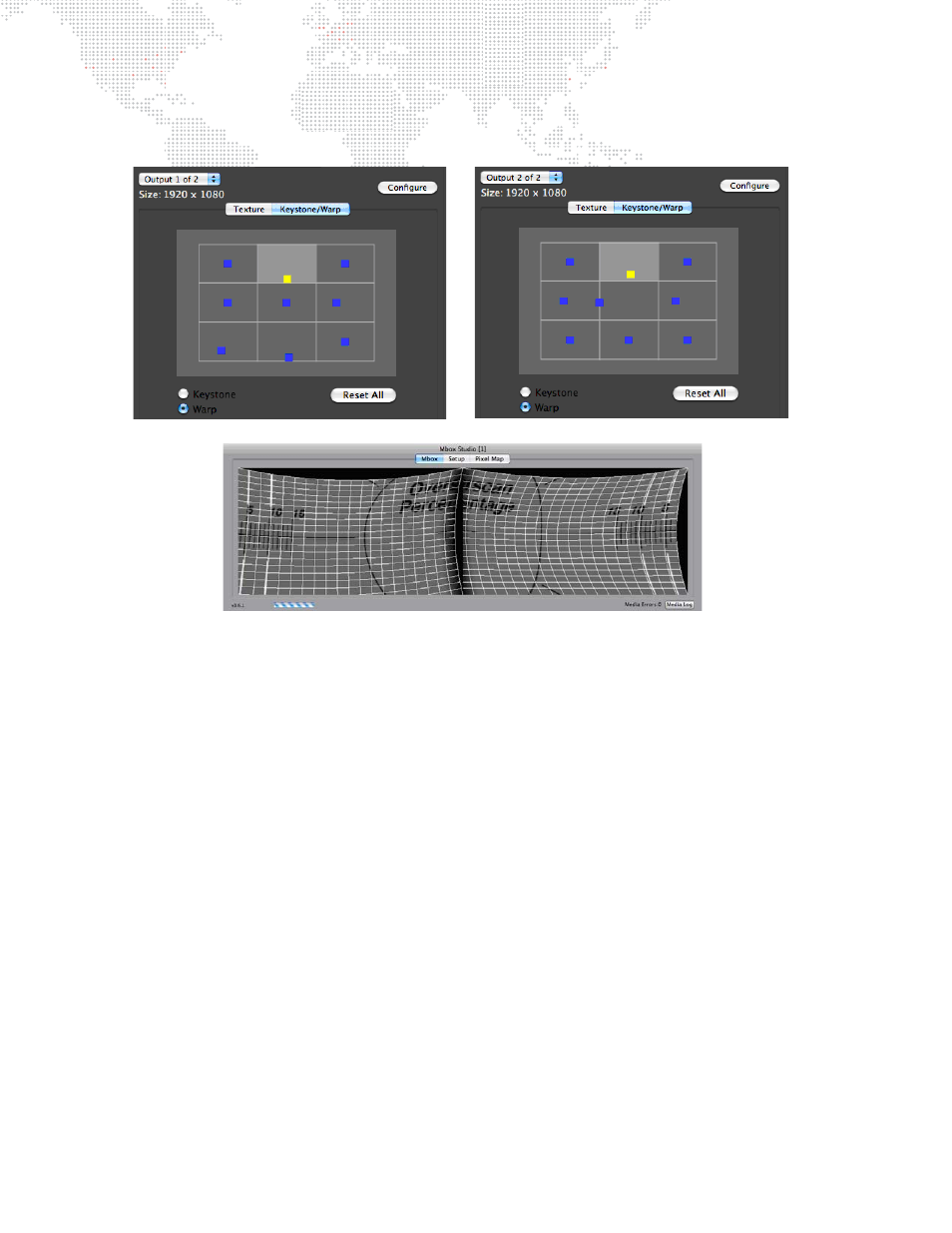
At this point, the settings can be adjusted to affect the overlap between the two halves, the blend, the aspect ratio,
and the orientation. A keystone or warp may be added as described in the previous section (refer to

page 31

).

To reset the settings, you can either press the Configure button again and enter some other multihead and overlap
settings, or return to the Options pop-up and select Clear Output Settings.

Pages: 1 … 38 39 40 41 42 … 114
  • wrong Brand
  • wrong Model
  • non readable
See also other documents in the category PRG Equipment:
  • Mbox Studio Manual 3.9 (158 pages)
  • Mbox Studio Manual 3.8 (194 pages)
  • Mbox Studio Manual v3.7 (172 pages)
  • Mbox Studio User Manual v3.6.1 (118 pages)
  • Mbox Mini Manual 3.9 (154 pages)
  • Mbox Director User Manual v3.9 (112 pages)
  • Mbox Director User Manual v3.8a (108 pages)
  • Mbox Director User Manual v3.7 (80 pages)
  • Mbox Director User Manual v3.6.1 (80 pages)
  • Mbox Designer Manual 3.9 (206 pages)
  • Mbox Designer Manual 3.8 (244 pages)
  • Mbox Mini Manual 3.8 (192 pages)
  • Mbox Designer User Manual v3.7 (232 pages)
  • Mbox Designer User Manual v3.6.1 (174 pages)
  • S400 User Manual 3.1 (66 pages)
  • S400 Tools User Manual 3.1 (14 pages)
  • S400 Systems Networking Guide (66 pages)
  • Super Node (26 pages)
  • Node Plus (26 pages)
  • Ethernet Switch (14 pages)
Home Brands Popular manuals Recently added
Manuals Directory

© 2012–2025, azmanual.top
All rights reserved.