
Directory
Brands
Acer manuals
Computer hardware
Altos R510
Manual

Acer Altos R510 User Manual

Page 55
  • Text mode
  • Original mode
background image

43

9

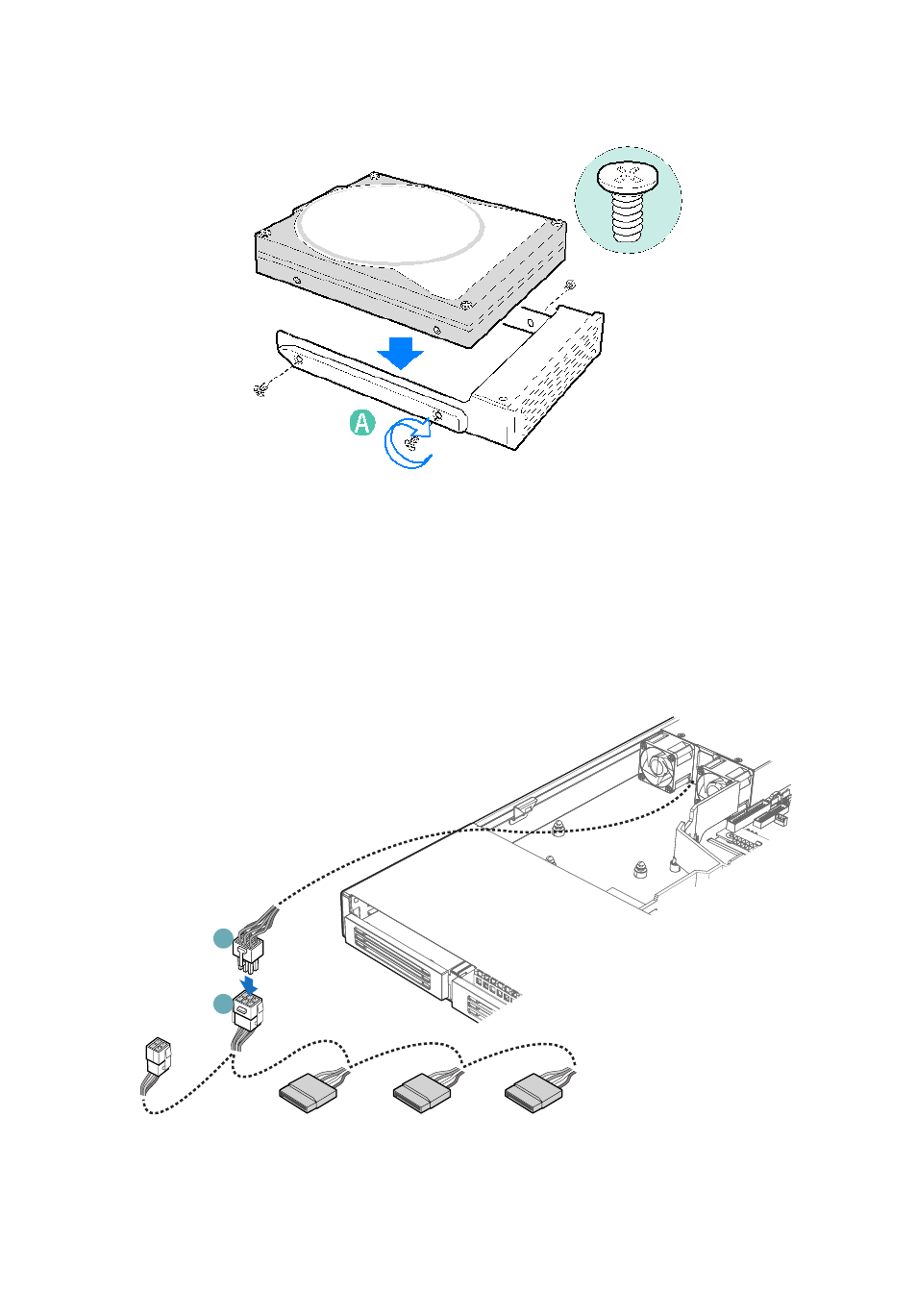
Insert the drive into the bay until it clicks into place.

10 If it is not already installed, connect the SATA power cable adapter

to the 3x2 power supply cable that extends from your power
supply. See letters “A” and “B” in the figure below. The power
cable adapter was provided to you with the fixed drive kit.

A

B

Pages: 1 … 53 54 55 56 57 … 198
  • wrong Brand
  • wrong Model
  • non readable
See also other documents in the category Acer Computer hardware:
  • AR380 F2 (37 pages)
  • AR320 F2 (39 pages)
  • RC111 (38 pages)
  • RC111 (103 pages)
  • RL100 (32 pages)
  • AR320 F1 (171 pages)
  • Altos G320 (132 pages)
  • Altos G530 (190 pages)
  • Altos G540 (146 pages)
  • AW2000h-AW170hq (160 pages)
  • Altos G520 (186 pages)
  • Altos G301 (160 pages)
  • Altos G540 M2 (221 pages)
  • AR585 F1 (68 pages)
  • AR180 F1 (178 pages)
  • Altos R5250 (142 pages)
  • Altos R701 (135 pages)
  • AT150 F1 (182 pages)
  • AB460 F1 (618 pages)
  • Altos G330 (134 pages)
  • Altos R720 (186 pages)
  • AT310 F1 (176 pages)
  • AR360 F1 (188 pages)
  • Altos G510 (158 pages)
  • AR160 F1 (162 pages)
  • AT350 F1 (184 pages)
  • Altos R700 Series (135 pages)
Home Brands Popular manuals Recently added
Manuals Directory

© 2012–2025, azmanual.top
All rights reserved.