
Pch 512 0, 1 m12 connection, 2 lan connection cable – Acnodes PCH 5120 User Manual
Page 26
14628 Central Blvd,
Chino, CA91710
tel:909.597.7588, fax:909.597.1939
© Copyright 2011 Acnodes, Inc.
All rights reserved. Product descr
are subject to change without non,
please visit Acnodes’ web site at
PCH 512
12.1” industrial
IP67 rated fully
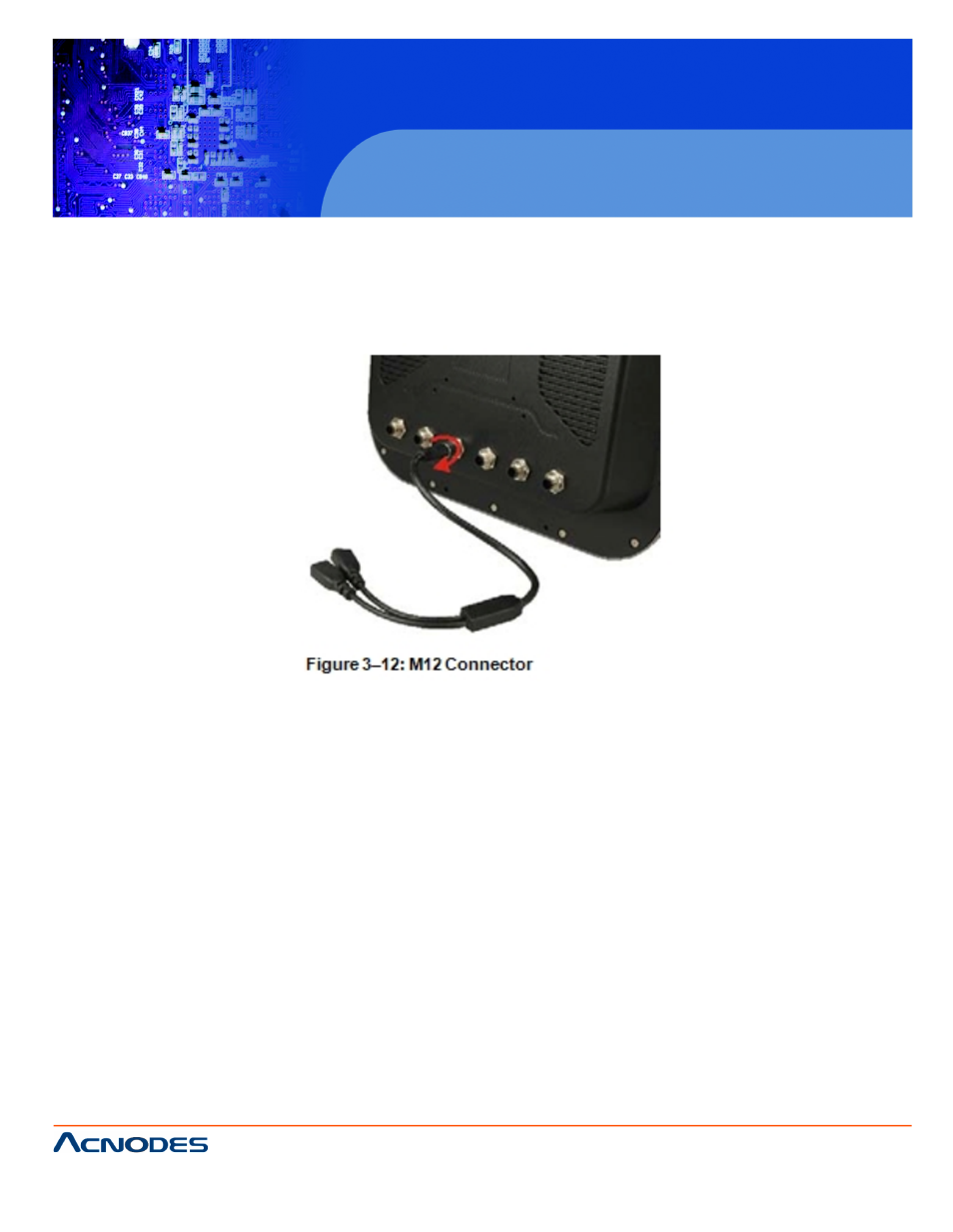
3.7.1 M12 CONNECTION
All the optional cables attach to the PCH5120 with M12 connectors. The optionnec-
tors at the one end and the standard connectors at the other end.
To attach the M12 connector, align it with the slot and tighten by turning clockwi
3.7.2 LAN CONNECTION CABLE
The RJ-45 connectors enable connection to an external network. To connect a45
connector, please follow the instructions below.
Step 1: Locate the RJ-45 connector on the bottom panel.
Step 2: Align the connectors. Align the RJ-45 connector on the LAN cable witnec-
tors on the bottom panel. See Figure 3-13..
- RMC 7182 (103 pages)
- PC 6170 (75 pages)
- PC6172 (66 pages)
- RMC 7132 (98 pages)
- RMC 7155 (5 pages)
- RMC 7150 (66 pages)
- PC 6152 (77 pages)
- PC 8150 (72 pages)
- RMC 7130 (8 pages)
- RMC 7130 (99 pages)
- PC 8120 (51 pages)
- PC 8120 (7 pages)
- KD 6176 (3 pages)
- RMC 7155 (67 pages)
- FPC-8057 (57 pages)
- FPC 6084 (105 pages)
- FPC 7150 (80 pages)
- FES 6831 (50 pages)
- FES 5312 (117 pages)
- PCH 3982 (87 pages)
- PCH 7591 (99 pages)
- PC 5153 (97 pages)
- FPC 7919 (104 pages)
- FPC 5105 (47 pages)
- FPC 6120 (114 pages)
- FPC 7615 (88 pages)
- PCH 7791 (99 pages)
- FES 2213 (57 pages)
- FES 2236 (49 pages)
- PCH 7991 (99 pages)
- PC 6408 (98 pages)
- FPC 7617 (88 pages)
- FPC 1015 (13 pages)
- FES 7510 (107 pages)
- PCH 3598 (82 pages)
- FPC 7161 (40 pages)
- PC 6172 (48 pages)
- PC 8153 (46 pages)
- FES 8730 (71 pages)
- PC 5192 (104 pages)
- PCH 3991 (77 pages)
- FES 6911 (58 pages)
- FES 2215 (37 pages)
- PC 6412 (107 pages)