Directory
Brands
Acer manuals
Tablet
N10
Manual

Pop-up menus – Acer N10 User Manual

Page 26

  • Text mode
  • Original mode
background image

1 G e t t i n g s t a r t e d
Command interface

14

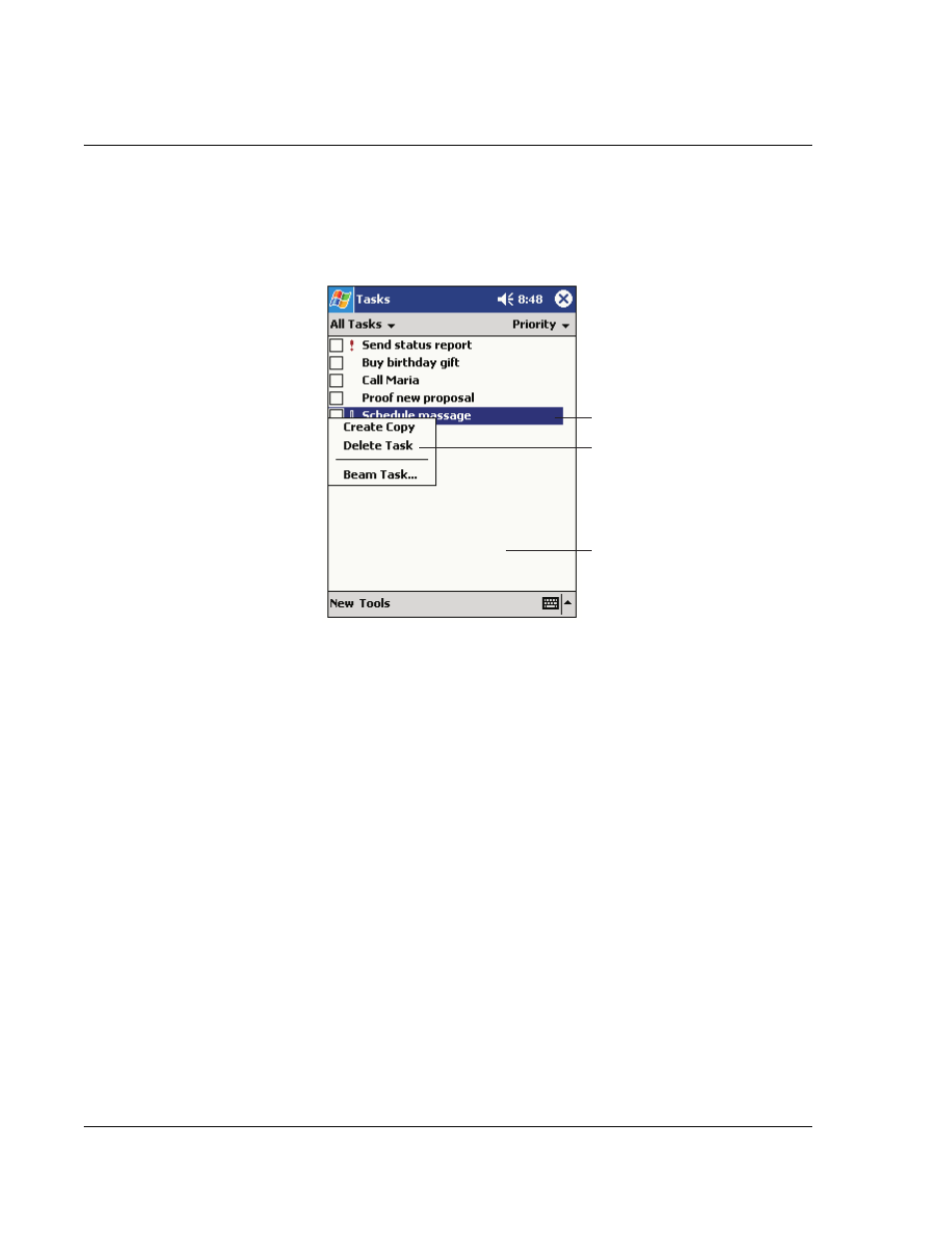
Pop-up menus

You can use pop-up menus to quickly select an action for an item.

Tap and hold to display
the pop-up menu.

Lift the stylus and tap
the action you want.

Tap outside the menu
to close it without performing
an action.

Pages: 1 … 24 25 26 27 28 … 120
  • wrong Brand
  • wrong Model
  • non readable
See also other documents in the category Acer Tablet:
  • s50 (296 pages)
  • n30 (2 pages)
  • C500 (54 pages)
  • N300 Series (3 pages)
  • s10 (338 pages)
  • E130 (56 pages)
  • E110 (76 pages)
  • V370 (66 pages)
  • V370 (64 pages)
  • Liquid E (57 pages)
  • Liquid mini Ferrari (63 pages)
  • S500 (59 pages)
  • Iconia Talk S A1-724 (52 pages)
  • Iconia Talk S A1-724 (56 pages)
  • Iconia Tab 10 A3-A30 (61 pages)
  • Iconia Tab 10 A3-A20 (48 pages)
  • Iconia Tab 10 A3-A20 (51 pages)
  • Iconia Tab 10 A3-A20 (54 pages)
  • Iconia Tab 10 A3-A20 (56 pages)
  • Iconia Talk S A1-724 (53 pages)
  • Iconia Talk S A1-724 (52 pages)
  • Iconia Tab 10 A3-A40 (57 pages)
Home Brands Popular manuals Recently added
Manuals Directory

© 2012–2025, azmanual.top
All rights reserved.