Search
Directory
Brands
Kodak manuals
Printers
EASTMAN 3.2S
Manual
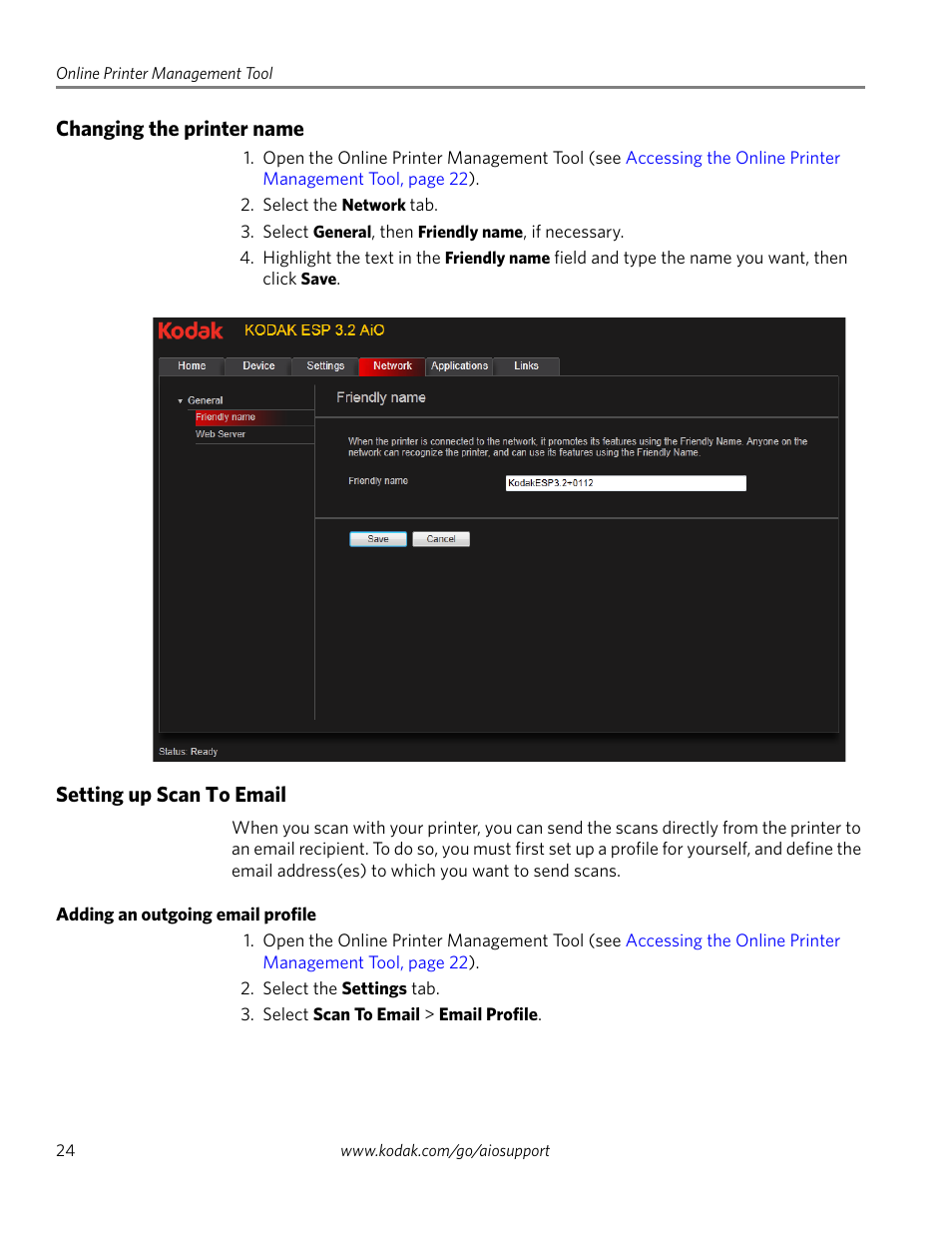
Changing the printer name, Setting up scan to email, Adding an outgoing email profile – Kodak EASTMAN 3.2S User Manual
Page 30: Changing the printer name setting up scan to email
Text mode
Original mode
Changing the printer name, Setting up scan to email, Adding an outgoing email profile | Changing the printer name setting up scan to email | Kodak EASTMAN 3.2S User Manual | Page 30 / 123
Pages:
1
…
28
29
30
31
32
…
123
wrong Brand
wrong Model
non readable
This manual is related to the following products:
EASTMAN 3.2
ESP 3.2
ESP 3.2s
See also other documents in the category Kodak Printers:
Printer
(67 pages)
DryView 8900
(144 pages)
ENDURA CIS-241
(2 pages)
DS3700
(2 pages)
NOVAJET 630
(192 pages)
EasyShare 5500
(122 pages)
CIS-201
(12 pages)
ESP 5
(79 pages)
ESP 5
(16 pages)
ESP 5
(81 pages)
ESP 5
(24 pages)
FC2
(10 pages)
CS300C
(2 pages)
EasyShare 5100
(86 pages)
3000
(36 pages)
M700
(2 pages)
ESP7200
(6 pages)
CIS-221
(2 pages)
6B6640
(84 pages)
6000
(76 pages)
6000
(2 pages)
ESP 1.2
(100 pages)
ESP 1.2
(2 pages)
ESP 3.2
(31 pages)
ESP C315
(20 pages)
ESP C315
(95 pages)
ESP C315
(2 pages)
ESP Office 2150
(7 pages)
HERO 3.1
(100 pages)
HERO 3.1
(34 pages)
ESP 7250
(2 pages)
8800
(26 pages)
ESP 9
(16 pages)
ESP 9
(143 pages)
E-4028
(8 pages)
CP-48S
(12 pages)
5300
(28 pages)
RP 30
(235 pages)
5100
(28 pages)
5100
(80 pages)
E-2411
(6 pages)
ESP 5260
(62 pages)
PROFESSIONAL ULTRA III Paper E-142
(8 pages)
ESP Office 6150
(20 pages)