
Directory
Brands
I-View manuals
Camcorders
FDMO-2MIP-20XIR IP SpeedDome Network Camera
Manual

I-View FDMO-2MIP-20XIR IP SpeedDome Network Camera User Manual

Page 72
  • Text mode
  • Original mode
background image


71

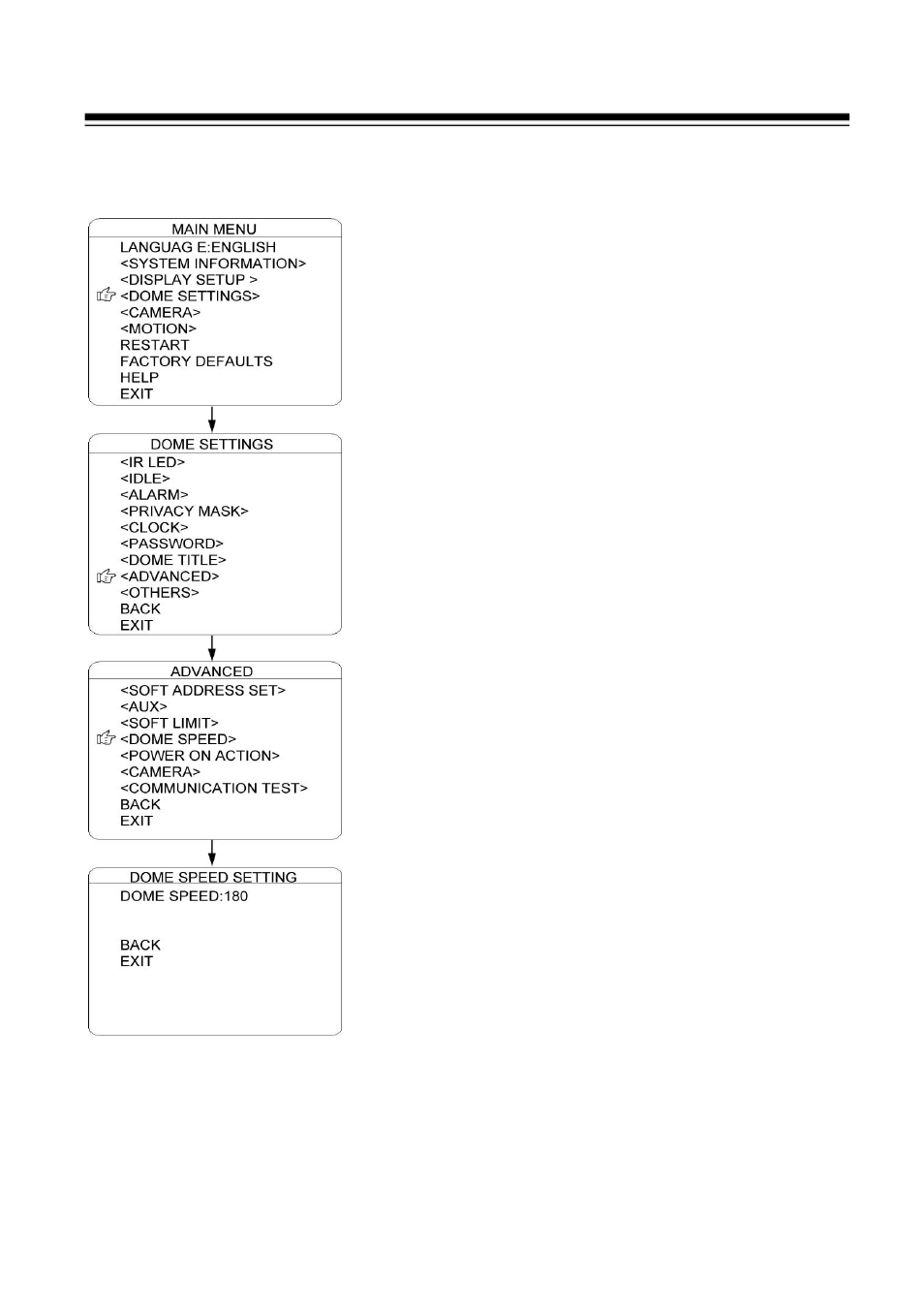
DOME SPEED

To make a selection of the dome speed, the user can
enter this menu to set up.

Move the cursor to DOME SPEED and press IRIS
OPEN to enter. Move the joystick to select the dome
speed when doing the pan movement.

Move the cursor to BACK/EXIT and press IRIS
OPEN to run the command of BACK or EXIT.


Pages: 1 … 70 71 72 73 74 … 90
  • wrong Brand
  • wrong Model
  • non readable
See also other documents in the category I-View Camcorders:
  • SDCI-220 Indoor Speed dome (19 pages)
  • FDMO-36X/35X/22X/18X Outdoor Speed Dome (40 pages)
  • EC-650DN Box UTP Camera (4 pages)
  • IR-650636-F60 IR Bullet Waterproof UTP Camera (4 pages)
  • IR-650836-F80 IR Bullet Waterproof UTP Camera (4 pages)
  • DM-650-F36 Vandal Proof Dome UTP Camera (4 pages)
  • DM-650IR-F40 IR Dome Waterproof UTP Camera (4 pages)
  • DM-650-F0409 Vandal Proof Dome UTP Camera (4 pages)
  • EC-2MIPN 2-Megapixels Day/Night Box IP Camera (37 pages)
  • EC-5MIPN 5-Megapixels Day/Night Box IP Camera (56 pages)
  • IR-2MIPS42 2-Megapixels IR Bullet IP Camera (55 pages)
  • DM-2MIPS30 2-Megapixels IR Dome IP Camera (57 pages)
  • DM-2MIPN 1.3-Megapixels Dome IP Camera (55 pages)
  • FE-5MIPN 5-Megapixels IR Vandal Proof Dome IP Camera (47 pages)
Home Brands Popular manuals Recently added
Manuals Directory

© 2012–2025, azmanual.top
All rights reserved.