
Scrolling text, Format message – Daktronics Venus 1500 Version 4 User Manual
Page 132
Venus 1500 Software Version 4 Operation Manual
122
Scrolling Text
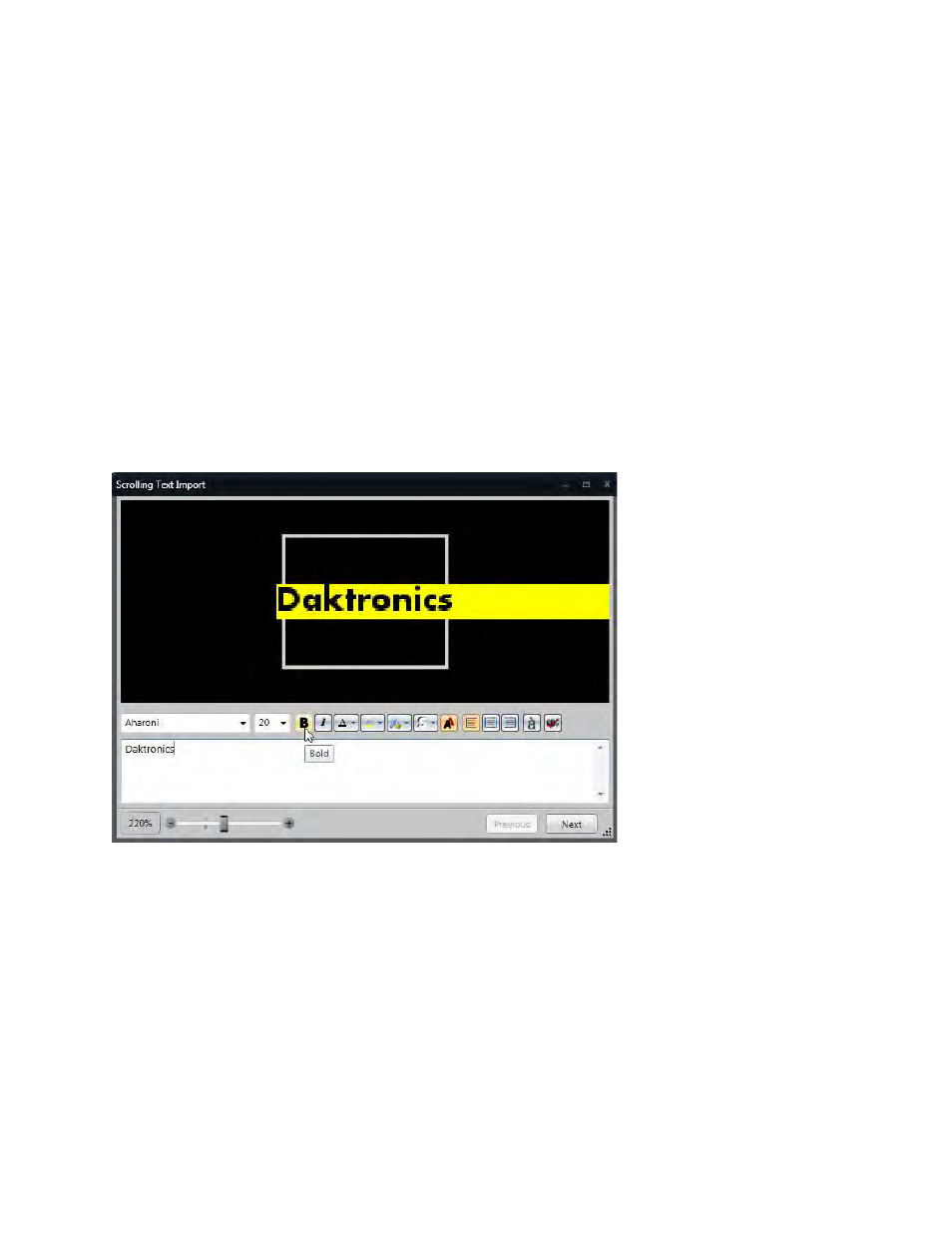
Click Scrolling Text, in the Text group, located on the Insert tab. The Scrolling Text Import dialog
opens.
Format Message
Type the message in Type Text Here box.
Select the font from the Font drop-down menu.
Select the font size from the Font Size drop-down menu.
Note: Ensure font size fits inside the display size.
Other text formatting options are Bold, Italics, Text Color, Background Color, Outline Color, Shadow
Color, Antialiasing, Left Alignment, Center Alignment, Right Alignment, Character Map, and Spell
Check.
Adjust Zoom Level by using the zoom slider on the left.
Note: This does not affect the way it will import into the presentation.
Click Next.
See also other documents in the category Daktronics Software:
- Venus 1500 Software Version 3 (187 pages)
- DakStats Baseball Software (31 pages)
- DakStats Baseball Software (73 pages)
- DakStats Football GameCast (21 pages)
- DakStats Basketball Quick Start Guide (9 pages)
- DakStats Football Quick Start Guide (7 pages)
- DakStats GameDay Graphics Generator (35 pages)
- DakStats Basketball (89 pages)
- DakStats Football (77 pages)
- DakStats Soccer (65 pages)
- DakStats Soccer (7 pages)
- DakStats Volleyball (7 pages)
- DakStats Volleyball (67 pages)
- DakStats 3000 Rodeo (37 pages)
- DakStats Web-Sync (7 pages)
- School SID (35 pages)
- DakStats WebTicker (3 pages)
- DakStats Webcast (2 pages)
- DakStats/Stat Crew & Venus 7000 (5 pages)
- ScoringTiming Interface (DSTI) (20 pages)
- GameDay Baseball (34 pages)
- Data Manager (DDM) (34 pages)
- DakTennis Version 3 (34 pages)
- MLB GameDay Baseball (3 pages)
- STANDARD MEDIA KIT FOR VENUS 1500 V4 (1 page)
- OmniSport 2000 Timing Console (316 pages)
- Rodeo Interface with Daktronics Matrix Displays (45 pages)
- Scorebook (19 pages)
- Show Control System (7 pages)
- Updating Show Control Software Licenses (146 pages)
- Display Studio Scripting Button Script Commands (12 pages)
- Stat Crew Interfaces (4 pages)
- Standard Video Media Kit (8 pages)
- StatVision for Baseball (7 pages)
- StatVision for Baseball (47 pages)
- Uploading Game Files to MaxPreps (1 page)
- Venus 1500 Controlled signs with Hy-Tek & FinishLynx (7 pages)
- Track & Field Interfaces (52 pages)
- Venus 1500 Quick Start Guide (12 pages)
- Venus 7000 Controller Track (10 pages)
- Run Time Logging (10 pages)
- Web-Sync – Reconciling Career IDs (1 page)
- Venus DataStreamer (81 pages)