
H 10 – Thermo Fisher Scientific CyberScan PD 300 User Manual
Page 54
Instruction Manual
PD 300
8.12
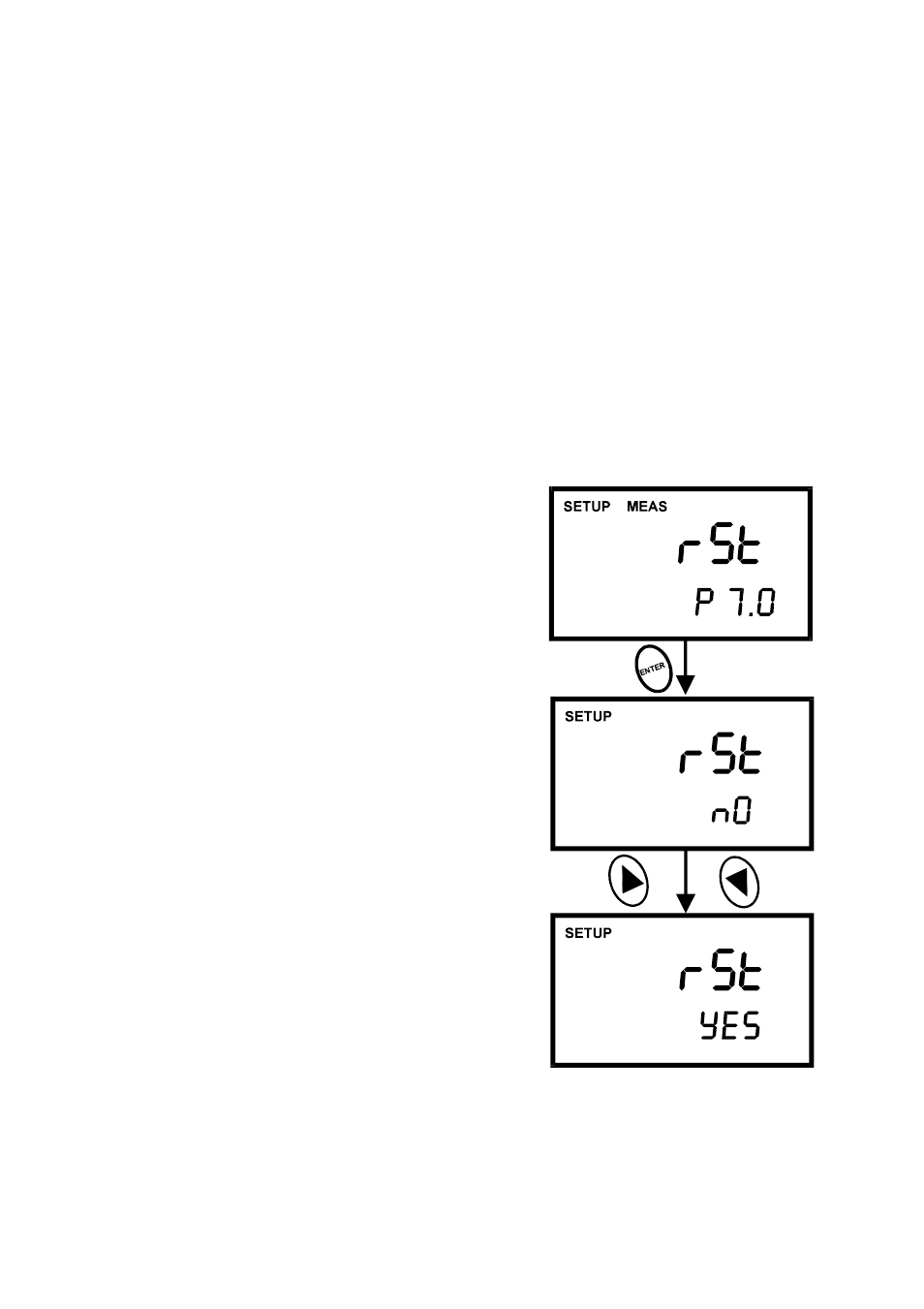
P7.0 [6.0] rSt: Resetting to Factory Default Setting (DO)
This program lets you reset all DO (% saturation and mg/L) parameters to factory default
settings. This clears all calibration data and any other DO setup functions you might have
changed.
The following settings will remain as you have set them:
•
Temperature unit of measure (°C or °F)
•
The temperature offset calibration value
•
All DO calibration data and parameters
There are also some other parameters that retain settings when reset is done. See Addendum
3 on page 68 for a table of factory default settings.
From measurement mode
Figure 41: Reset to factory
defaults
1.
Press SETUP key to enter SETUP mode.
2. Press
▲ or ▼ keys to scroll through subgroups
until you view parameter “rSt” in the upper display.
3.
Press the ENTER key.
4. Press
▲ or ▼ keys to toggle between NO and
YES.
•
NO retains current memory.
•
YES clears all memory
5. Press the ENTER key to confirm selection and to
return to measurement mode.
49
- PCTestr 35 (2 pages)
- pHScan BNC (3 pages)
- pHScan 3/3+ (5 pages)
- pHTestr 1 (3 pages)
- pHTestr 10/20/30/10 BNC/Spear (2 pages)
- ORPTestr 10/10 BNC (2 pages)
- EC/TDS/SaltTestr 11 (4 pages)
- EC/TDS/SaltTestr (2 pages)
- ECScan High/Low & TDScan High/Low (9 pages)
- SaltTestr (2 pages)
- EcoTestr pH 2 (2 pages)
- EcoTestr pH 1 (2 pages)
- EcoTestr EC High (2 pages)
- EcoTestr EC Low (2 pages)
- EcoTestr TDS High (2 pages)
- EcoTestr TDS Low (2 pages)
- EcoTestr Salt (2 pages)
- Eutech pH 5/6 Plus & Ion 6 Plus (New version R1.1, SN >797406) (23 pages)
- Eutech pH 5/6 Plus & Ion 6 Plus (Old version EP6, SN <797406, discontinued) (23 pages)
- Eutech COND/TDS/Salt 6 Plus (40 pages)
- Eutech DO 6 Plus (48 pages)
- EcoScan pH/Ion 5 & 6 (27 pages)
- EcoScan CON 6 & TDS 6 (56 pages)
- EcoScan CON 5 & TDS 5 (18 pages)
- EcoScan Salt 6 (40 pages)
- EcoScan DO 6 (80 pages)
- CyberScan pH 10/pH 100 (67 pages)
- CyberScan pH 11/pH 110 (76 pages)
- CyberScan CON 10/CON 100/CON 200 (62 pages)
- CyberScan CON 11/CON 110 (80 pages)
- CyberScan DO 110 (60 pages)
- CyberScan PCD 650 (127 pages)
- CyberScan CON 400/410 (For units manufactured before March 2010, discontinued) (60 pages)
- CyberScan CON 400 (For units manufactured from March 2010 onwards) (60 pages)
- CyberScan pH 300/310 (52 pages)
- CyberScan DO 300 (60 pages)
- CyberScan PC 300 (72 pages)
- CyberScan PC 10 (31 pages)
- C401 Colorimeter (64 pages)
- TN100 Turbidimeter (31 pages)
- RS232C Interface Adapter (9 pages)
- Thermo Scientific Temp 360 (44 pages)
- Thermo Scientific Temp 340 (40 pages)
- Thermo Scientific Temp 300 (32 pages)