
Kodak 9.1 User Manual
Page 54
Handling Paper
48
www.kodak.com/go/aiosupport
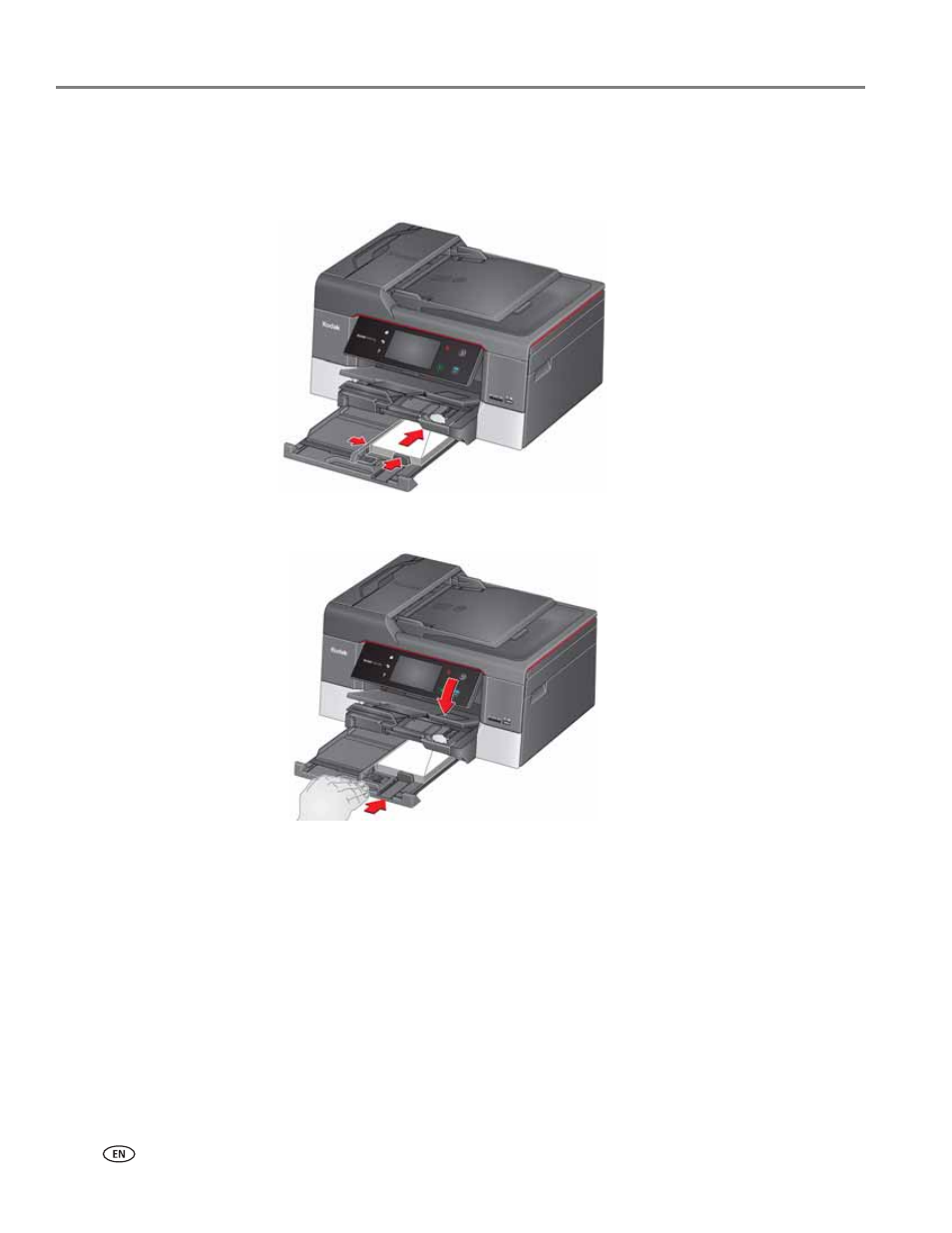
5. Insert the envelopes with the flap up and against the right side of the tray.
6. Move the envelopes forward until they stop.
7. Move both the left and front paper-edge guides until they touch the envelopes.
8. Push in the main paper tray until it clicks into place, and lower the output tray.
This manual is related to the following products:
See also other documents in the category Kodak Printers:
- Printer (67 pages)
- DryView 8900 (144 pages)
- ENDURA CIS-241 (2 pages)
- DS3700 (2 pages)
- NOVAJET 630 (192 pages)
- EasyShare 5500 (122 pages)
- CIS-201 (12 pages)
- ESP 5 (24 pages)
- ESP 5 (79 pages)
- ESP 5 (16 pages)
- ESP 5 (81 pages)
- FC2 (10 pages)
- CS300C (2 pages)
- EasyShare 5100 (86 pages)
- 3000 (36 pages)
- ESP 3.2s (123 pages)
- M700 (2 pages)
- ESP7200 (6 pages)
- CIS-221 (2 pages)
- 6B6640 (84 pages)
- 6000 (76 pages)
- 6000 (2 pages)
- ESP 1.2 (100 pages)
- ESP 1.2 (2 pages)
- ESP 3.2 (31 pages)
- ESP Office 2150 (7 pages)
- ESP C315 (20 pages)
- ESP C315 (95 pages)
- ESP C315 (2 pages)
- HERO 3.1 (100 pages)
- HERO 3.1 (34 pages)
- ESP 7250 (2 pages)
- 8800 (26 pages)
- ESP 9 (143 pages)
- ESP 9 (16 pages)
- E-4028 (8 pages)
- CP-48S (12 pages)
- 5300 (28 pages)
- RP 30 (235 pages)
- 5100 (28 pages)
- 5100 (80 pages)
- E-2411 (6 pages)
- ESP 5260 (62 pages)
- PROFESSIONAL ULTRA III Paper E-142 (8 pages)
- ESP Office 6150 (20 pages)