
Epson STYLUS 7900 User Manual
Page 157
157
Managing Color With Profiles
|
157
Also click the
Preview
box so you can see the effects of your profile
choice on the screen.
6. Select
Page Setup
from the
File
menu, select your page settings, and
click
OK
.
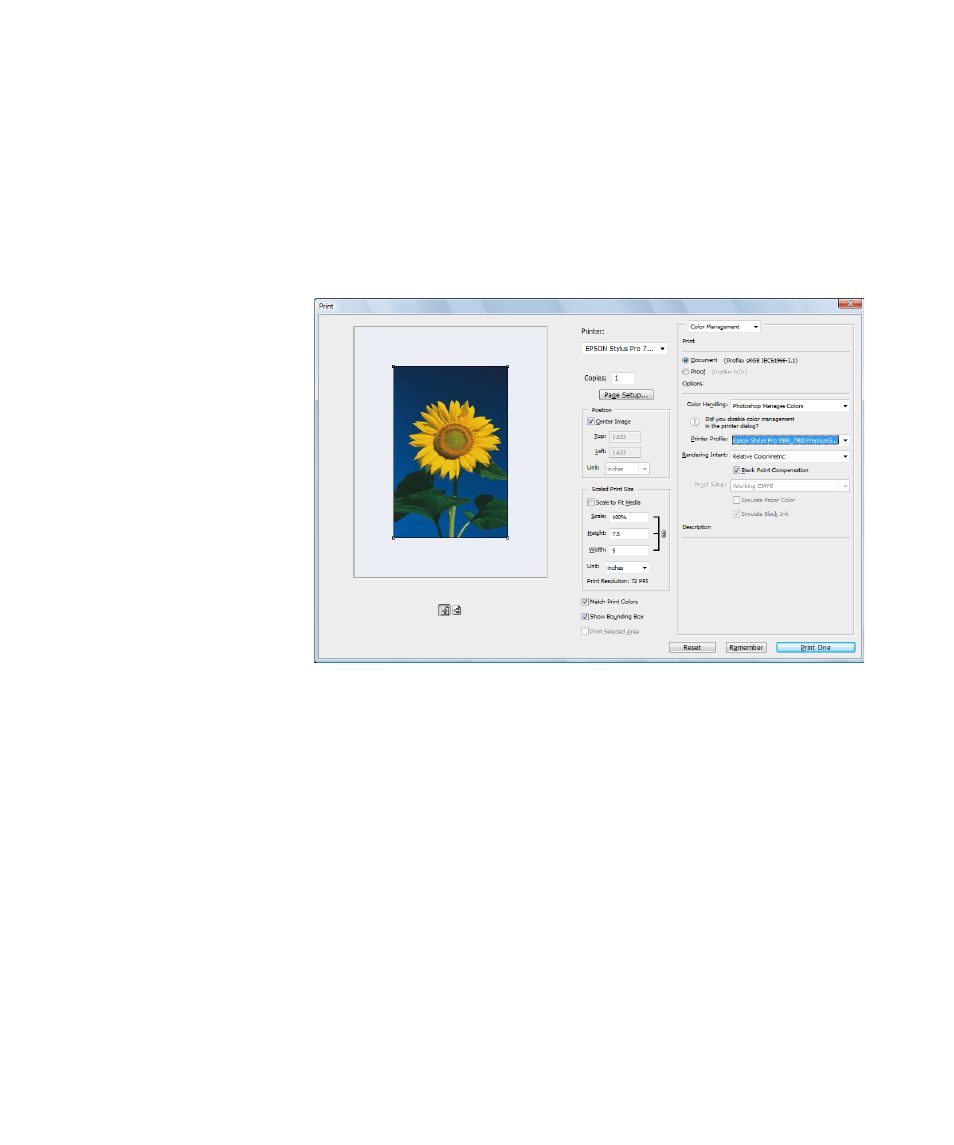
7. Select
File
, then select
or
Print with Preview
.
8. Click
More Options
or
Show More Options
, then select
Color
Management
.
9. Under
Color Handling
, select
Let Photoshop Determine Colors
or
Photoshop Manages Colors
.
10. Under
Profile
or
Printer Profile
, select a profile for your printer and
the paper you’ll use, such as
Pro9900_7900_PremiumSemigloss
PhotoPaper250.icc
.
11. For the
Intent
or
Rendering Intent
setting, select
Relative
Colorimetric
or
Perceptual
, and click the
Black Point
Compensation
checkbox.
Note: If your image
contains very saturated
colors, select Perceptual.
This reduces the color
saturation so that the
colors fit within the
printer’s color gamut.
- Stylus Pro 7800 (11 pages)
- Stylus Pro 4000 (49 pages)
- Stylus Photo R300 (2 pages)
- Stylus Pro 7000 (147 pages)
- AcuLaser C3000 (316 pages)
- Stylus Pro 7900 (24 pages)
- Stylus Pro 4450 (21 pages)
- 1000 (272 pages)
- T034120 (4 pages)
- T580300 (4 pages)
- 300 (91 pages)
- B 510DN (190 pages)
- B 510DN (218 pages)
- Stylus NX510 (8 pages)
- Stylus Photo RX580 (95 pages)
- T549300 (4 pages)
- B 500DN (168 pages)
- AculaserCX11NF (5 pages)
- 480SXU (24 pages)
- 4500 (317 pages)
- STYLUS RX500 (99 pages)
- 2100 (13 pages)
- Stylus NX215 (2 pages)
- T098320 (4 pages)
- T041020 (4 pages)
- R210 (8 pages)
- All-In-One Stylus Photo RX600 (164 pages)
- 777I (53 pages)
- T033120 (4 pages)
- Stylus CX7000F (8 pages)
- 60 (113 pages)
- T034220 (4 pages)
- WorkForce 40 Series (36 pages)
- T054220 (4 pages)
- Stylus CX3200 (11 pages)
- Stylus CX7800 (18 pages)
- T060220 (4 pages)
- 2500 (180 pages)
- AcuLaser CX11N (32 pages)
- AcuLaser CX11N (4 pages)
- 2000P (16 pages)
- T606600 (4 pages)
- Stylus CX6000 (18 pages)
- FS-4000DN (2 pages)
- MSDS T544700 (4 pages)