
Removing a drive from the multibay – Compaq iPAQ User Manual
Page 22
Working with the MultiBay
Quick Setup & User’s Guide
2-5
3. With the top of the drive facing left and the drive connector facing the
Personal Computer, slide the drive into the MultiBay and push firmly to
ensure that the electrical connector is properly seated.
Inserting a Drive into the MultiBay
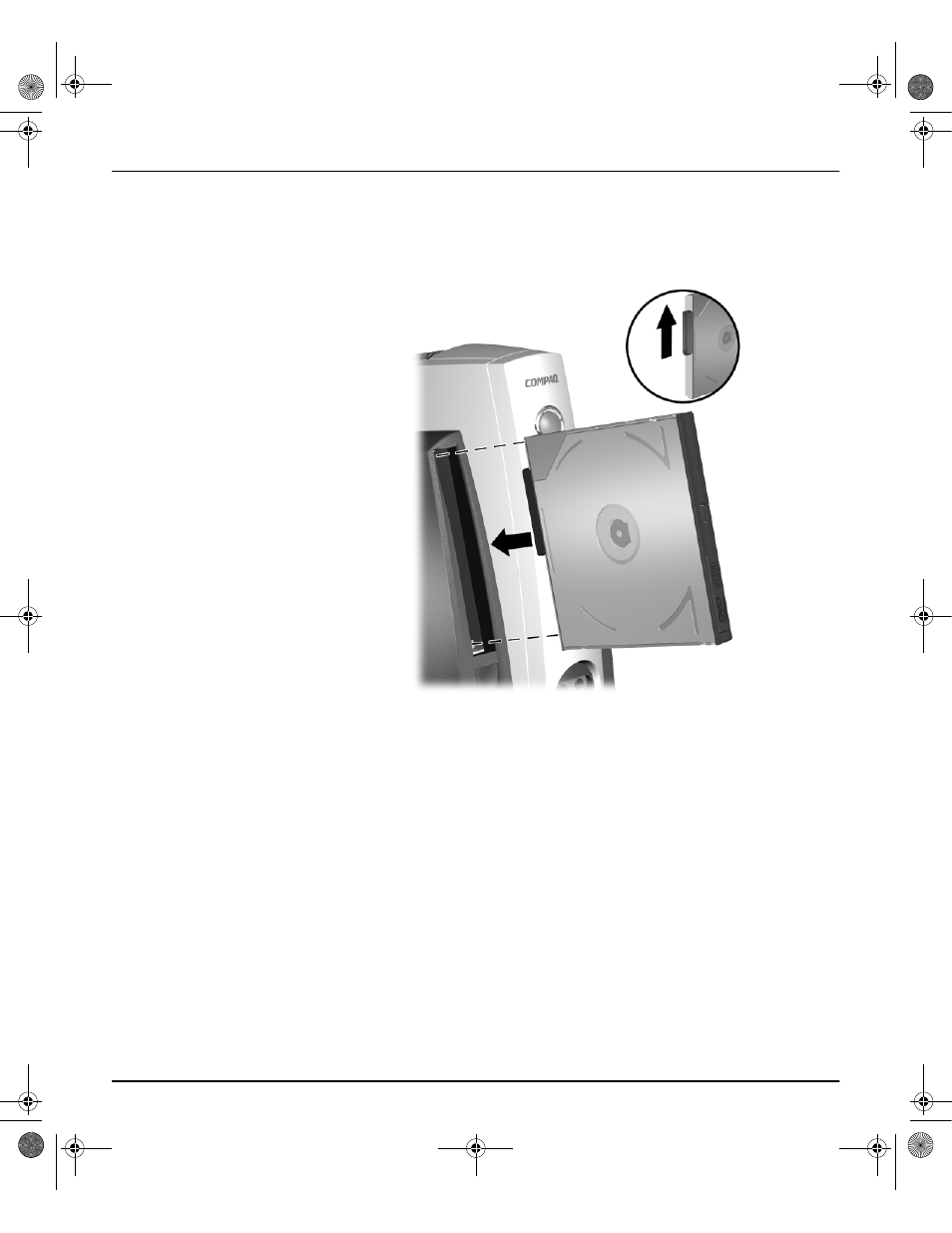
Removing a Drive from the MultiBay
1. Exit all software applications, shut down the operating system software,
and turn off the Personal Computer if
❏
You are inserting or removing a hard drive.
❏
The Personal Computer is running a retail version of Windows 98 or
Windows NT 4.0 without software enhancements from Compaq.
2. Remove the iPAQ Desktop Security Bar, if it has been installed so as to
disable the MultiBay eject button 1. Refer to “Uninstalling the iPAQ
Desktop Security Bar” on page 3-1.
QuickSetup_UsersGuide.book Page 5 Wednesday, May 30, 2001 9:36 AM
- SR1602HM (2 pages)
- PROLIANT ML370 (152 pages)
- 228399-373 (73 pages)
- DA-10832 (20 pages)
- GS80 (184 pages)
- N1020V (219 pages)
- 1500 (204 pages)
- ProLiant DL585 G2 (46 pages)
- 277958-001 (74 pages)
- SR1010Z (1 page)
- DESKTOP 330 (20 pages)
- AERO 2100 (192 pages)
- DESKPRO 1000 (99 pages)
- Deskpro EN Series (31 pages)
- DL380 G2 (40 pages)
- 7000 (2 pages)
- 281862-002 (140 pages)
- 4000S (196 pages)
- EN Series (1 page)
- Presario PC (16 pages)
- Presario (96 pages)
- GS320 (290 pages)
- M700 (30 pages)
- 8000 (70 pages)
- 6000 (142 pages)
- 8000 (158 pages)
- Presario 7000 Series Internet PCQuick 470004-759 (1 page)
- AA-RHGWC-TE (362 pages)
- DS20 (82 pages)
- AP230 (31 pages)
- PROLIANT ML350 (89 pages)
- Professional Workstation AP200 (163 pages)
- Presario SR1610NX (2 pages)
- M300 (21 pages)
- EVO WORKSTATION W8000 (36 pages)
- S0000 (2 pages)
- DL580 (28 pages)
- 4-1 DA-10021-01-001 (20 pages)
- 160 (34 pages)
- Presario 6000 Series (2 pages)
- 505B (32 pages)
- Presario MyMovieSTUDIO (16 pages)
- Evo D510 e-pc (35 pages)
- Presario 7360 (214 pages)
- 4103TH (73 pages)