
Setting access privileges – Apple Using AppleShare Client 3.8.6 User Manual
Page 7
6
m
Look at the folder icons in the Finder.
Note:
If you’re using an older version of system software, your folder icons look slightly
different.
Setting Access Privileges
You can change the access privileges to folders that you own on the file server.
Note:
You can also set access privileges to items on your hard disk, then make them available
to others on your network using the built-in file sharing capabilities of your Macintosh. For
more information about file sharing, look in the Help menu.
1
Select a folder that you own on the file server. Choose Get Info from the File menu and then
choose Sharing from the submenu (or choose Sharing from the File menu).
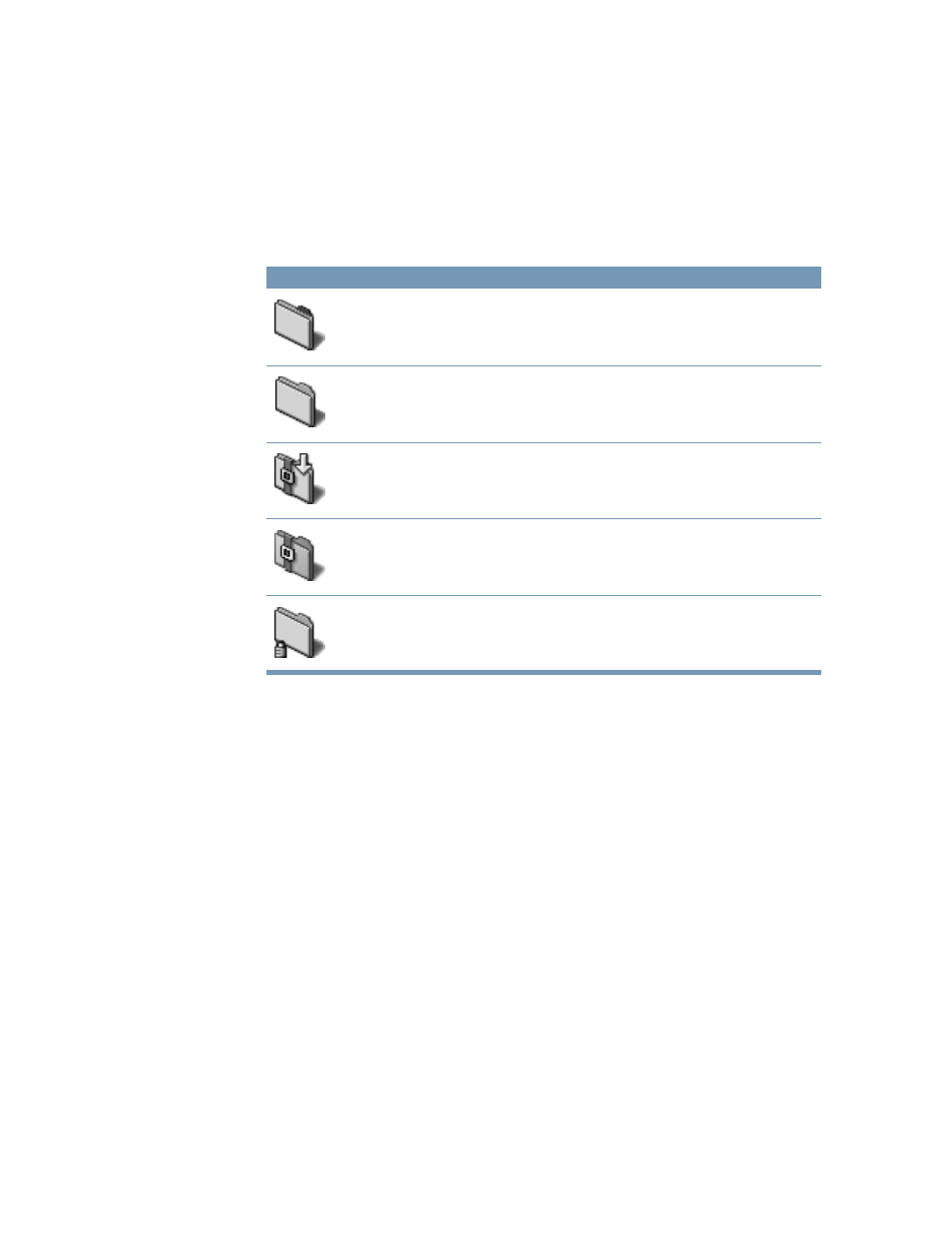
Icon
Privileges
Tabbed folder
You are the owner of the folder.
Plain folder
You have some access privileges to the folder.
Locked folder with arrow (Drop box)
You have the Write Only privilege.
Locked folder
You have no access privileges to this folder.
Folder with lock
You can’t move, rename, or delete this folder. (Any folder shown above can have a lock.)
- Numbers '09 (254 pages)
- Keynote '09 (247 pages)
- Pages '09 (279 pages)
- Boot Camp Mac OS X v10.6 Snow Leopard (19 pages)
- Boot Camp Mac OS X v10.6 Snow Leopard (18 pages)
- iWork '09 (372 pages)
- Mac OS X v10.6 Snow Leopard (7 pages)
- GarageBand '08 (102 pages)
- iDVD '08 (35 pages)
- GarageBand '09 (122 pages)
- iWeb (37 pages)
- iMovie '08 (50 pages)
- Boot Camp (Mac OS X v10.5 Leopard) (27 pages)
- Boot Camp (Mac OS X v10.5 Leopard) (25 pages)
- Mac OS X v10.5 Leopard (16 pages)
- Mac OS X (622 pages)
- Mac OS X Server (Version 10.6 Snow Leopard) (197 pages)
- Mac OS (42 pages)
- Mac OS X Server (Upgrading and Migrating For Version 10.4 or Later) (97 pages)
- iMovie HD (47 pages)
- iMovie HD (83 pages)
- MAC OS 7.6.1 (4 pages)
- Mac OS X Server (Extending Your Wiki Server For Version 10.5 Leopard) (45 pages)
- Mac OS X Server Ver 10.4 (35 pages)
- Mac OS X Server v10.6 (76 pages)
- Mac OS X Server v10.6 (97 pages)
- Macintosh Japanese Language Kit (30 pages)
- Xserve (Early 2008) DIY Procedure for Hard Drive (3 pages)
- Xserve (8 pages)
- Xserve (60 pages)
- GarageBand 3 (98 pages)
- Remote Desktop 3.1 (191 pages)
- Motion 5.1.1 (1090 pages)
- Workgroup Server 8150/110 (144 pages)
- Aperture (476 pages)
- Xserve Intel (Late 2006) DIY Procedure for Optical Drive Cable (6 pages)
- Xserve Intel (Late 2006) DIY Procedure for Optical Drive Cable (7 pages)
- Network Services Location Manager Network (8 pages)
- Macintosh System 7.5 (114 pages)
- Macintosh System 7.5 (65 pages)
- Macintosh System 7.5 (126 pages)
- DVD Studio Pro 4 (656 pages)
- Keynote '08 (204 pages)
- Xsan 2 (Second Edition) (11 pages)
- LiveType 2 (157 pages)