
Asus WL-HDD2.5 User Manual
Page 51
ASUS 802.11g WL-HDD2.5
41
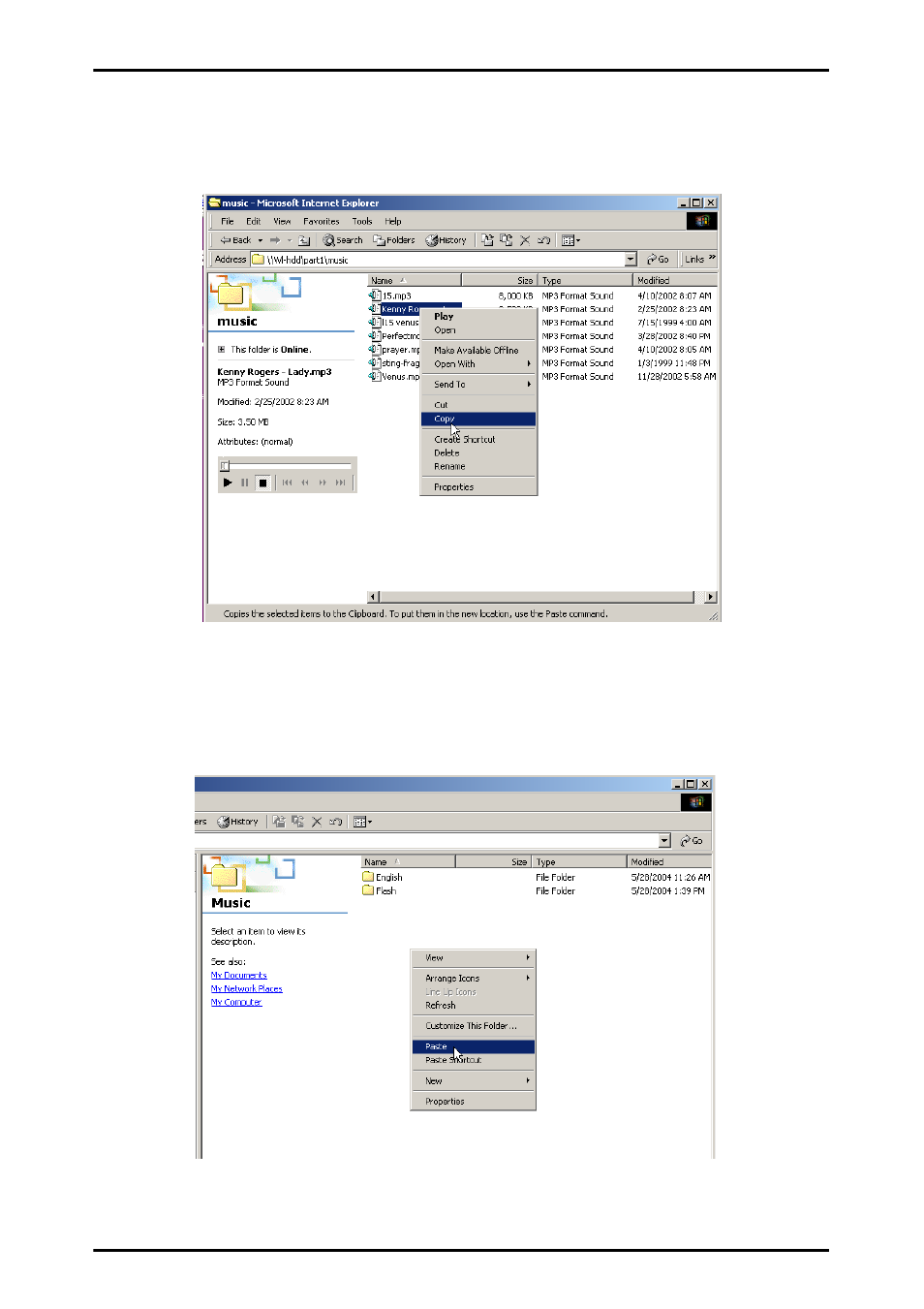
3. Right-click the file(s) that you want to download to your local
drive, to view the context menu. Select Copy from the context
menu.
4. Using Windows Explorer, navigate to the location on your local
drive where you want to download the selected file. Right-click to
view the context menu and select Paste to download the music
file.
See also other documents in the category Asus Computer Accessories:
- PCE-N13 (65 pages)
- WL-167g (44 pages)
- WL-167G V3 (2 pages)
- PCI-N10 (34 pages)
- USB-N10 (46 pages)
- USB-N13 (69 pages)
- EEE PAD PC TF101 (4 pages)
- 1 E1309 (70 pages)
- GIGAX1024 (8 pages)
- GIGAX1024P (10 pages)
- GigaX 1124 (10 pages)
- AP100 (32 pages)
- GIGAX1024P (41 pages)
- P4SDX (2 pages)
- P4SDX (64 pages)
- WL-HDD2.5 (58 pages)
- WL-HDD2.5 (14 pages)
- WL-HDD2.5 (84 pages)
- TM-55 (2 pages)
- GX900 (13 pages)
- Miracast Dongle (22 pages)
- VC60 (38 pages)
- VC60 (38 pages)
- CP220 (27 pages)
- GX800 (10 pages)
- SD222-YA (24 pages)
- FlexSlim Drive (14 pages)
- Vito W1 (32 pages)
- CrossLink Plus (92 pages)
- KR External HDD (14 pages)
- RAIDR Express PCIe SSD (24 pages)
- CD-S400 (8 pages)