
Applying the permissions – Asus WL-HDD2.5 User Manual
Page 48
38
ASUS 802.11g WL-HDD2.5
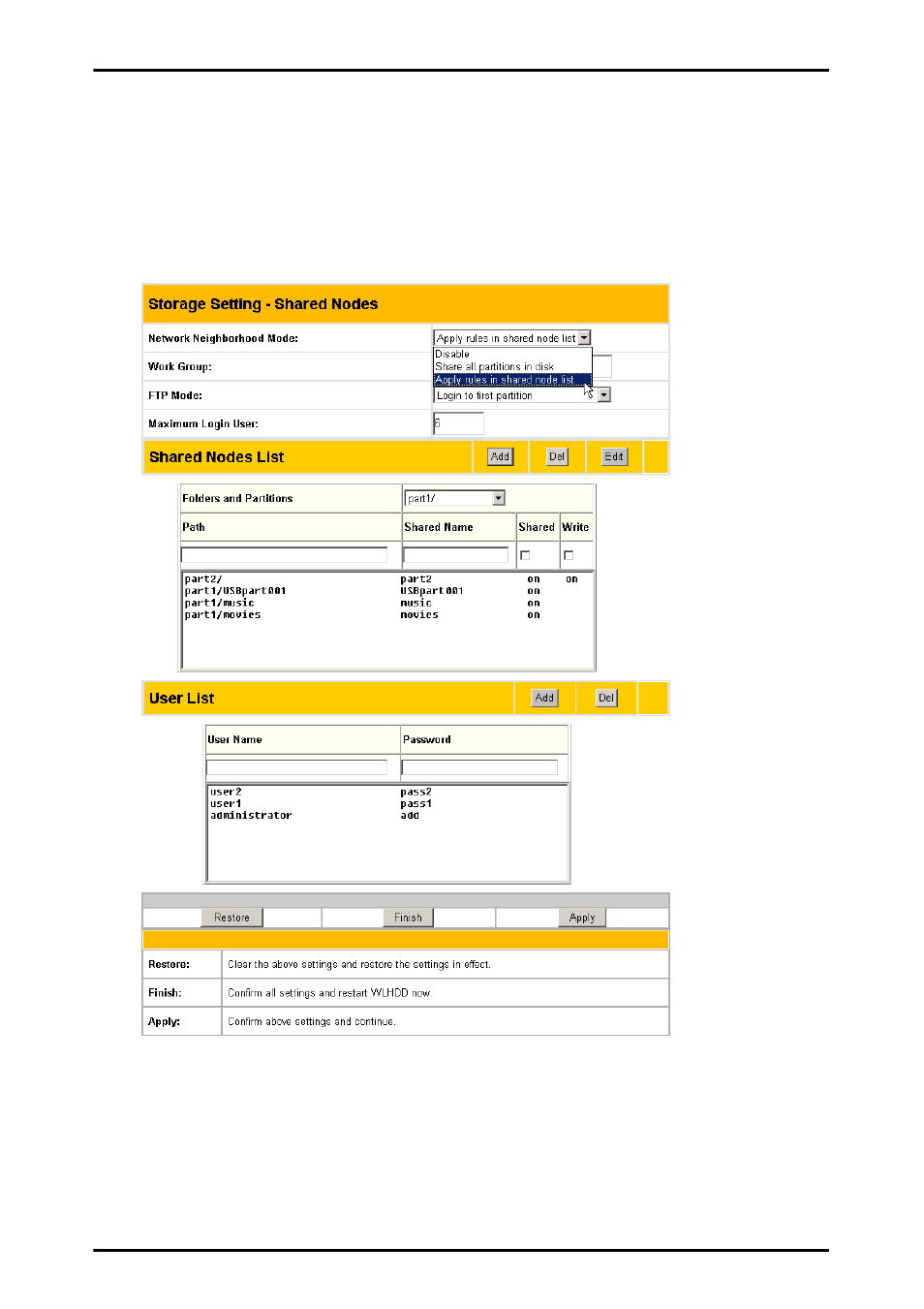
Applying the permissions
After adding users who can access the hard drive and setting up
access rights for the hard drive’s partitions and folders, use the Net-
work Neighborhood Mode option to apply the permissions. Scroll to
select Apply rules in shared node list from the field and click Finish
to save the changes and restart the system.
See also other documents in the category Asus Computer Accessories:
- PCE-N13 (65 pages)
- WL-167g (44 pages)
- WL-167G V3 (2 pages)
- PCI-N10 (34 pages)
- USB-N10 (46 pages)
- USB-N13 (69 pages)
- EEE PAD PC TF101 (4 pages)
- 1 E1309 (70 pages)
- GIGAX1024P (10 pages)
- GIGAX1024 (8 pages)
- GigaX 1124 (10 pages)
- AP100 (32 pages)
- GIGAX1024P (41 pages)
- P4SDX (64 pages)
- P4SDX (2 pages)
- WL-HDD2.5 (58 pages)
- WL-HDD2.5 (14 pages)
- WL-HDD2.5 (84 pages)
- TM-55 (2 pages)
- GX900 (13 pages)
- Miracast Dongle (22 pages)
- VC60 (38 pages)
- VC60 (38 pages)
- CP220 (27 pages)
- GX800 (10 pages)
- SD222-YA (24 pages)
- FlexSlim Drive (14 pages)
- Vito W1 (32 pages)
- CrossLink Plus (92 pages)
- KR External HDD (14 pages)
- RAIDR Express PCIe SSD (24 pages)
- CD-S400 (8 pages)