
NISSAN 2008 Altima Sedan User Manual
Page 26
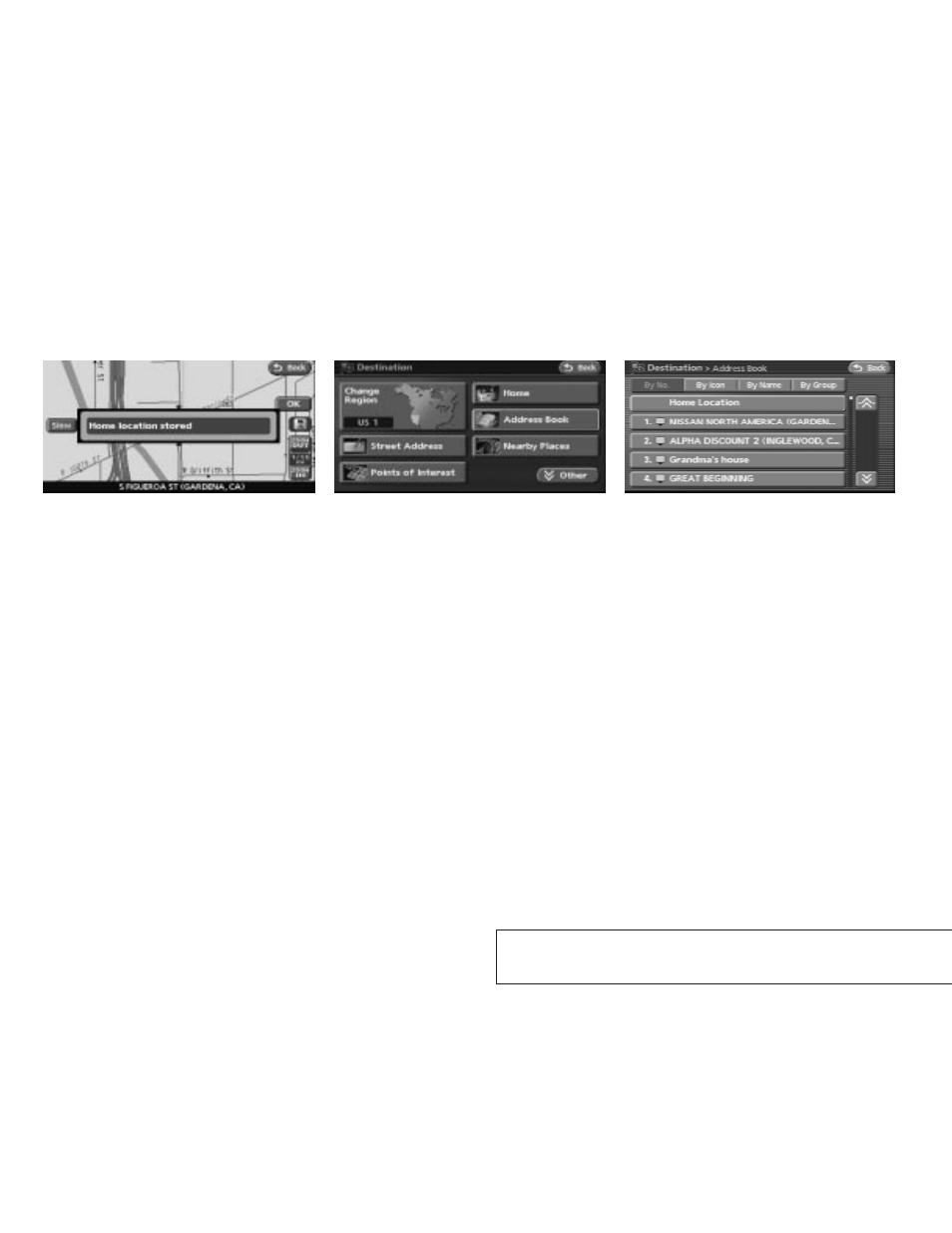
6. Your home is displayed at the center of the
map. If the location is correct touch the
“OK” key.
A confirmation message is displayed, and the
system sets your home as the destination.
Example 2 ; the procedure for storing your
home location by searching for a destina-
tion by address is described here.
1. Press the DEST button.
2. Touch the “Address Book” key.
3. Touch the “Home Location (Add New)” key.
LNV0089
LNV0189
LNV0190
2-20
Getting started
੬
REVIEW COPY—
2008 Altima (alt)
Navigation System OM—USA_English (nna)
03/06/07—arosenma
੭
This manual is related to the following products:
See also other documents in the category NISSAN Cars:
- 2008 Frontier (4 pages)
- 2010 Cube - Quick Reference Guide (20 pages)
- 2011 Cube - Navigation System Owner's Manual (82 pages)
- 2010 Rogue (369 pages)
- 2010 Rogue (378 pages)
- 2009 Altima Coupe - Service & Maintenance Guide (59 pages)
- 2011 370Z Coupe - Navigation System Owner's Manual (233 pages)
- 2012 Maxima (452 pages)
- 2010 GT-R Sports Sedan (314 pages)
- MURANO 2010 (48 pages)
- 2011 Murano (433 pages)
- 2010 Altima Coupe - Quick Reference Guide (40 pages)
- 2010 Z Roadster (409 pages)
- 2010 Armada (234 pages)
- 2009 Pathfinder (471 pages)
- ALTIMA 2006 (13 pages)
- 2010 Versa Hatchback - Navigation System Owner's Manual (79 pages)
- 2009 Frontier (366 pages)
- 2009 Murano (443 pages)
- 2009 Maxima - Navigation System Owner's Manual (264 pages)
- PATHFINDER R50 (24 pages)
- 2009 Sentra (326 pages)
- 2010 Maxima (457 pages)
- 2010 Maxima (458 pages)
- Frontier (4 pages)
- 2008 Armada (45 pages)
- 2009 Altima Hybrid - Navigation System Owner's Manual (238 pages)
- 2009 Rogue (316 pages)
- 2009 Nissan Altima (374 pages)
- 2009 Nissan Altima (370 pages)
- TITAN 2010 (407 pages)
- 2009 Quest (376 pages)
- 2009 GT-R (311 pages)
- 2008 Altima Coupe (368 pages)
- 2010 Xterra (337 pages)
- 2006 Altima (304 pages)
- 2010 Sentra (28 pages)
- 2010 Sentra (331 pages)
- Z12-D (321 pages)
- 2011 Altima Hybrid - Navigation System Owner's Manual (315 pages)
- 2010 GT-R (44 pages)
- CVT SIC0697 (283 pages)
- 2009 Cube (24 pages)
- 2009 Titan (408 pages)