
Directory
Brands
Casio manuals
Tablet
PV-200 Secret Function
Manual

Casio PV-200 Secret Function User Manual

Page 5
  • Text mode
  • Original mode
background image

99

Chapter 7 Secret Function

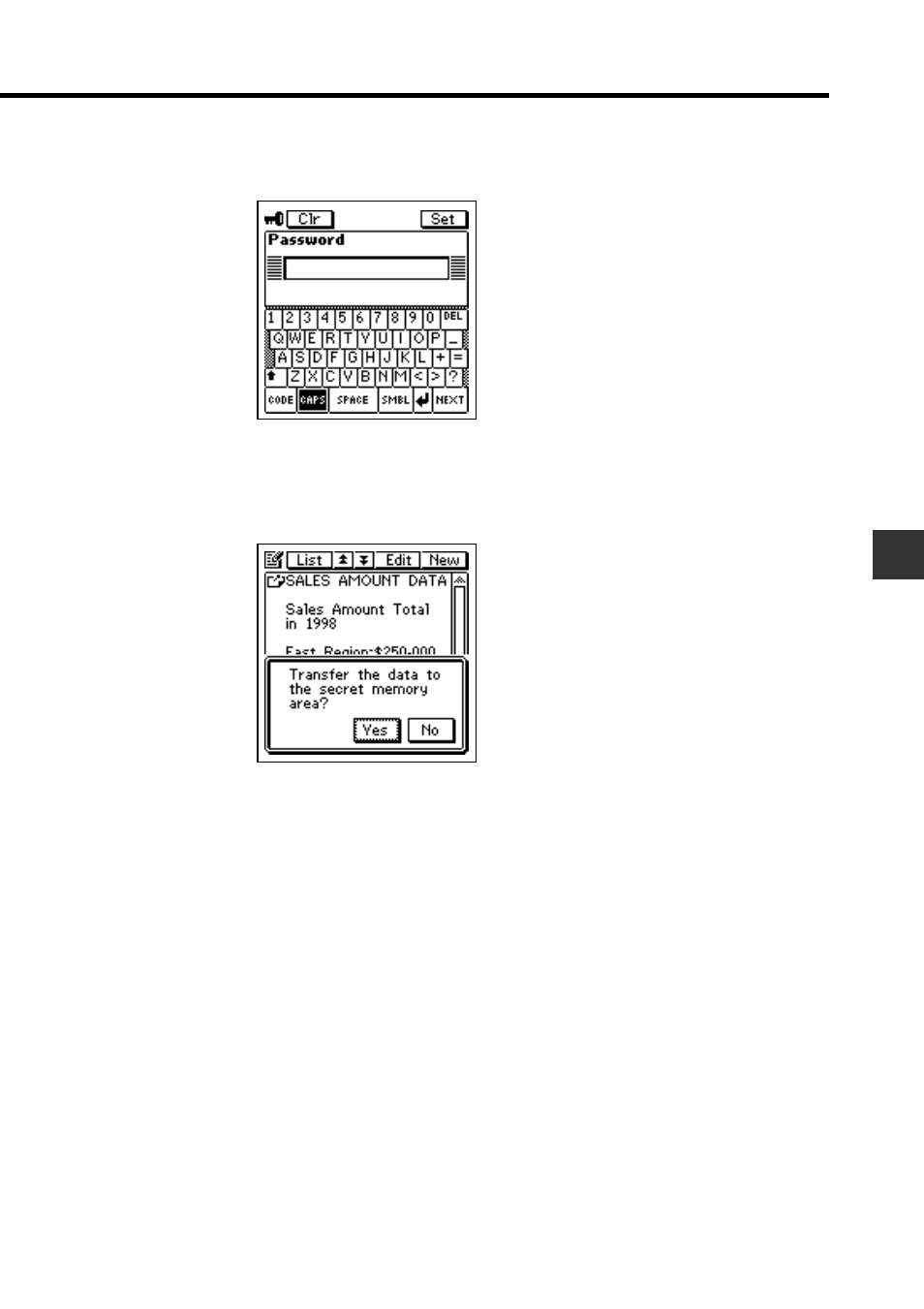
3. Tap the Menu Bar icon to display the menu bar, and then tap Edit – To

secret area.

4. Input the correct password and then tap Set.
•

You do not need to input the password if you have entered the secret
memory area since you last turned on power.

5. Tap Yes to transfer the data.

Pages: 1 2 3 4 5 6
  • wrong Brand
  • wrong Model
  • non readable
This manual is related to the following products:
  • PV-100 Secret Function PV-S450 Secret Function PV-S250 Secret Function PV-750 Secret Function PV-750 Plus Secret Function
See also other documents in the category Casio Tablet:
  • Stylus (126 pages)
  • EM-500 (67 pages)
  • IT-500 (58 pages)
  • PA-2400W (83 pages)
  • IT-2000 (31 pages)
  • IT-700/70 (63 pages)
  • IT-2000D (224 pages)
  • Version 3.20 (20 pages)
  • CASSIOPEIA EG-800 (2 pages)
  • IT-800 (4 pages)
  • IT-800 (73 pages)
  • SF-6990 (100 pages)
  • E-105 (141 pages)
  • IT-600 (57 pages)
  • Cassiopeia BE-300 (47 pages)
  • PA-2500 (17 pages)
  • EM-500 (48 pages)
  • E-105 (44 pages)
  • E-105 (45 pages)
  • MPC-501 (126 pages)
  • IT-2000W (297 pages)
  • PV-750 Plus Technical Reference (189 pages)
  • PV-750 Plus Technical Reference (187 pages)
  • Cassiopeia PA-2400 (56 pages)
  • EW-B100C (91 pages)
  • EW-B2000C (155 pages)
  • EW-G5500V Quick Reference Guide (3 pages)
  • PV-750 Plus Getting Acquainted (16 pages)
  • SF-5580 (83 pages)
Home Brands Popular manuals Recently added
Manuals Directory

© 2012–2025, azmanual.top
All rights reserved.