
Dynamic route guidance with tmc – Blaupunkt DX-V User Manual
Page 43
Anhang
Allgemeines Kurzanlei-
Touren
Zieleingabe
Zielspeicher Einstellun-
43
Note
The traffic congestion symbols and the dashed line are displayed in red
on the map if they are not relevant to the route (e.g. if on the opposite
carriageway or alongside the route).
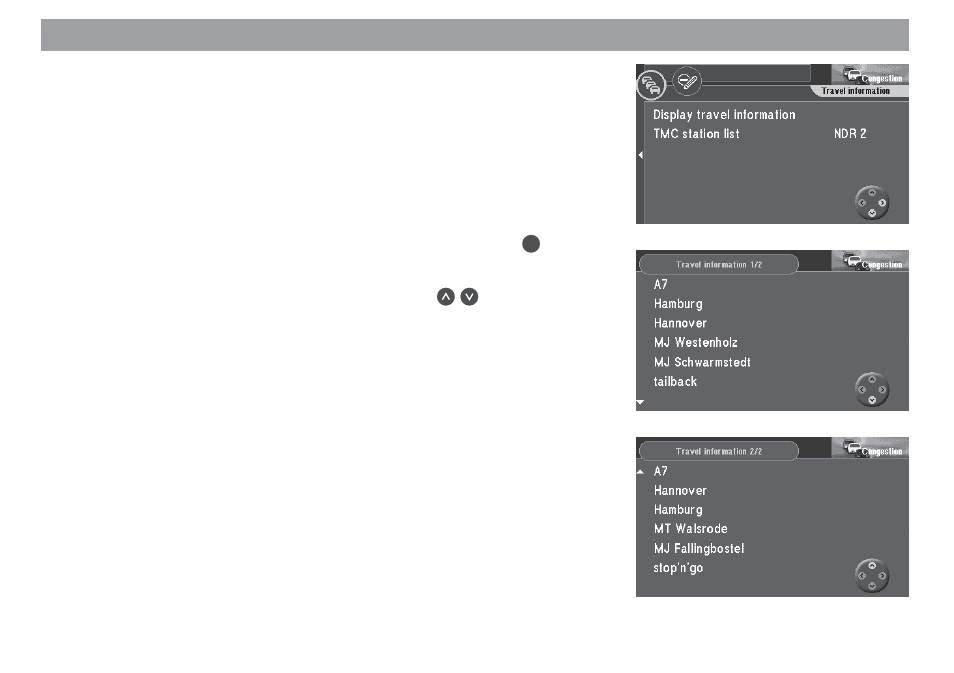
You can also have all of the traffic information received via TMC displayed. This infor-
mation will cover an area within a radius of approx. 62 mi around your current vehicle
position.
Mark “Display travel information” in the “Congestion” menu. Press
The first TMC traffic message on the list will appear.
✔
to “page”
Note
If there are no traffic messages in the memory, “No traffic information
available” will appear in the display.
Dynamic route guidance with TMC