
Remove the sim and memory card – Nokia Lumia 635 User Manual
Page 9
8. Switch your phone on.
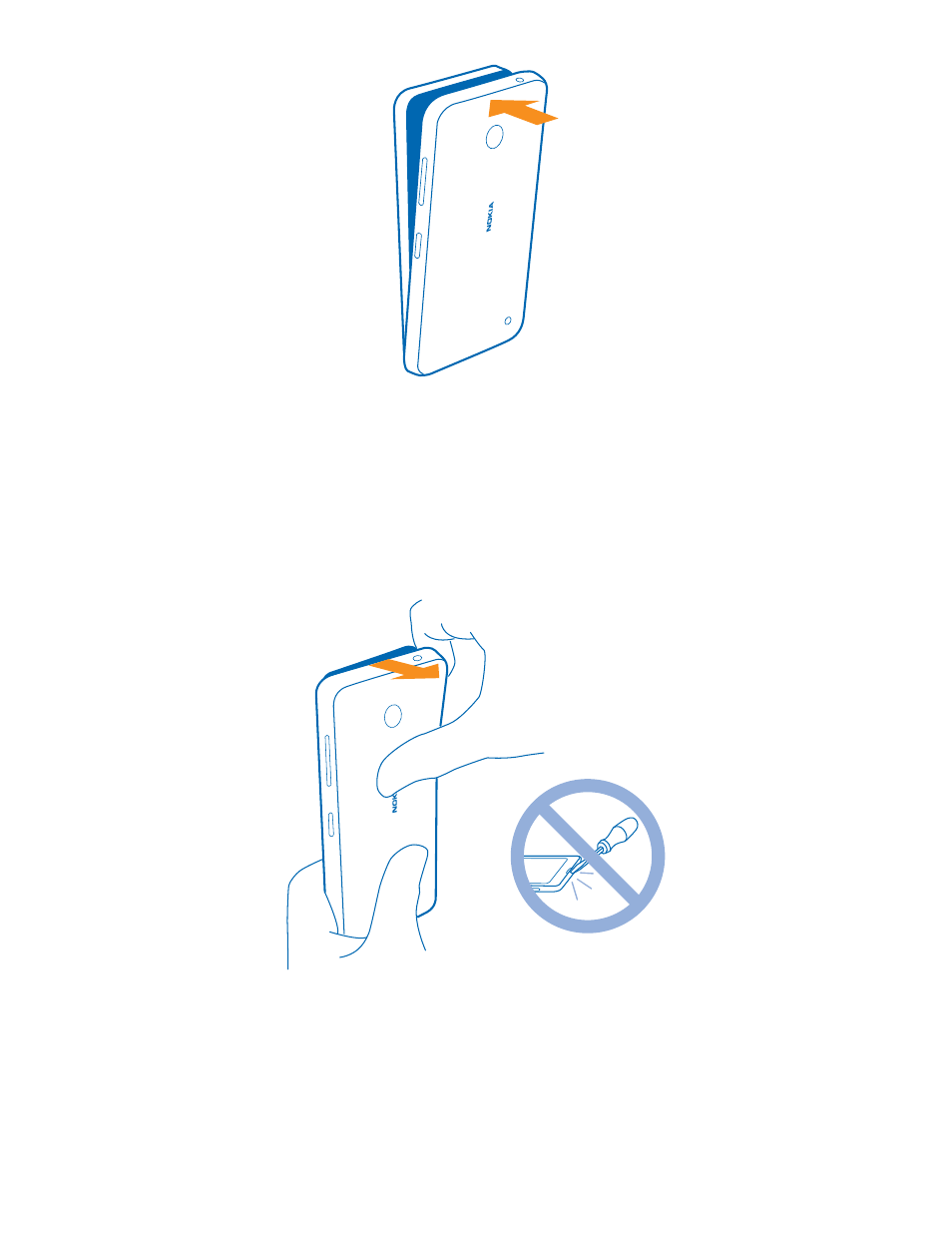
Remove the SIM and memory card
Got a new SIM or memory card? Learn how to remove the previous card from your phone.
1. Switch your phone off.
2. On the corner of the phone, put the tip of your index finger in the seam between the screen frame
and the back cover. Press the middle of the back cover, bend the cover open, and remove it.
3. If the battery is in, lift it out.
© 2014 Microsoft Mobile. All rights reserved.
9
See also other documents in the category Nokia Mobile Phones:
- 5510 (102 pages)
- 2310 (63 pages)
- 2310 (58 pages)
- 3660 (157 pages)
- 3660 (17 pages)
- N78 (368 pages)
- 5210 (106 pages)
- Nokia 1112 (56 pages)
- 7210 (185 pages)
- 2600 (2 pages)
- 2600 (185 pages)
- 2600 (66 pages)
- 6700 Slide (56 pages)
- 3510 (30 pages)
- 2100 (63 pages)
- 7020 (74 pages)
- 6300 (80 pages)
- E61i (241 pages)
- N97 (130 pages)
- N97 (357 pages)
- N71 (115 pages)
- 6510 (4 pages)
- 6670 (321 pages)
- N900 (283 pages)
- 2760 (99 pages)
- 2760 (69 pages)
- 9110i (26 pages)
- 8600 Luna (201 pages)
- 1616 EN (17 pages)
- 1616 (28 pages)
- 3109 (86 pages)
- E72 (150 pages)
- 9500 (112 pages)
- 3250 (2 pages)
- N72 (121 pages)
- XPRESSMUSIC 5220 (56 pages)
- 7370 (2 pages)
- 7370 (201 pages)
- 6170 (209 pages)
- E63 (143 pages)
- C3-00 (44 pages)
- 7610 (161 pages)
- 6310i (161 pages)
- 1280 (34 pages)
- 2690 (90 pages)