
Switch the phone on – Nokia Lumia 635 User Manual
Page 11
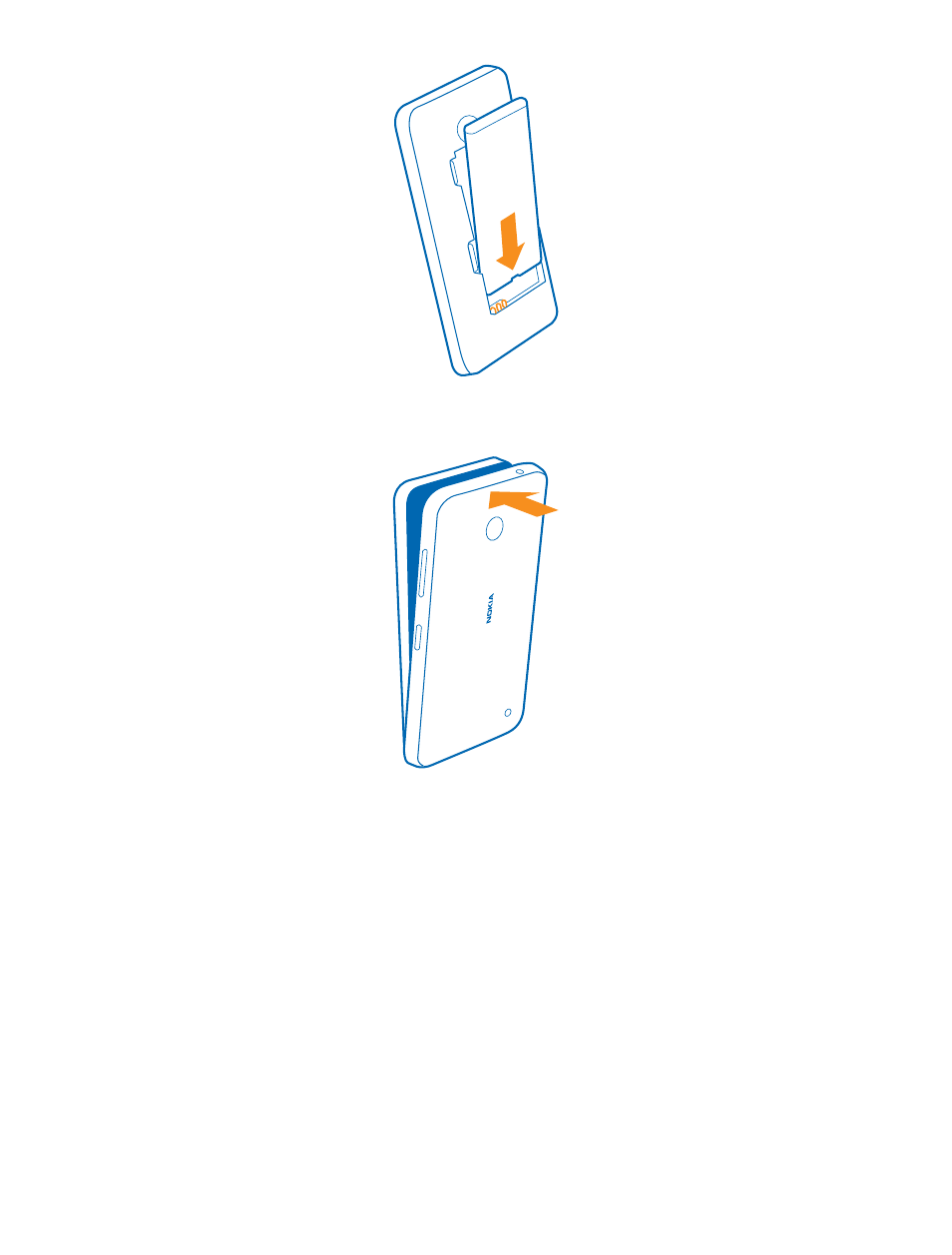
7. Press the bottom edge of the back cover against the bottom edge of your phone, and snap the
cover into place. Don't press the keys while attaching the cover.
8. Switch your phone on.
Switch the phone on
Are you ready? Switch your phone on, and start exploring it.
Press the power key until the phone vibrates.
© 2014 Microsoft Mobile. All rights reserved.
11
See also other documents in the category Nokia Mobile Phones:
- 5510 (102 pages)
- 2310 (63 pages)
- 2310 (58 pages)
- 3660 (157 pages)
- 3660 (17 pages)
- N78 (368 pages)
- 5210 (106 pages)
- Nokia 1112 (56 pages)
- 7210 (185 pages)
- 2600 (185 pages)
- 2600 (66 pages)
- 2600 (2 pages)
- 6700 Slide (56 pages)
- 3510 (30 pages)
- 2100 (63 pages)
- 7020 (74 pages)
- 6300 (80 pages)
- E61i (241 pages)
- N97 (130 pages)
- N97 (357 pages)
- N71 (115 pages)
- 6510 (4 pages)
- 6670 (321 pages)
- N900 (283 pages)
- 2760 (99 pages)
- 2760 (69 pages)
- 9110i (26 pages)
- 8600 Luna (201 pages)
- 1616 EN (17 pages)
- 1616 (28 pages)
- 3109 (86 pages)
- E72 (150 pages)
- 9500 (112 pages)
- 3250 (2 pages)
- N72 (121 pages)
- XPRESSMUSIC 5220 (56 pages)
- 7370 (2 pages)
- 7370 (201 pages)
- 6170 (209 pages)
- E63 (143 pages)
- C3-00 (44 pages)
- 7610 (161 pages)
- 6310i (161 pages)
- 1280 (34 pages)
- 2690 (90 pages)