
Before you proceed, A. disable any configured proxy servers – Asus RT-N14UHP User Manual
Page 15
1
Before you proceed
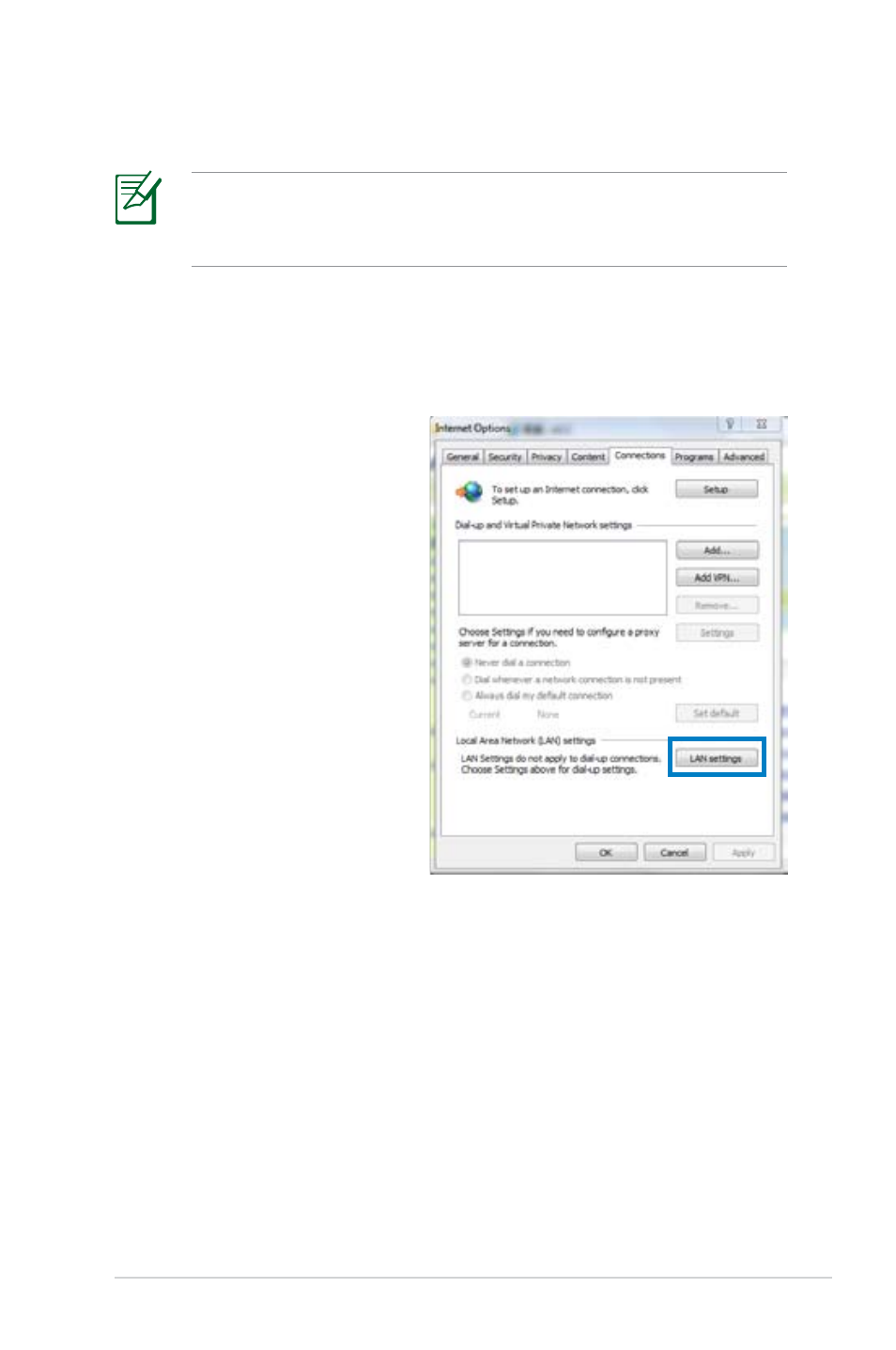
A. Disable any configured proxy servers.
Windows
®
7
1. Click Start > Internet
Explorer.
. Click Tools >
Internet options >
Connections tab >
LAN settings.
Before configuring your wireless router, apply the steps
described in this section to each computer on the network to
avoid problems connecting to the wireless network.
See also other documents in the category Asus Wireless Headsets:
- WL-AM602 (48 pages)
- RT-N11 (109 pages)
- RT-N11 (99 pages)
- RT-N11 (44 pages)
- RT-N11 (145 pages)
- RT-G31 (6 pages)
- RT-N11 (40 pages)
- RT-N56U (72 pages)
- RT-N56U (68 pages)
- RT-N56U (168 pages)
- RT-N56U (152 pages)
- RT-N16 (123 pages)
- RT-N16 (147 pages)
- RT-N16 (12 pages)
- RT-N16 (66 pages)
- RT-N16 (110 pages)
- RT-N16 (68 pages)
- RT-N16 (69 pages)
- WL-500gP V2 (151 pages)
- WL-500gP V2 (11 pages)
- WL-500gP V2 (65 pages)
- WL-500gP V2 (55 pages)
- WL-500 (12 pages)
- WL-500gP V2 (64 pages)
- WL-500gP V2 (88 pages)
- RT-N10LX (46 pages)
- RT-N10LX (22 pages)
- RT-N12 (VER.D1) (68 pages)
- RT-N12 (VER.D1) (68 pages)
- WL-600g (18 pages)
- WL-600g (57 pages)
- WL-600g (417 pages)
- WL-600g (227 pages)
- RT-N10E (46 pages)
- RT-N10E (26 pages)
- RT-N15U (60 pages)
- RT-N14UHP (2 pages)
- WL-320gE (172 pages)
- WL-320gE (74 pages)
- WL-320gE (361 pages)
- WL-320gE (20 pages)
- WL-320gE (71 pages)
- WL-320gE (58 pages)
- WL-320gE (77 pages)