
Setup mode – Vivitar ViviCam 8400 User Manual
Page 38
37
7. A message will appear on the LCD to
“
Please connect to device
”.
8. Connect your camera to a compatible printer with the USB cable provided to begin
printing.
9. Press the Shutter button to exit if you do not want to print.
Setup Mode
You can change the Setup options of your camera from the Camera, Video or
Playback modes.
1.
Turn the camera on and press the MODE or Playback button.
2.
In any one of the modes, press the OK/Menu button.
3.
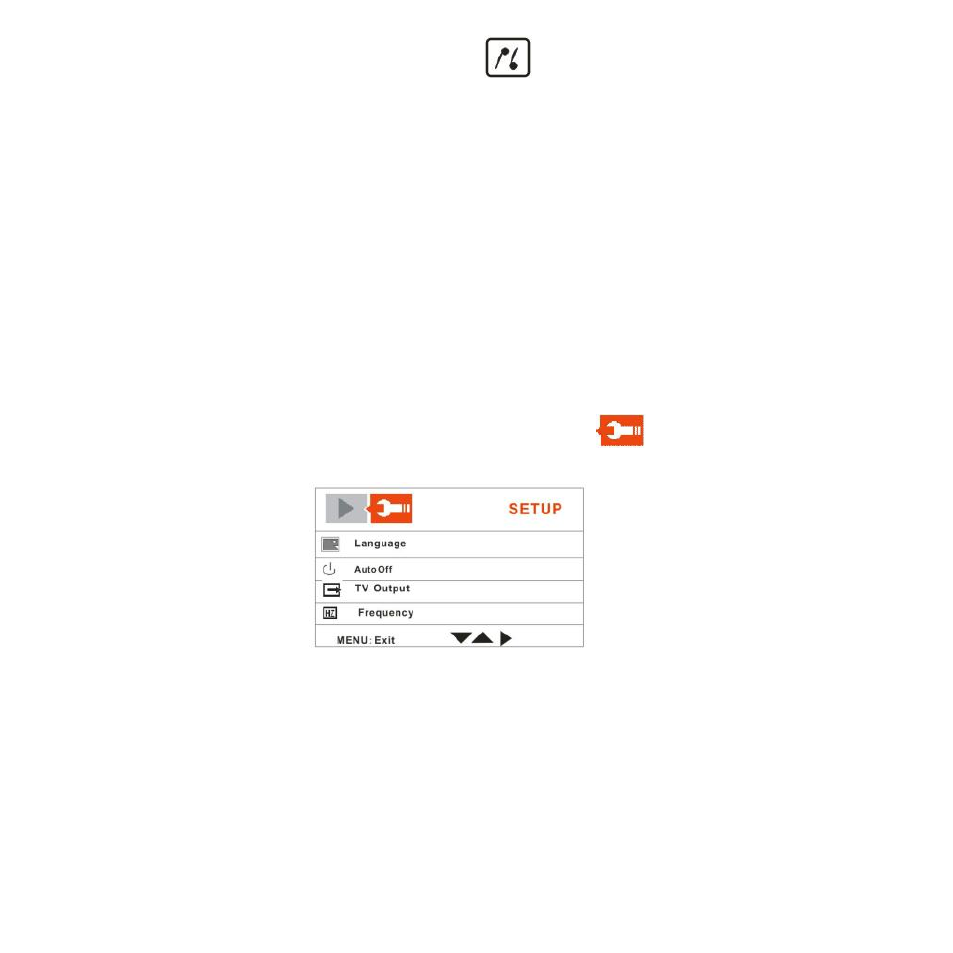
The LCD will appear with 2 tabs at the top of the screen.
4.
Press the Right button to move to the SETUP
tab.
5.
The Setup menu opens.
6.
Press the Up/Down button to select the Setup option that you wish to change:
Language, Auto Off, TV Output , Play Logo, Frequency, Date/Time , Buzzer ,
Format , Default Settings , USB Mode and Firmware Version
Language
Select the camera`s operational language
- ViviCam V15 (41 pages)
- VIVICAM T030 (60 pages)
- VS17G (26 pages)
- V3625 (47 pages)
- ViviCam 2750 (24 pages)
- 3765 (55 pages)
- ViviCam 3705 (52 pages)
- Vivicam 3715 (47 pages)
- VIVICAM DVR510 (32 pages)
- VIVICAM X027 (63 pages)
- ViviCam 3345 (18 pages)
- VIVICAM T024 (54 pages)
- ViviCam 5018 (33 pages)
- VIVICAM 620HD (60 pages)
- VIVICAM 3200 (36 pages)
- Vivicam 2755 (22 pages)
- 3615 (65 pages)
- VIVICAM 8025 (52 pages)
- ViviCam T328 (62 pages)
- ViviCam 8324 (65 pages)
- ViviCam 5022 (29 pages)
- T327 (54 pages)
- VIVICAM 5015 (28 pages)
- Vivicam 3350B (29 pages)
- Dvr560 (48 pages)
- VIVICAM 7690 (48 pages)
- ViviCam 3730 (61 pages)
- VIVICAM 5118V2 (58 pages)
- vivtarr i7 (81 pages)
- ViviCam 8300s (85 pages)
- Vivicam T135 (64 pages)
- VIVICAM T532 (55 pages)
- VIVICAM F536 (61 pages)
- Vivicam 3735 (44 pages)
- ViviCam X327 (55 pages)
- V69379M (19 pages)
- ViviCam X028 (60 pages)
- VIVICAM 8690 (49 pages)
- VIVICAM 5028 (53 pages)
- VIVICAM X026 (66 pages)
- ViviCam S529 (56 pages)
- DVR 830XHD (84 pages)
- ViviCam 3340 (28 pages)
- VIVICAM 8027 (56 pages)