Directory
Brands
Asus manuals
For Home
EB1035
Manual

Asus EB1035 User Manual

Page 42

  • Text mode
  • Original mode
background image

42

EB1035 PC

English

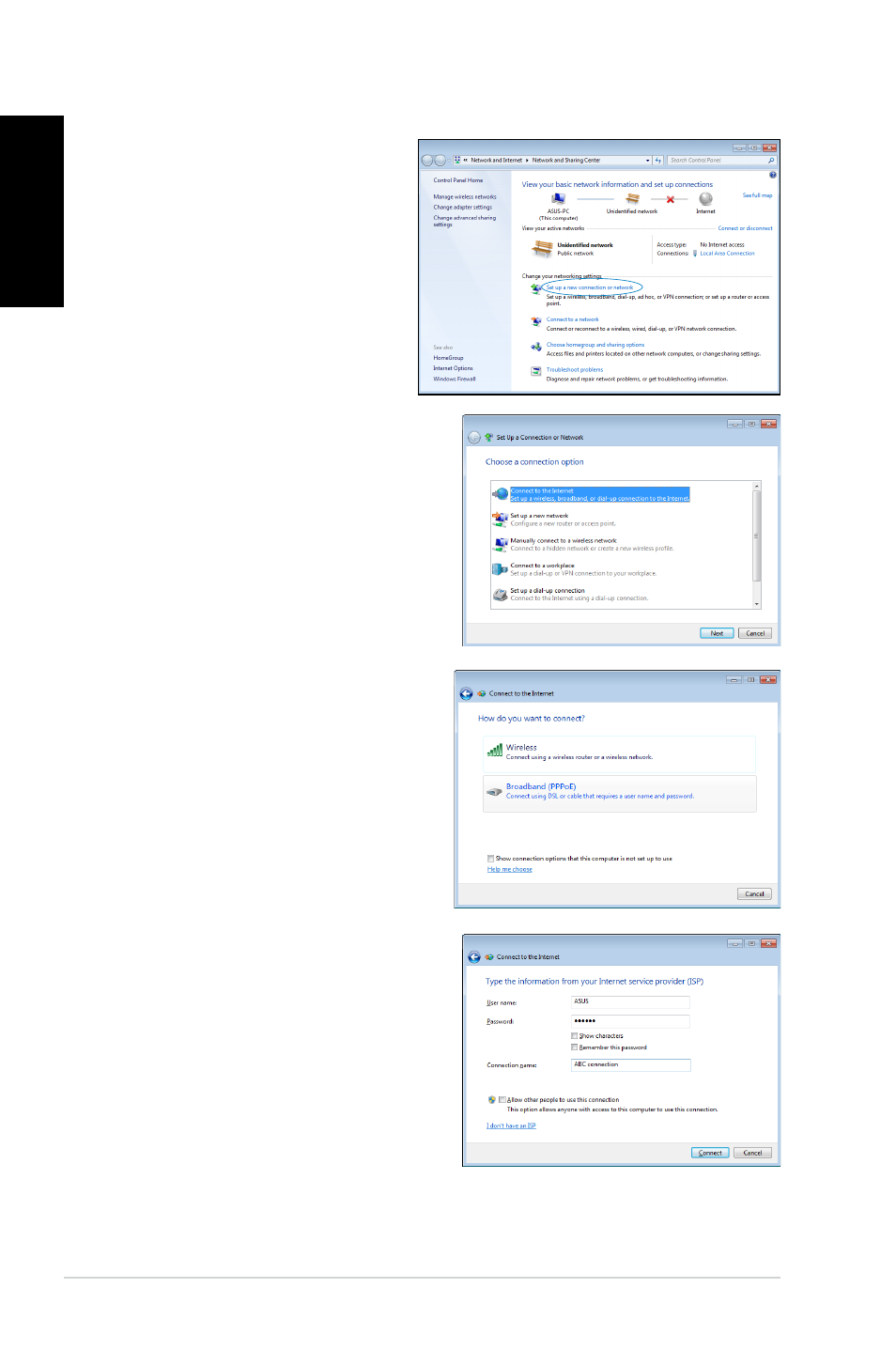
7. Select Connect to the

Internet and click Next.

8. Select Broadband (PPPoE)

and click Next.

9. Enter your User name and,

Password, and Connection

name. Click Connect.

6. Return to the

Network

and Sharing Center and

then click Set up a new

connection or network.

Pages: 1 … 40 41 42 43 44 … 61
  • wrong Brand
  • wrong Model
  • non readable
See also other documents in the category Asus For Home:
  • AIR (192 pages)
  • AIR (24 pages)
  • AIR (26 pages)
  • UF735B (40 pages)
  • UF735B (10 pages)
  • B202 (128 pages)
  • B202 (32 pages)
  • B203 (28 pages)
  • B202 (130 pages)
  • B202 (64 pages)
  • EB1502 (46 pages)
  • EB1012U (325 pages)
  • VM40B (52 pages)
  • VM40B (42 pages)
  • EB1012P (46 pages)
  • EB1501P (50 pages)
  • B204 (172 pages)
  • B204 (104 pages)
  • EB1503 (42 pages)
  • AiGuru SV1T (34 pages)
  • EB1007P (34 pages)
  • EB1007P (136 pages)
  • EB1030 (34 pages)
  • EB1501U (46 pages)
  • EB1505 (66 pages)
  • AiGuru SV1 (32 pages)
  • AIR3 (38 pages)
Home Brands Popular manuals Recently added
Manuals Directory

© 2012–2025, azmanual.top
All rights reserved.