Directory
Brands
Asus manuals
For Home
EB1035
Manual

Asus EB1035 User Manual

Page 22

  • Text mode
  • Original mode
background image

22

EB1035 PC

English

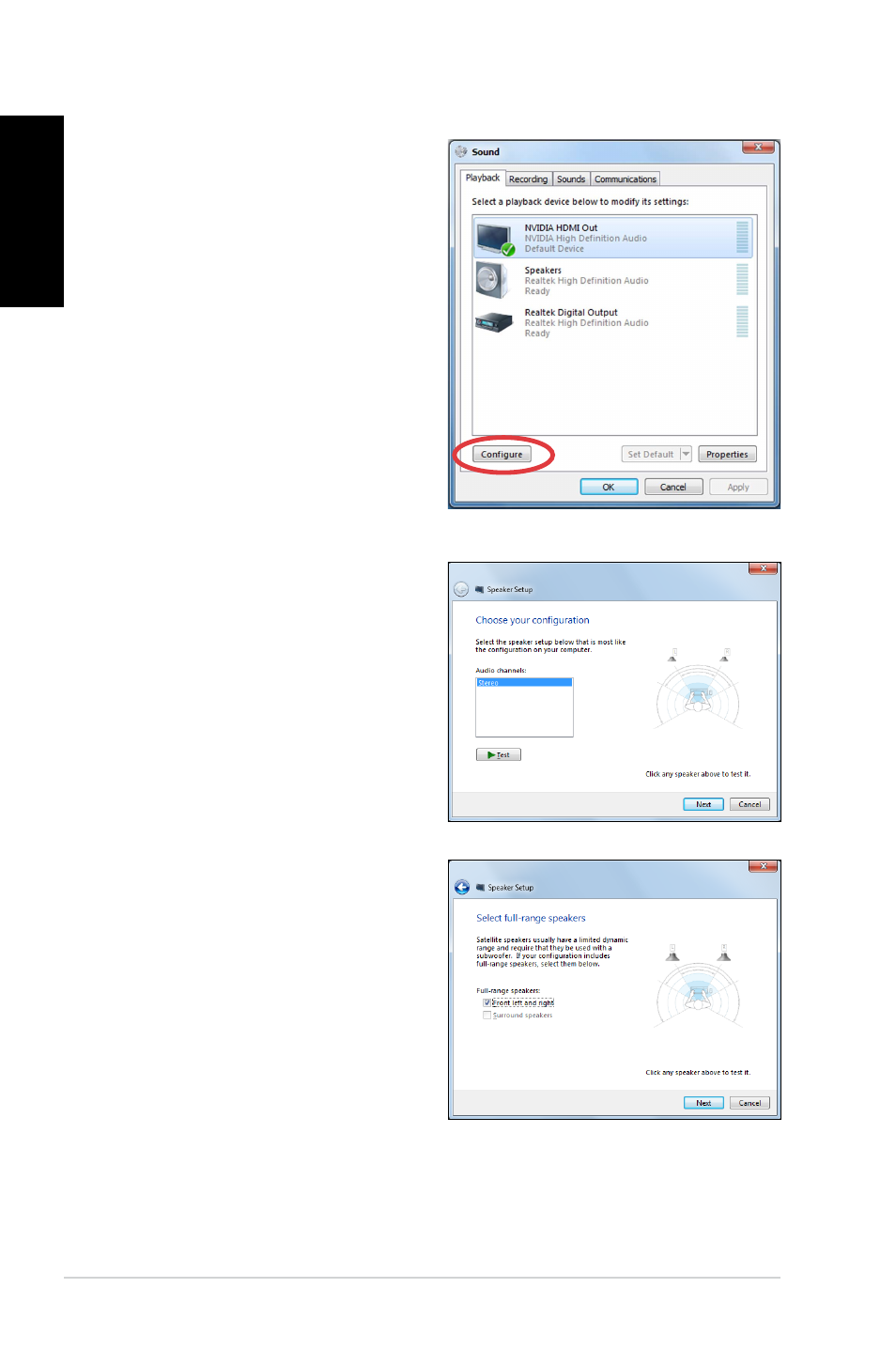
4. Select Stereo and click

Next.

2. From the Playback screen,

select Digital Audio

(HDMI).

3. Click

Configure and the

Speaker Setup window

pops up.

5. Tick the Front left and

right option, and click

Next.

6. Click

Finish to exit the

speaker setup.

Pages: 1 … 20 21 22 23 24 … 61
  • wrong Brand
  • wrong Model
  • non readable
See also other documents in the category Asus For Home:
  • AIR (26 pages)
  • AIR (192 pages)
  • AIR (24 pages)
  • UF735B (40 pages)
  • UF735B (10 pages)
  • B203 (28 pages)
  • B202 (130 pages)
  • B202 (64 pages)
  • B202 (128 pages)
  • B202 (32 pages)
  • EB1502 (46 pages)
  • EB1012U (325 pages)
  • VM40B (42 pages)
  • VM40B (52 pages)
  • EB1012P (46 pages)
  • EB1501P (50 pages)
  • B204 (172 pages)
  • B204 (104 pages)
  • EB1503 (42 pages)
  • AiGuru SV1T (34 pages)
  • EB1007P (34 pages)
  • EB1007P (136 pages)
  • EB1030 (34 pages)
  • EB1501U (46 pages)
  • EB1505 (66 pages)
  • AiGuru SV1 (32 pages)
  • AIR3 (38 pages)
Home Brands Popular manuals Recently added
Manuals Directory

© 2012–2025, azmanual.top
All rights reserved.