Directory
Brands
Philips manuals
Monitors
105B2
Manual

Close main controls – Philips 105B2 User Manual

Page 92

  • Text mode
  • Original mode
background image

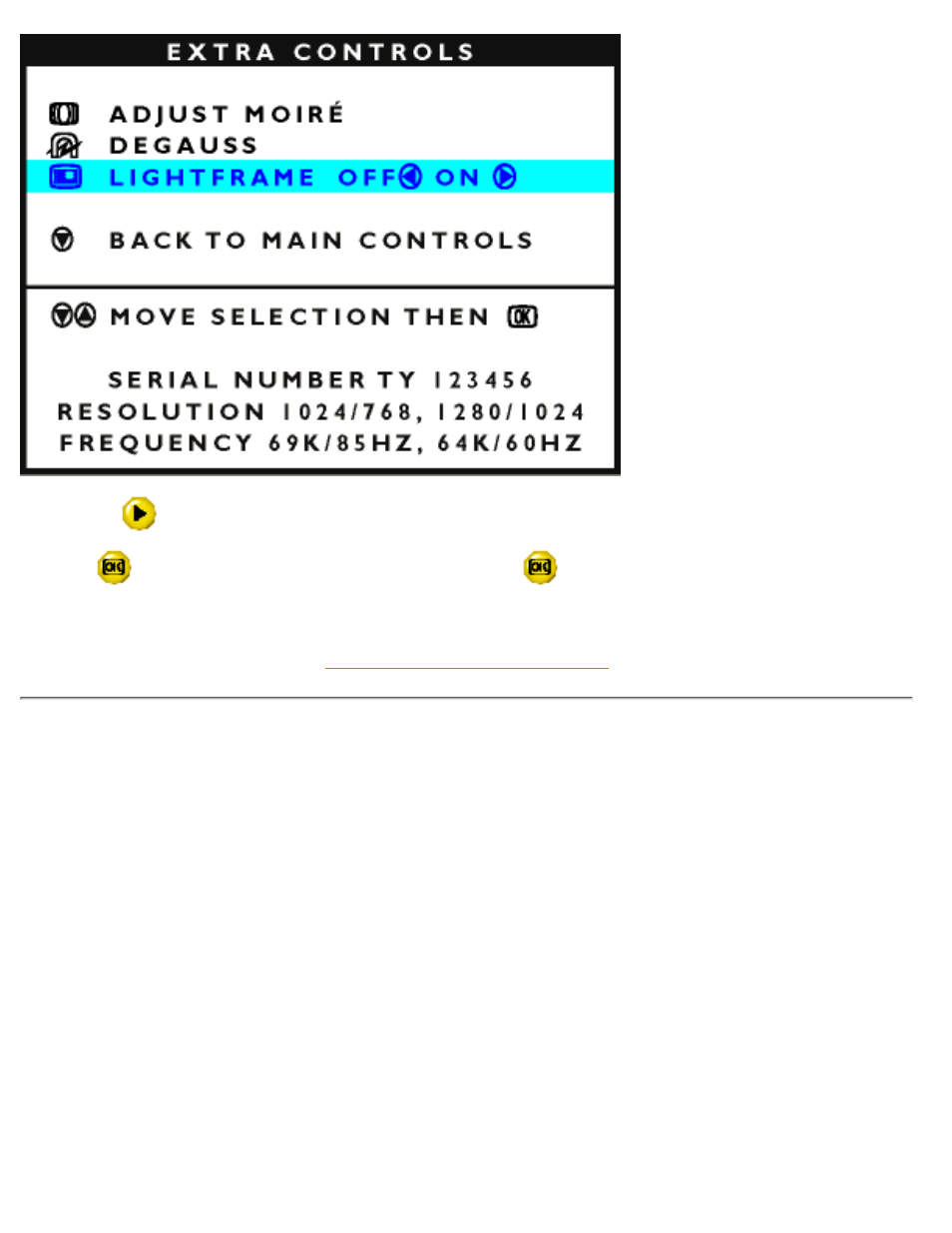
5) Pess the

button. LIGHTFRAME will be activated.

6) Press

button to go back to MAIN CONTROLS. Press

button again to exit the OSD.

RETURN TO TOP OF THE PAGE

CLOSE MAIN CONTROLS

The OSD Controls

file:///D|/EDFU/LF3/lf3manual/english/OSD/osd_cont.htm (26 of 27) [2002/9/2 ?? 04:11:10]

Pages: 1 … 90 91 92 93 94 … 101
  • wrong Brand
  • wrong Model
  • non readable
This manual is related to the following products:
  • 107B4 Standard 107E43 109B4 107T4 107F4 107S4 107E437499
See also other documents in the category Philips Monitors:
  • 150B (22 pages)
  • 220SW9FS (118 pages)
  • 1.09E+52 (2 pages)
  • 109S (108 pages)
  • 107P50 (2 pages)
  • 150b5 (87 pages)
  • 109B4x (2 pages)
  • 107G (94 pages)
  • 109B60 (2 pages)
  • 150B3M/150B3Q (89 pages)
  • 107T60 (2 pages)
  • 107T70 (3 pages)
  • 220VW8 (92 pages)
  • 220VW8 (86 pages)
  • 220VW8 (60 pages)
  • 200WS8 (89 pages)
  • 190C6 (95 pages)
  • SVGA/EVGA 15C04204 (16 pages)
  • 107B75 (2 pages)
  • 107S76 (3 pages)
  • VSS9451 (6 pages)
  • 150B6CG (2 pages)
  • 109B72 (3 pages)
  • 107E69 (46 pages)
  • 109E51 (2 pages)
  • 104S19 (2 pages)
  • 107E (123 pages)
  • 150E6 (70 pages)
  • 107E71/00 (2 pages)
  • 107H62 (2 pages)
  • 107S63 (46 pages)
  • 107T40 (2 pages)
  • 190C8 (112 pages)
  • 190C8 (118 pages)
  • 200XW7 (109 pages)
  • 190TW8 (19 pages)
  • 107X2 (145 pages)
  • 150C5BS (2 pages)
  • 107B5 (137 pages)
  • 105E (56 pages)
  • 105E (54 pages)
  • 150B (81 pages)
  • 150P2M (89 pages)
  • 170X6 (97 pages)
Home Brands Popular manuals Recently added
Manuals Directory

© 2012–2025, azmanual.top
All rights reserved.