
Aligning the print head – Epson RX580 User Manual
Page 77
Aligning the Print Head
77
Aligning the Print Head
If your prints look grainy or blurry, or you notice that vertical lines are not aligned
properly on the nozzle check pattern, you may need to align the print head.
Note:
Make sure the front tray is in the paper (lower) position and the CD/DVD tray is not
inserted.
1. Make sure the RX580 is turned on and not printing.
2. Load several sheets of plain, letter-size paper.
3. Press the
Setup
button.
4. Press l or r to select
Maintenance
, then press
OK
.
5. Press u or d to select
Head Alignment
, then press
OK
.
6. Press the x
Start
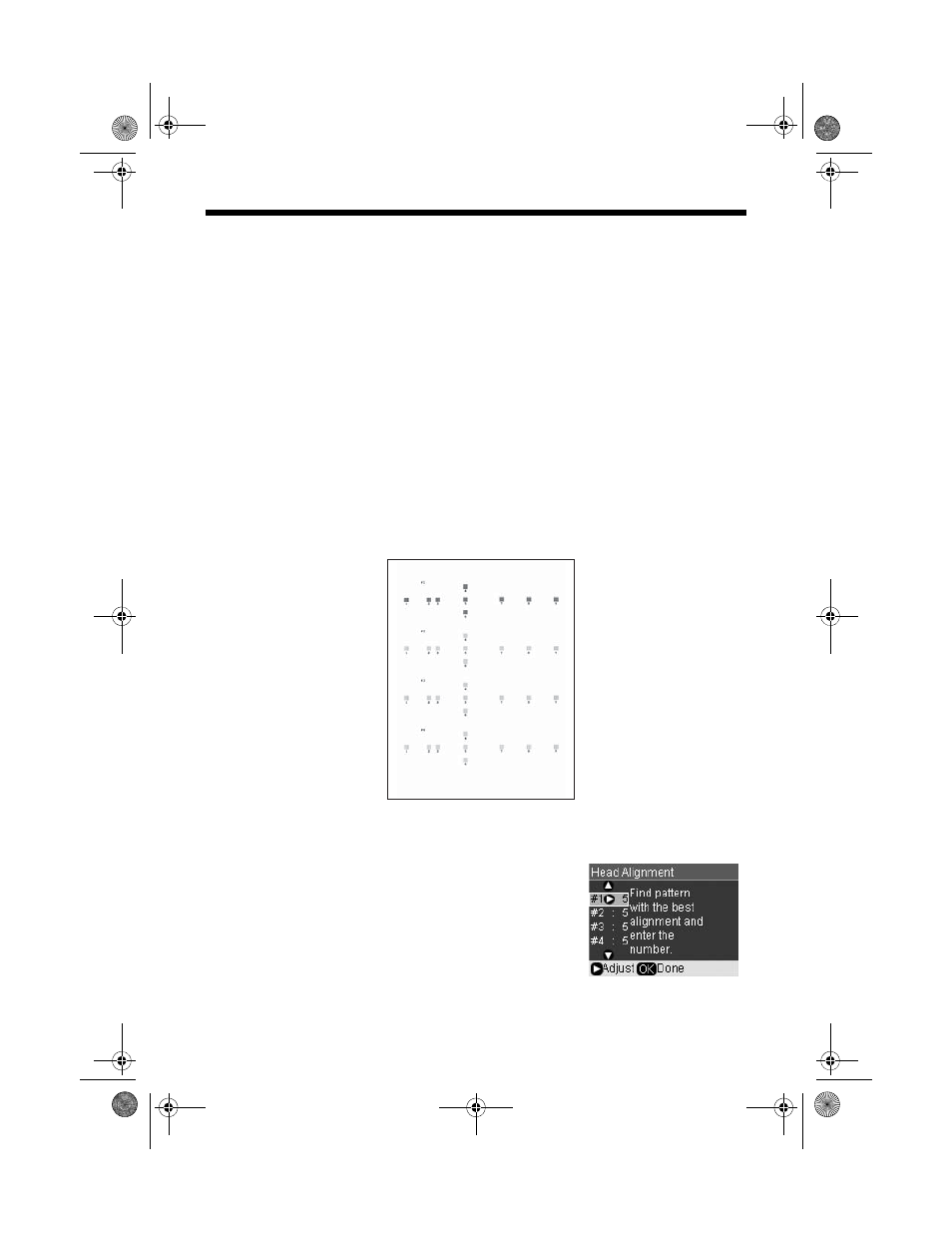
button. Four rows of alignment patterns are printed.
7. Look at pattern #1 and find the square that is most even, with no streaks or
lines. You may have to use a magnifying glass.
8. Press r, then press u or d to select the number for
that square.
9. Press
OK
.
10. Press d to select the next pattern, then repeat
steps 8 and 9.
11. When you are done, press
OK
.
RX580.book Page 77 Thursday, July 27, 2006 4:04 PM
- Stylus Pro 7800 (11 pages)
- Stylus Pro 4000 (49 pages)
- Stylus Photo R300 (2 pages)
- Stylus Pro 7000 (147 pages)
- AcuLaser C3000 (316 pages)
- Stylus Pro 7900 (24 pages)
- Stylus Pro 4450 (21 pages)
- 1000 (272 pages)
- T034120 (4 pages)
- T580300 (4 pages)
- 300 (91 pages)
- B 510DN (190 pages)
- B 510DN (218 pages)
- Stylus NX510 (8 pages)
- Stylus Photo RX580 (95 pages)
- T549300 (4 pages)
- B 500DN (168 pages)
- AculaserCX11NF (5 pages)
- 480SXU (24 pages)
- 4500 (317 pages)
- STYLUS RX500 (99 pages)
- 2100 (13 pages)
- Stylus NX215 (2 pages)
- T098320 (4 pages)
- T041020 (4 pages)
- R210 (8 pages)
- All-In-One Stylus Photo RX600 (164 pages)
- 777I (53 pages)
- T033120 (4 pages)
- Stylus CX7000F (8 pages)
- 60 (113 pages)
- T034220 (4 pages)
- WorkForce 40 Series (36 pages)
- T054220 (4 pages)
- Stylus CX3200 (11 pages)
- Stylus CX7800 (18 pages)
- T060220 (4 pages)
- 2500 (180 pages)
- AcuLaser CX11N (32 pages)
- AcuLaser CX11N (4 pages)
- 2000P (16 pages)
- T606600 (4 pages)
- Stylus CX6000 (18 pages)
- FS-4000DN (2 pages)
- MSDS T544700 (4 pages)