
Selecting and printing photos on the index sheet – Epson RX580 User Manual
Page 32
32
Printing From a Memory Card
7. Press the x
Start
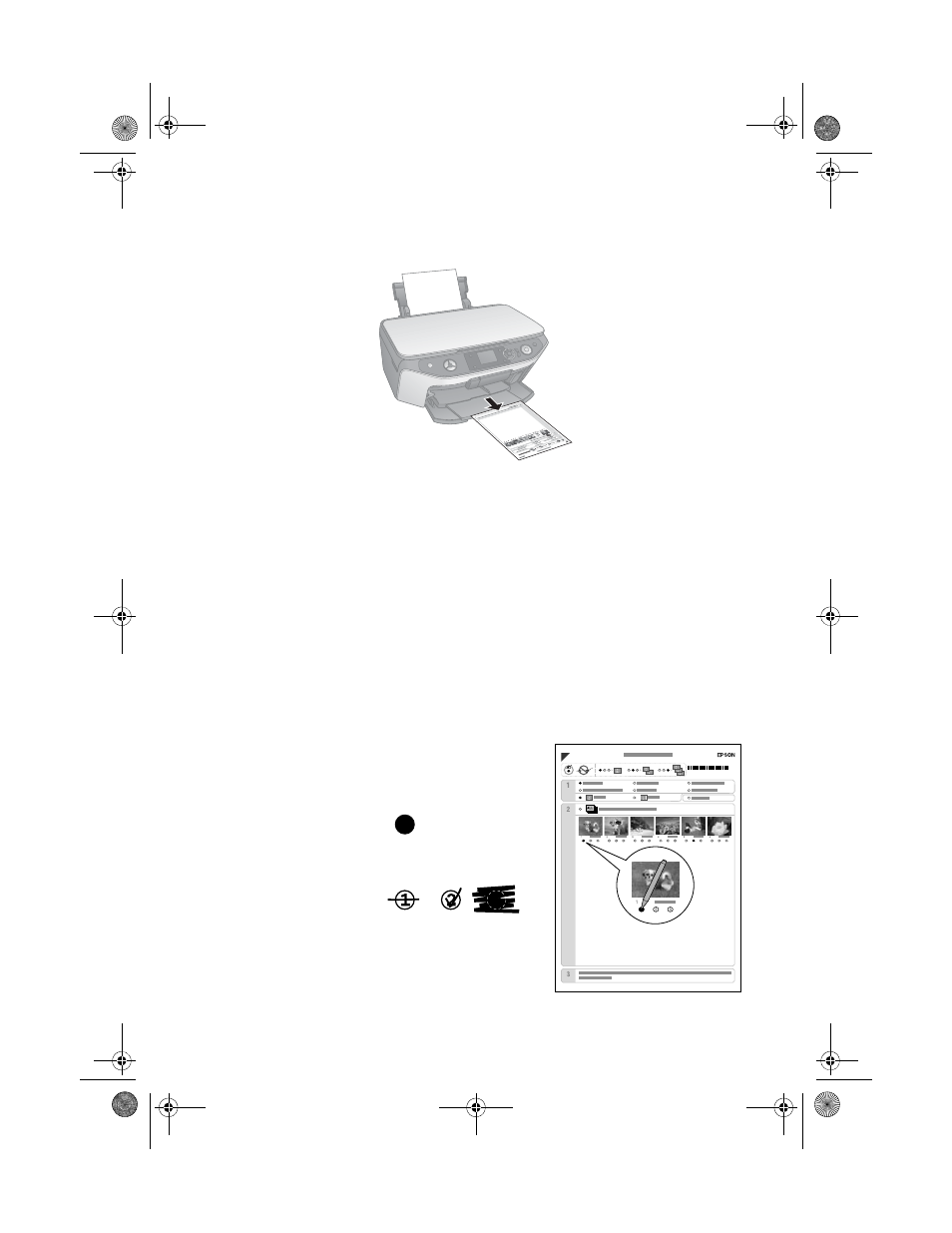
button to print the index sheet(s). This may take a few
minutes.
For multiple index sheets, the pages containing the oldest images are printed first.
If you need to cancel printing more sheets, press the y
Stop/Clear Settings
button.
Continue with the steps below to select photos to print.
Selecting and Printing Photos on the Index
Sheet
1. Once you have printed the index sheet, use a dark pen or pencil to fill in the
circles next to the paper type and size you want to print on,
Borderless
or
With Border
, and
Date
if you want to print the date with your photos.
2. Fill in one of the circles beneath each photo
you want to print to indicate how many copies
you want (1, 2, or 3).
Make sure just one circle is filled in for each
selected photo and mark the sheet carefully;
once it has been scanned you will not be able
to change your selections.
OK:
Not OK:
RX580.book Page 32 Thursday, July 27, 2006 4:04 PM
- Stylus Pro 7800 (11 pages)
- Stylus Pro 4000 (49 pages)
- Stylus Photo R300 (2 pages)
- Stylus Pro 7000 (147 pages)
- AcuLaser C3000 (316 pages)
- Stylus Pro 7900 (24 pages)
- Stylus Pro 4450 (21 pages)
- 1000 (272 pages)
- T034120 (4 pages)
- T580300 (4 pages)
- 300 (91 pages)
- B 510DN (190 pages)
- B 510DN (218 pages)
- Stylus NX510 (8 pages)
- Stylus Photo RX580 (95 pages)
- T549300 (4 pages)
- AculaserCX11NF (5 pages)
- B 500DN (168 pages)
- 480SXU (24 pages)
- 4500 (317 pages)
- STYLUS RX500 (99 pages)
- 2100 (13 pages)
- Stylus NX215 (2 pages)
- T098320 (4 pages)
- T041020 (4 pages)
- R210 (8 pages)
- All-In-One Stylus Photo RX600 (164 pages)
- 777I (53 pages)
- T033120 (4 pages)
- Stylus CX7000F (8 pages)
- 60 (113 pages)
- T034220 (4 pages)
- WorkForce 40 Series (36 pages)
- T054220 (4 pages)
- Stylus CX3200 (11 pages)
- Stylus CX7800 (18 pages)
- T060220 (4 pages)
- 2500 (180 pages)
- AcuLaser CX11N (32 pages)
- AcuLaser CX11N (4 pages)
- 2000P (16 pages)
- T606600 (4 pages)
- Stylus CX6000 (18 pages)
- FS-4000DN (2 pages)
- MSDS T544700 (4 pages)