Directory
Brands
GoDEX manuals
Printers
G300 series
Manual

Printer setup – GoDEX G300 series User Manual

Page 18

  • Text mode
  • Original mode
background image

14

2

Printer Setup

014

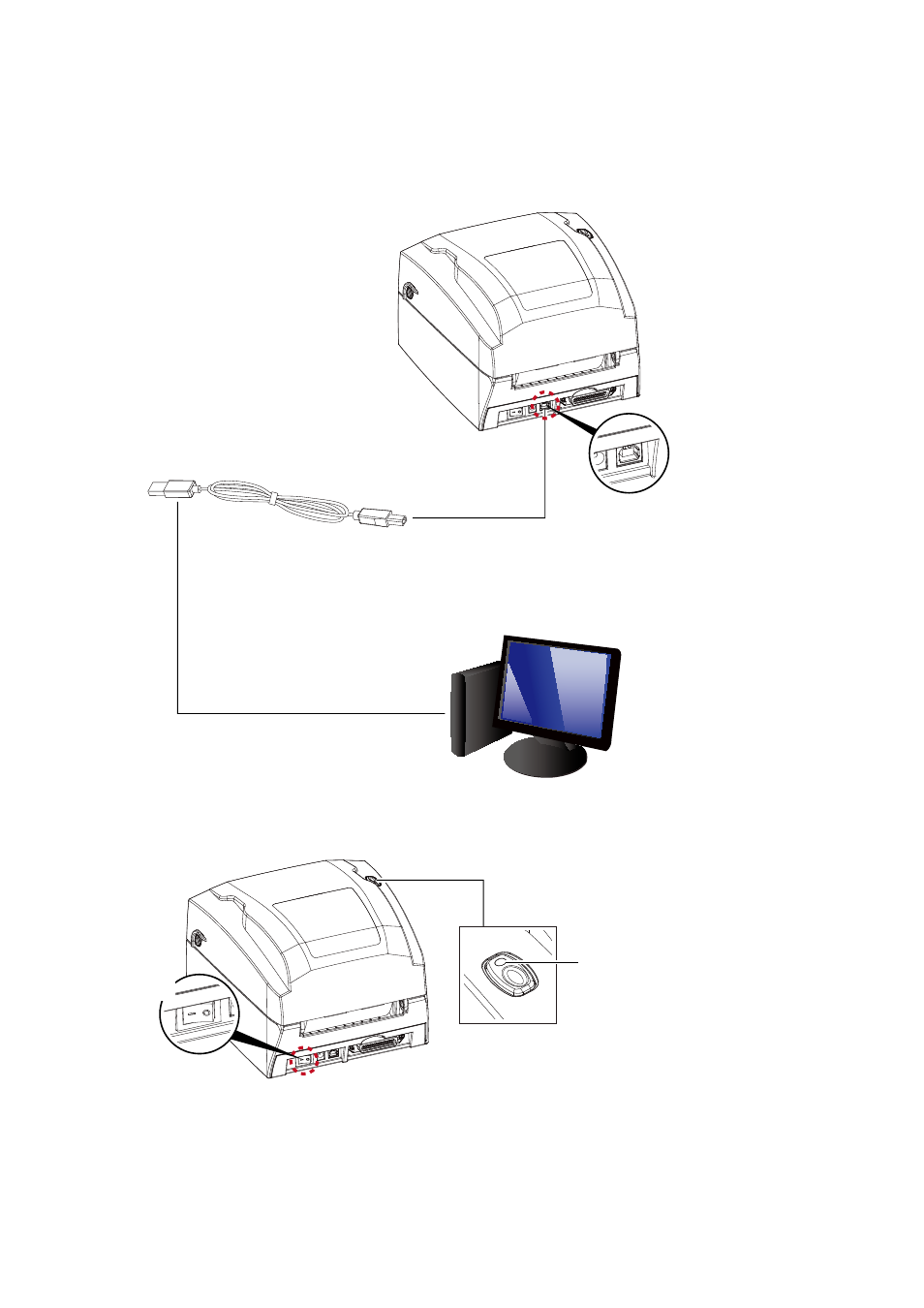
3. Connect the USB/parallel cable to the printer and host computer.

4. Switch on the printer. The LED indicator should now lights up.

G300 BARCODE PRINTER

USB CABLE

PC

SOCKET

USB PORT

PLUG

PLUG

Switch on

LED INDICATOR

Pages: 1 … 16 17 18 19 20 … 39
  • wrong Brand
  • wrong Model
  • non readable
See also other documents in the category GoDEX Printers:
  • RT200 series (52 pages)
  • RT200i series (21 pages)
  • RT200i series (69 pages)
  • RT700 series (52 pages)
  • RT700x series (56 pages)
  • RT700i series (76 pages)
  • RT700iW series (79 pages)
  • RT860i (68 pages)
  • G500 series (45 pages)
  • DT series (39 pages)
  • EZPi1000 series (46 pages)
  • EZ1100Plus series (37 pages)
  • EZ1105 series (27 pages)
  • EZDT2 (44 pages)
  • EZPL (89 pages)
  • Ethernet Control Center (31 pages)
  • Dual-color Printing System (12 pages)
  • EZ2050 series (46 pages)
  • EZ2000Plus series (67 pages)
  • EZ2250i series (67 pages)
  • ZX1000i series (61 pages)
  • MX20 (34 pages)
Home Brands Popular manuals Recently added
Manuals Directory

© 2012–2025, azmanual.top
All rights reserved.