Directory
Brands
Acer manuals
Tablet
C500
Manual

Acer C500 User Manual

Page 27

  • Text mode
  • Original mode
background image

1 G e t t i n g s t a r t e d

Charging your Acer c500 Series

11

EN

EN

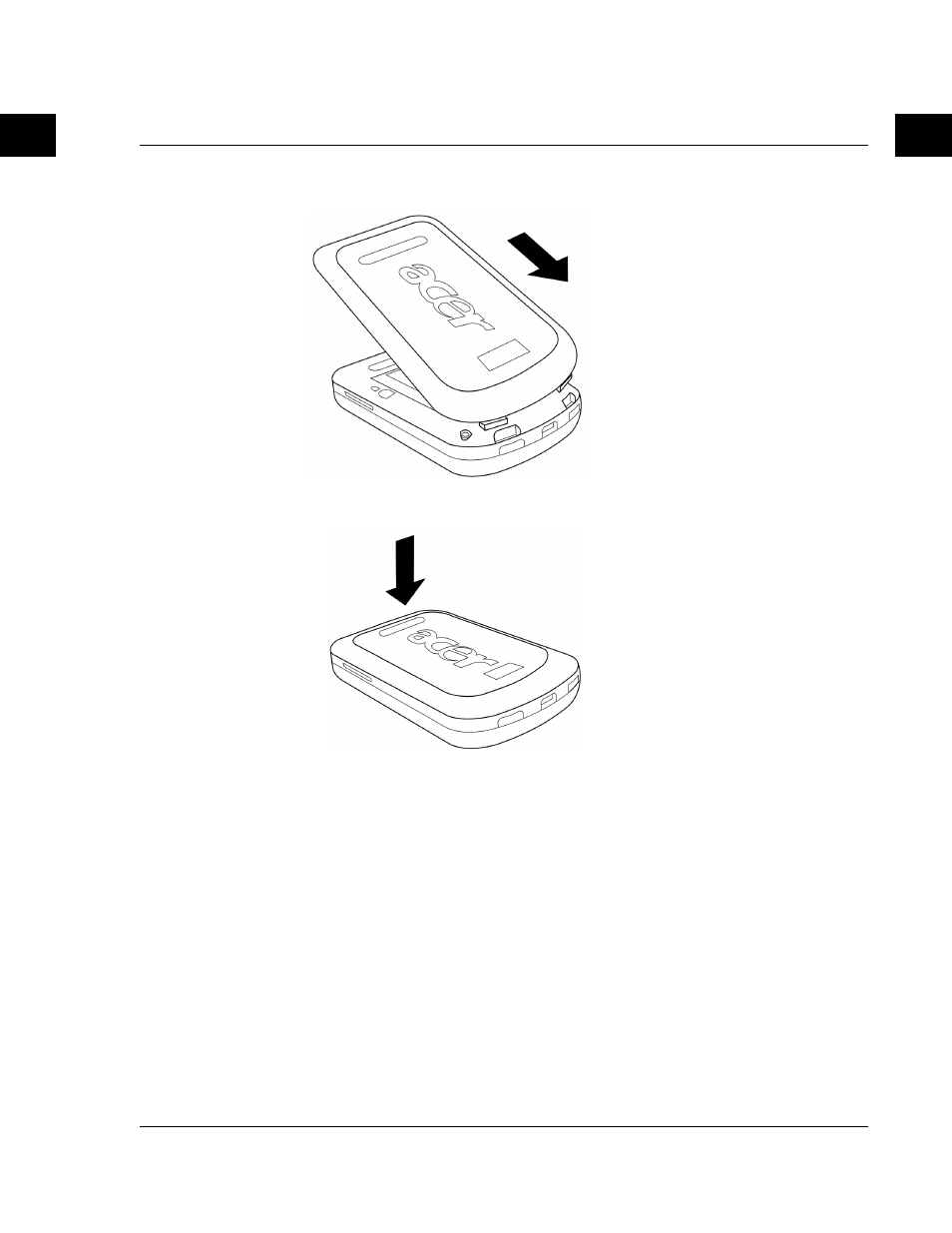
Angle the battery cover as
shown in the diagram and
make sure that the two
battery cover clips are
correctly placed before
proceeding to the next step.

Press down on the battery
cover and make sure that all
8 flanges clip into place.

Pages: 1 … 25 26 27 28 29 … 54
  • wrong Brand
  • wrong Model
  • non readable
See also other documents in the category Acer Tablet:
  • N10 (120 pages)
  • s50 (296 pages)
  • n30 (2 pages)
  • N300 Series (3 pages)
  • s10 (338 pages)
  • E130 (56 pages)
  • E110 (76 pages)
  • V370 (66 pages)
  • V370 (64 pages)
  • Liquid E (57 pages)
  • Liquid mini Ferrari (63 pages)
  • S500 (59 pages)
  • Iconia Talk S A1-724 (52 pages)
  • Iconia Talk S A1-724 (56 pages)
  • Iconia Tab 10 A3-A30 (61 pages)
  • Iconia Tab 10 A3-A20 (48 pages)
  • Iconia Tab 10 A3-A20 (51 pages)
  • Iconia Tab 10 A3-A20 (54 pages)
  • Iconia Tab 10 A3-A20 (56 pages)
  • Iconia Talk S A1-724 (53 pages)
  • Iconia Talk S A1-724 (52 pages)
  • Iconia Tab 10 A3-A40 (57 pages)
Home Brands Popular manuals Recently added
Manuals Directory

© 2012–2025, azmanual.top
All rights reserved.