
Asus ET1611PUT User Manual
Page 30
English
30
ASUS All-in-one PC ET1611 Series
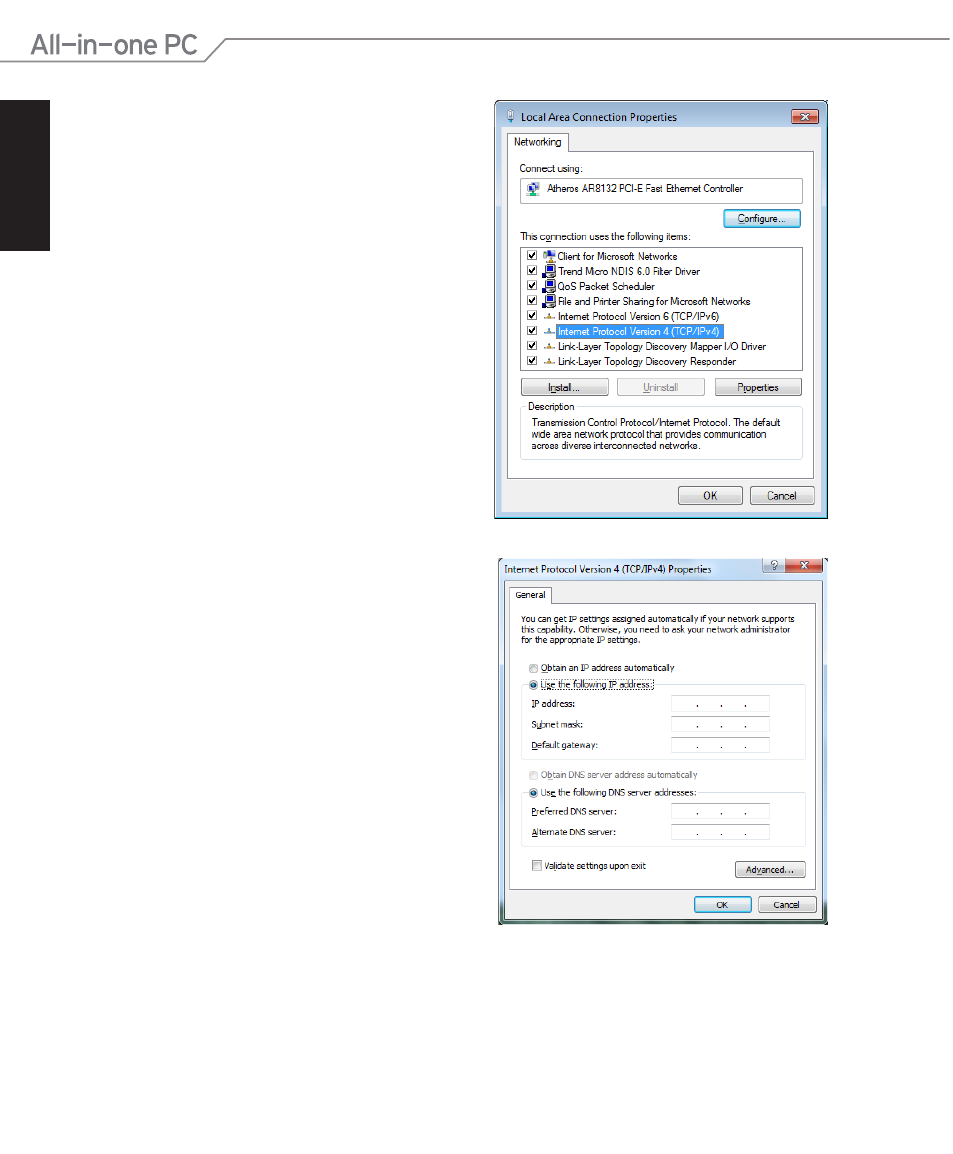
5. Select Use the following IP address.
6. Enter your IP address, Subnet mask, and
Default gateway.
7. If needed, enter the Preferred DNS
server address.
8. After entering all the related values, click
OK to finish the configuration.
4. Click Internet Protocol Version 4(TCP/
IPv4) and click Properties.
This manual is related to the following products:
See also other documents in the category Asus Computers:
- CG8565 (246 pages)
- CG8565 (410 pages)
- CS5111 (26 pages)
- CS5120 (1 page)
- S2-P8H61E (80 pages)
- P2-PH1 (80 pages)
- P1-P5945G (80 pages)
- P2-P5945GCX (90 pages)
- CG8270 (72 pages)
- CG8270 (76 pages)
- CG8270 (534 pages)
- CG8270 (362 pages)
- CG8270 (218 pages)
- CG8270 (536 pages)
- P3-P5G31 (100 pages)
- P3-PH4 (80 pages)
- P2-M2A690G (80 pages)
- P2-M2A690G (8 pages)
- P4-P5N9300 (82 pages)
- P4-P5N9300 (1 page)
- P1-P5945GC (92 pages)
- P2-P5945GC (92 pages)
- P3-P5G33 (98 pages)
- T3-P5945GC (80 pages)
- T3-P5945GCX (80 pages)
- P2-M2A690G (94 pages)
- T3-PH1 (80 pages)
- T3-PH1 (82 pages)
- T5-P5G41E (76 pages)
- T5-P5G41E (82 pages)
- S1-AT5NM10E (68 pages)
- P6-P7H55E (67 pages)
- ES5000 (174 pages)
- T4-P5G43 (104 pages)
- T-P5G31 (92 pages)
- BT6130 (54 pages)
- BT6130 (2 pages)
- BT6130 (60 pages)
- CG8265 (350 pages)
- CG8265 (210 pages)
- CM1740 (198 pages)
- CM1740 (330 pages)
- CM1740 (70 pages)
- P6-M4A3000E (59 pages)