
Xoro HRT 1300 User Manual
Page 57
HRT 1300 17
Engl
ish
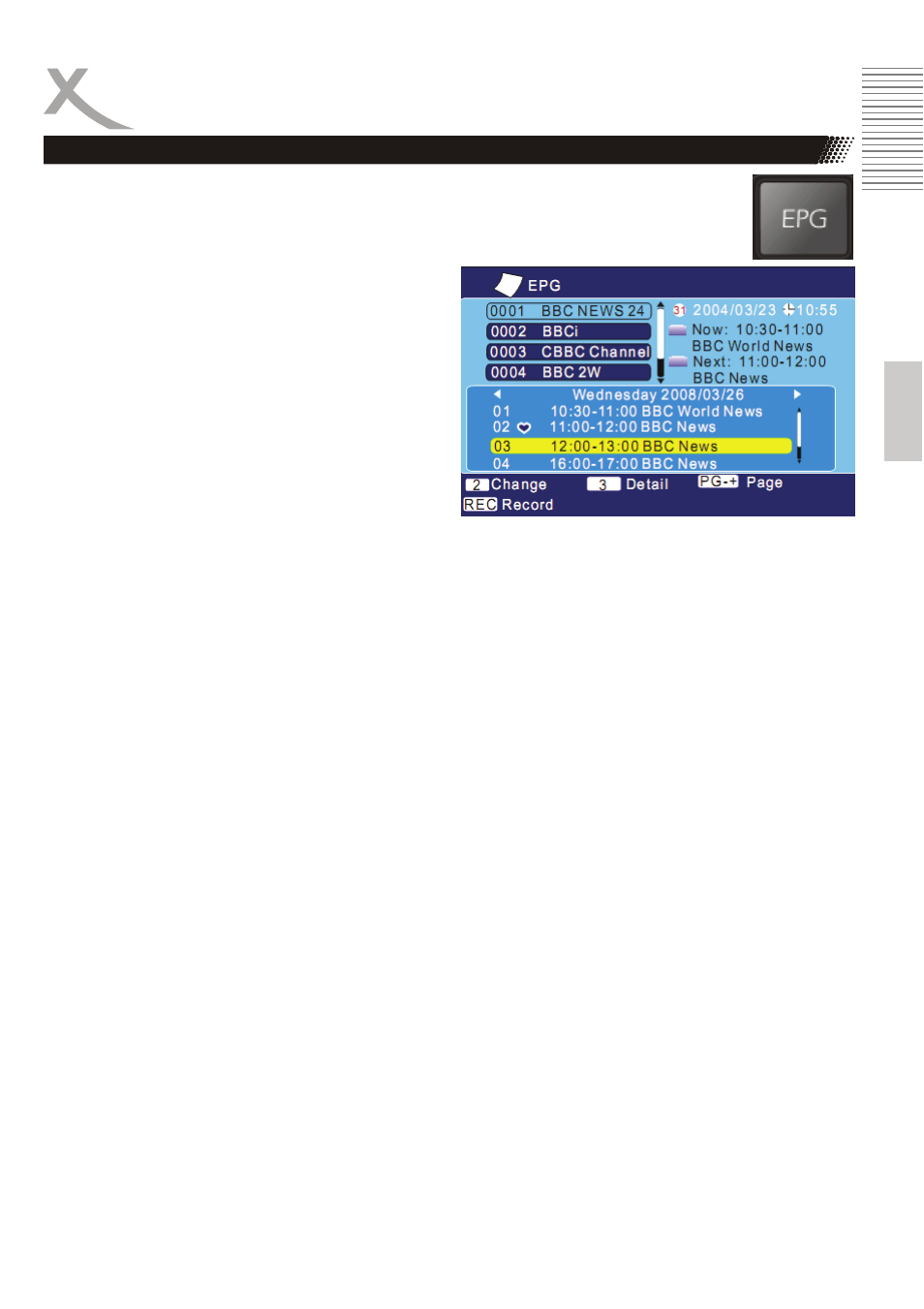
Press EPG button to show the EPG information. The EPG window is organizes in
different sections:
Top left:
TV Channel list
Top Right:
Date and Time. Additional the actual TV program
title and the next TV program title.
Middle:
EPG overview of the TV channel (7-days EPG)
Bottom Side:
Navigation help information
The cursor starts by the channel list. You can navigate with the ▲/▼ buttons to the next TV channel. If
you change to the next channel, the EPG list will be updated automatically.
Button 2:
Here you can change between the TV channel list and the EPG overview.
Button 3:
If you marked a TV program, than you display the detailed EPG information.
REC button:
If you press the REC button on the marked TV program, than this TV program will be insert into the
Timer Programming.
▲/▼ buttons:
Changes between one TV channel to another or change from one TV program to another.
PAGE+ and PAGE- button:
With these buttons you can scroll in the TV list or in the TV program list.
◄/►:
In the EPG overview you can scroll from the current day to the next day. Each pressing of the button
the device scrolls one day more.
EPG