
Epson Expression Premium XP-6100 All-in-One Printer User Manual
Page 261
261
Caution:
Do not touch the flat white cable or the print head rail; otherwise, you may not be able to
print. Do not wipe off the grease on the rail.
6.
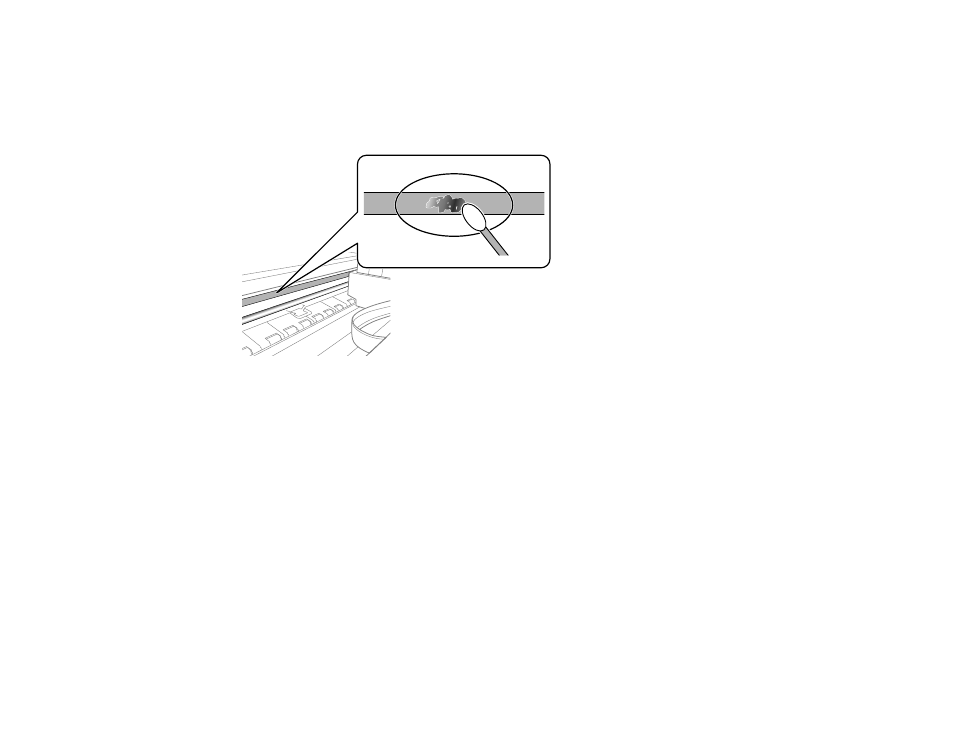
Moisten a cotton swab with the water and detergent mixture and squeeze out any excess moisture.
Use it to lightly wipe ink off the translucent film.
Caution:
Do not press too hard on the film or you may dislocate the anchor springs and damage the
product.
7.
Use a new, dry cotton swab to dry the translucent film.
8.
Repeat steps 6 and 7 as necessary to clean all ink smears.
9.
When the translucent film is dry, close the scanner unit.
10. Plug in the power cable and reconnect any interface cables.
Parent topic:
Cleaning and Transporting Your Product
Related tasks
Cleaning the Paper Guide
Cleaning the Paper Rollers
Aligning the Print Head Using the Product Control Panel
- Stylus Pro 7800 (11 pages)
- Stylus Pro 4000 (49 pages)
- Stylus Photo R300 (2 pages)
- Stylus Pro 7000 (147 pages)
- AcuLaser C3000 (316 pages)
- Stylus Pro 7900 (24 pages)
- Stylus Pro 4450 (21 pages)
- 1000 (272 pages)
- T034120 (4 pages)
- T580300 (4 pages)
- 300 (91 pages)
- B 510DN (190 pages)
- B 510DN (218 pages)
- Stylus NX510 (8 pages)
- Stylus Photo RX580 (95 pages)
- T549300 (4 pages)
- B 500DN (168 pages)
- AculaserCX11NF (5 pages)
- 480SXU (24 pages)
- 4500 (317 pages)
- STYLUS RX500 (99 pages)
- 2100 (13 pages)
- Stylus NX215 (2 pages)
- T098320 (4 pages)
- T041020 (4 pages)
- R210 (8 pages)
- All-In-One Stylus Photo RX600 (164 pages)
- 777I (53 pages)
- T033120 (4 pages)
- Stylus CX7000F (8 pages)
- 60 (113 pages)
- T034220 (4 pages)
- WorkForce 40 Series (36 pages)
- T054220 (4 pages)
- Stylus CX3200 (11 pages)
- Stylus CX7800 (18 pages)
- T060220 (4 pages)
- 2500 (180 pages)
- AcuLaser CX11N (32 pages)
- AcuLaser CX11N (4 pages)
- 2000P (16 pages)
- T606600 (4 pages)
- Stylus CX6000 (18 pages)
- FS-4000DN (2 pages)
- MSDS T544700 (4 pages)