
Directory
Brands
Aplex Technology manuals
Computer hardware
ADP-1154
Manual

Aplex Technology ADP-1154 User Manual

Page 28
  • Text mode
  • Original mode
background image

ADP-1154 User Manual

28


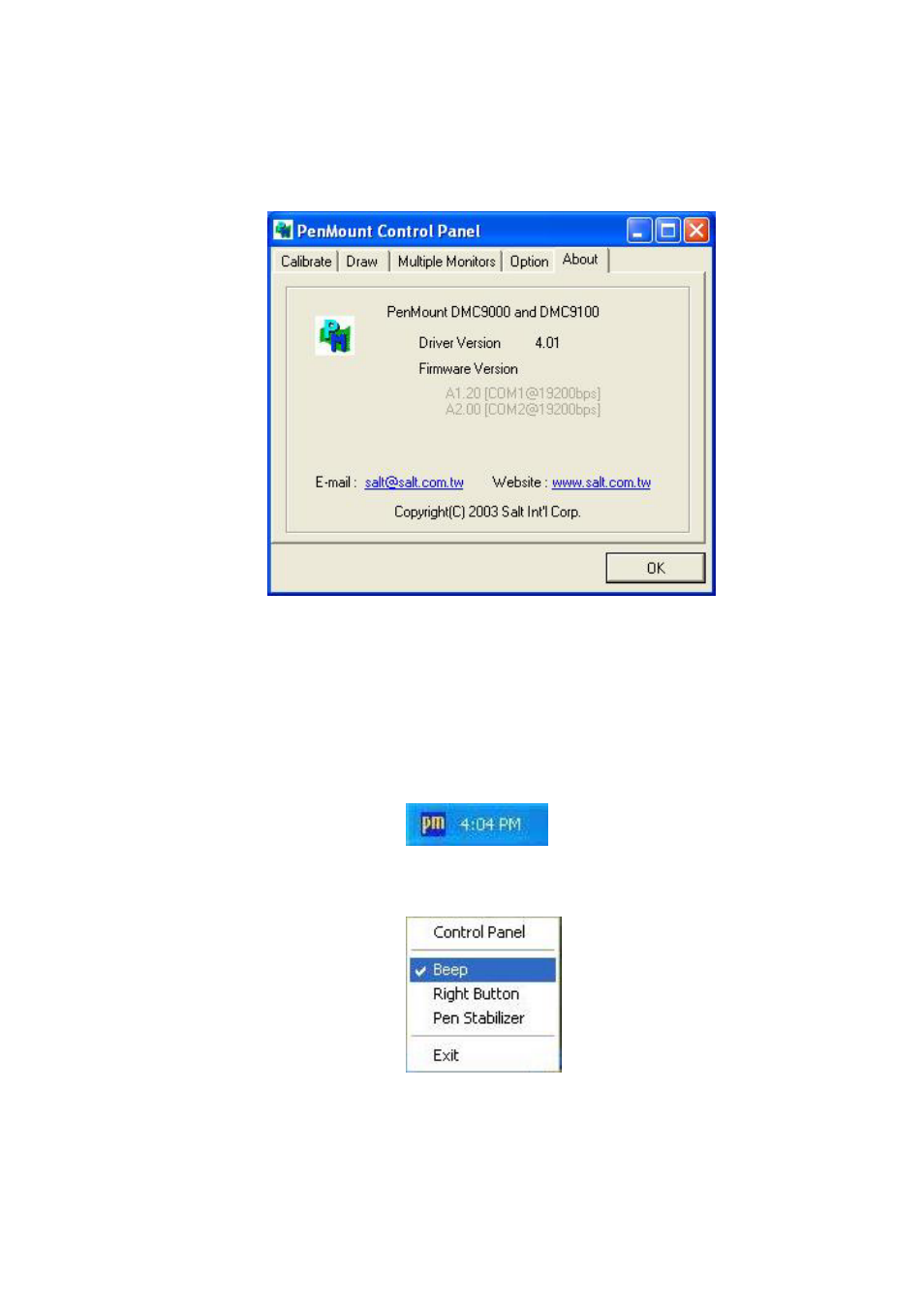
About

This panel displays information about the PenMount controller and this driver version.

PenMount Monitor Menu Icon

The PenMount monitor icon (PM) appears in the menu bar of Windows 2000/XP system
when you turn on the PenMount Monitor in the PenMount Utilities.


The PenMount Monitor has the following functions:

Pages: 1 … 26 27 28 29 30 … 44
  • wrong Brand
  • wrong Model
  • non readable
This manual is related to the following products:
  • ADP-1153 ADP-1193 ADP-1224A ADP-1194 ADP-1174
See also other documents in the category Aplex Technology Computer hardware:
  • APC-3597B (77 pages)
  • ARCHMI-921P (114 pages)
  • APC-3791A (77 pages)
  • APC-3985A (94 pages)
  • APC-3585A (65 pages)
  • APC-3918 (102 pages)
  • APC-3228A (96 pages)
  • APC-3917B (91 pages)
  • APC-3249A (88 pages)
  • APC-3765 (80 pages)
  • APC-3919 (87 pages)
  • APC-3918P (87 pages)
  • APC-3081 (58 pages)
  • ACS-2110 (91 pages)
  • ACS-2110 (89 pages)
  • ARCHMI-715P (108 pages)
  • ARCHMI-721P (114 pages)
  • AHM-6077 (63 pages)
  • ARCHMI-821P (121 pages)
  • AHM-6120 (27 pages)
  • ACS-2645 (69 pages)
  • AHM-6196A (89 pages)
  • ACS-2665C (72 pages)
  • ACS-2685 (82 pages)
  • ACS-2695A (97 pages)
  • ACS-2120 (59 pages)
  • ACS-2675C (73 pages)
  • ACS-2160 (56 pages)
  • ADP-1198P (29 pages)
  • ACS-2170 (77 pages)
  • ACS-2702 (48 pages)
  • ARCDIS-115P (41 pages)
  • ACS-2210A (72 pages)
  • ADP-1196 (16 pages)
  • ARCDIS-121P (54 pages)
  • ADP-1081A (12 pages)
  • OPD-1156 (39 pages)
  • OPD-1086B (29 pages)
Home Brands Popular manuals Recently added
Manuals Directory

© 2012–2025, azmanual.top
All rights reserved.