
1 windows – Billion Electric Company BiGuard 30 User Manual
Page 61
61
If an ISP technician configured your computer or if you configured it using
instructions provided by your ISP, you need to copy the configuration information
from your PC’s Network TCP/IP Properties window before reconfiguring your
computer for use with BiGuard 30. The following sections describe how you can
obtain this information.
3.6.2.1 Windows
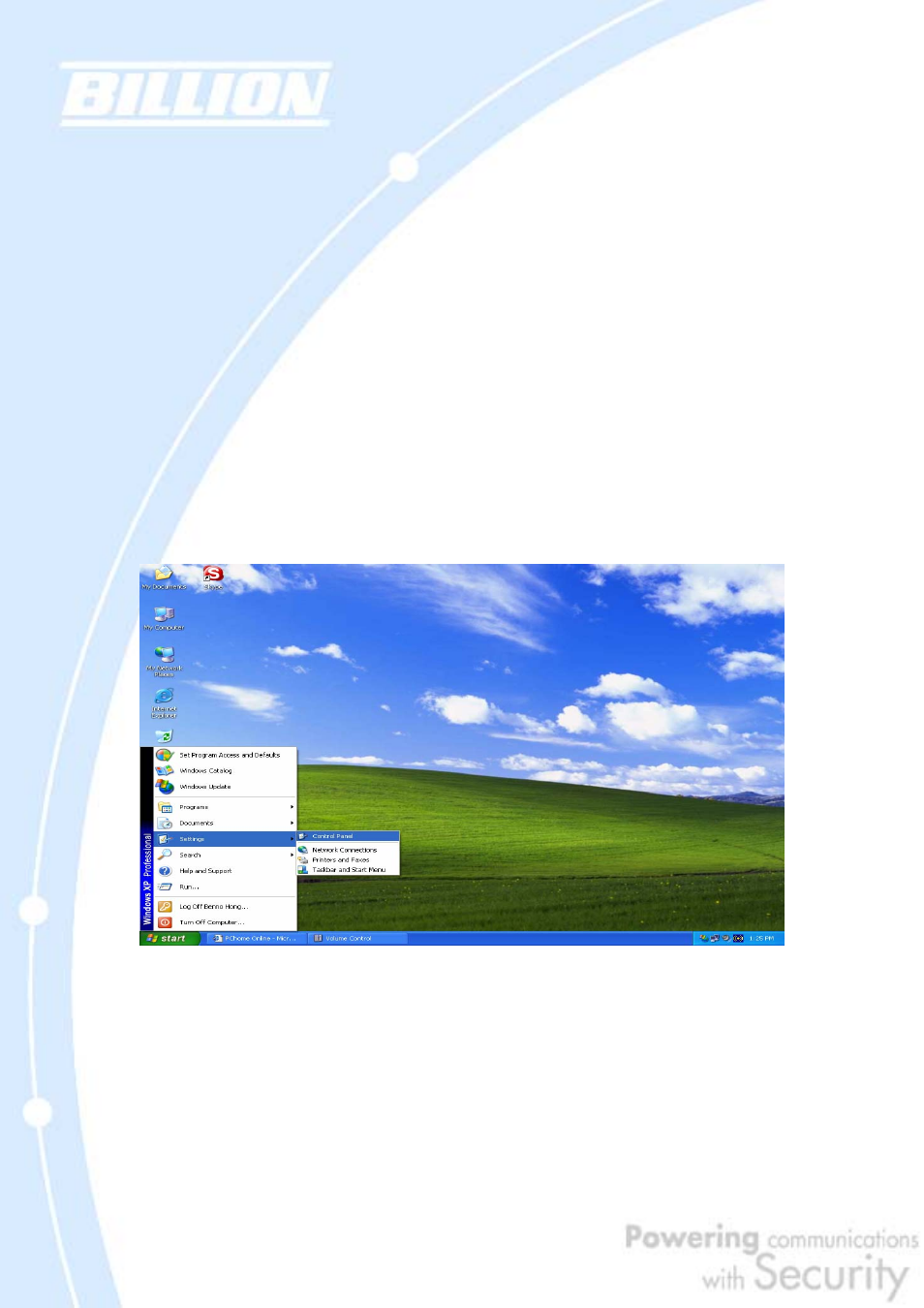
This section uses illustrations from Windows XP. However, other versions of
Windows will follow a similar procedure. Have your Windows CD handy, as it may be
required during the configuration process.
1. Select Start > Settings > Control Panel.
2. Double-click the Network icon.
See also other documents in the category Billion Electric Company Hardware:
- VoIP/(802.11g) ADSL2+ Router BiPAC 7300VGP (13 pages)
- BiPAC 6404VP (103 pages)
- BiPAC 7300M (103 pages)
- USB ISDN TA BIPAC-221 (13 pages)
- BiPAC 5200N (2 pages)
- BIPAC 5100W (12 pages)
- BiPAC 7402VGO (13 pages)
- BiPAC 7800 (71 pages)
- BEC 7800(N) (10 pages)
- 7404V (151 pages)
- 8500 (12 pages)
- BiPAC 7402G (142 pages)
- 7202 (117 pages)
- BiPAC 7402W (12 pages)
- BIPAC-2AB 2.0 (17 pages)
- BiPAC 7202 (96 pages)
- BiPAC 7404V(G)OX (8 pages)
- 400G (88 pages)
- BIPAC-741 GE V2.0 (48 pages)
- BiPAC 7404V Series (155 pages)
- 7300VGP (126 pages)
- 5102S (14 pages)
- Home Plug AV 200 Ethernet Adapter BiPAC 2073 (9 pages)
- BiPAC 5200S Series (9 pages)
- BiPAC 7001 (15 pages)
- BiPAC 7401V(G)P (2 pages)
- BiPAC 7404VNPX (9 pages)
- BiPAC 7300N (8 pages)
- (Trdls) ADSL Router BIPAC-5100W (12 pages)
- BIPAC 8501 (134 pages)
- BIPAC 3012G (5 pages)
- BILLION BIPAC-7500GL (126 pages)
- BILLION 3013G (5 pages)
- BiPAC VGP (12 pages)
- 800VGT (143 pages)
- BIPAC 7402 (130 pages)
- VoIP ADSL Modem/Router BIPAC 7100SV (14 pages)
- BIPAC 7402NX (128 pages)
- BIPAC-2060 (2 pages)
- 8501 (12 pages)
- BiPAC 8500/8520 (171 pages)
- BiPAC 5210S (67 pages)
- BiPAC 7402NX(L) (8 pages)
- BiPAC 7401VP/VGP (13 pages)