
Directory
Brands
Aspire Digital manuals
Notebooks
1620
Manual

Removing the thermal module, Removing the processor – Aspire Digital 1620 User Manual

Page 73
  • Text mode
  • Original mode
background image

Chapter 3

64

Removing the Thermal Module

1.

See “Removing the Battery” on page 52.

2.

See “Removing the Middle Cover” on page 56.

3.

See “Removing the Keyboard” on page 63.

4.

See “Removing the Fan” on page 63.

5.

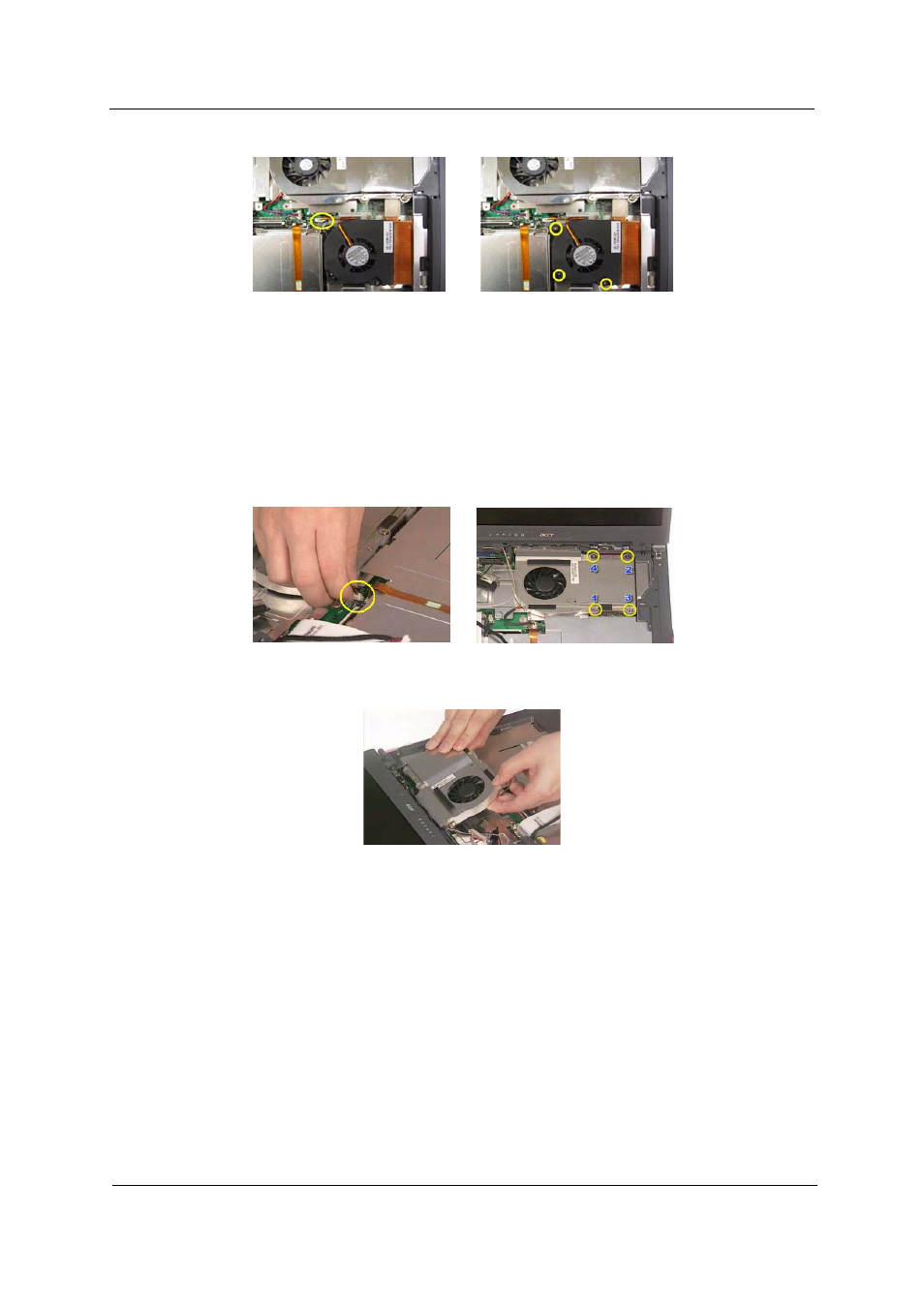
Disconnect the fan cable then remove the four screws fastening the thermal module.

6.

Then remove the thermal module.

Removing the Processor

1.

See “Removing the Battery” on page 52.

2.

See “Removing the Middle Cover” on page 56.

3.

See “Removing the Keyboard” on page 63.

4.

See “Removing the RTC Battery” on page 63.

5.

See “Removing the Fan” on page 63.

6.

See “Removing the Thermal Module” on page 64.

7.

Lift up the CPU socket lever. Then remove the CPU. Remember to press down the lever as the video
shows after you remove the CPU.

Pages: 1 … 71 72 73 74 75 … 134
  • wrong Brand
  • wrong Model
  • non readable
See also other documents in the category Aspire Digital Notebooks:
  • 7730 (210 pages)
  • 2020 (128 pages)
  • 8930 (118 pages)
  • 3050 (157 pages)
  • 7520G (106 pages)
  • 2920Z (112 pages)
  • 7530 (208 pages)
  • Aspire Travelemate 5630 (167 pages)
  • 8930Q (124 pages)
  • 5735Z (154 pages)
  • 5535 (156 pages)
  • ASPIRE 1680 (105 pages)
  • 4315 (106 pages)
  • 5534 (224 pages)
  • 8530 (196 pages)
  • 5732Z (230 pages)
  • 6935G (128 pages)
  • 1520 (142 pages)
  • 4740 (12 pages)
  • 6930G Series (238 pages)
Home Brands Popular manuals Recently added
Manuals Directory

© 2012–2025, azmanual.top
All rights reserved.