
Asus Eee PC X101H User Manual
Page 33
ASUS Eee PC
3-7
4.
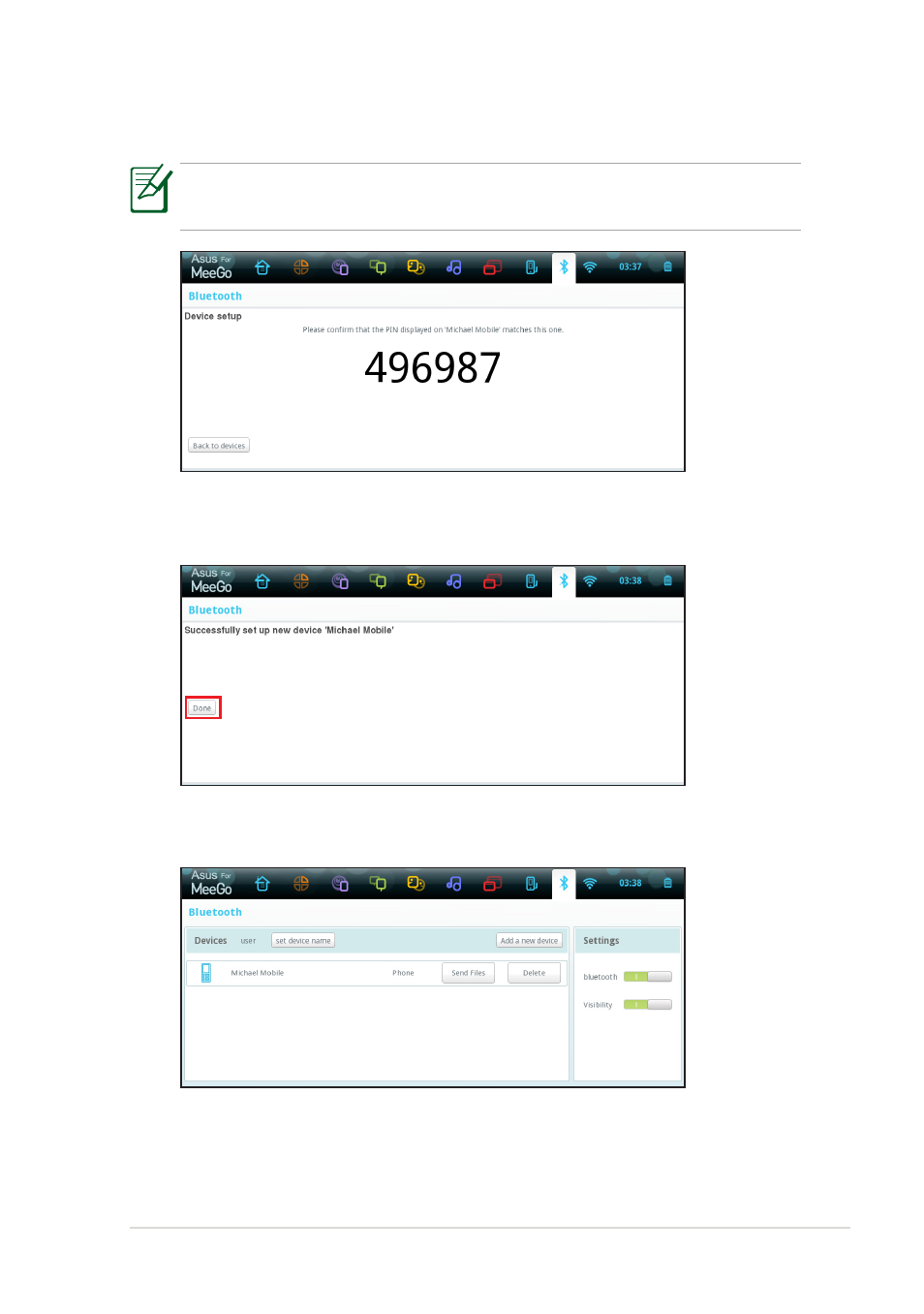
Enter the Bluetooth security code into your device and start pairing.
The passcode shown in the figure below is for reference only. Please
key in the code shown on your Eee PC.
5.
The paired relationship is successfully built. Click Done to finish the
setting.
6.
The paired device will appear in the Devices list.
See also other documents in the category Asus Notebooks:
- Eee PC 1003HAG (60 pages)
- G51Jx (118 pages)
- K50Ij(BestBuy) (78 pages)
- K50Ij(BestBuy) (24 pages)
- E5368 (114 pages)
- PL80JT (30 pages)
- K40AC (24 pages)
- G51J (114 pages)
- W5Ae (134 pages)
- W5Ae (70 pages)
- UX30S (26 pages)
- BX31E (100 pages)
- PRO33JC (26 pages)
- U30Jc (104 pages)
- W5 (7 pages)
- Eee PC T101MT (68 pages)
- U81A (28 pages)
- U81A (88 pages)
- Transformer Pad TF300T (2 pages)
- Transformer Pad TF300TL (6 pages)
- Transformer Pad TF300T (90 pages)
- K40AE (108 pages)
- A8He (71 pages)
- A8He (71 pages)
- A8He (71 pages)
- G72gx (28 pages)
- PRO7 (32 pages)
- EB1501 (46 pages)
- EB1501 (46 pages)
- EB1007 (183 pages)
- EB1007 (102 pages)
- EB1007 (179 pages)
- EB1007 (181 pages)
- EB1007 (109 pages)
- EB1007 (145 pages)
- EB1021 (40 pages)
- EB1012 (130 pages)
- EB1012 (1 page)
- EB1012 (325 pages)
- EB1012 (95 pages)
- EB1012 (231 pages)
- EB1012 (185 pages)
- Eee PC 1015CX (66 pages)
- Eee PC X101H (62 pages)