
Selecting default paper settings - administrator, Selecting the default printer settings – Epson WorkForce Pro WF-C8690 A3 Color MFP with PCL/PostScript User Manual
Page 114
114
Parent topic:
Selecting the Paper Settings for Each Source - Control Panel
Selecting Default Paper Settings - Administrator
As an administrator, you can adjust default paper settings that apply to all print jobs sent to the product.
Note:
These settings can be locked by an administrator. If you cannot access these settings, contact
your administrator for assistance.
Selecting the Default Printer Settings
Selecting the Universal Print Settings
Parent topic:
Selecting the Default Printer Settings
You can change default printer settings using the control panel on the product.
Note:
These settings can be locked by an administrator. If you cannot access these settings, contact
your administrator for assistance.
1.
Press the
home button, if necessary.
2.
Select
Settings
.
3.
Select
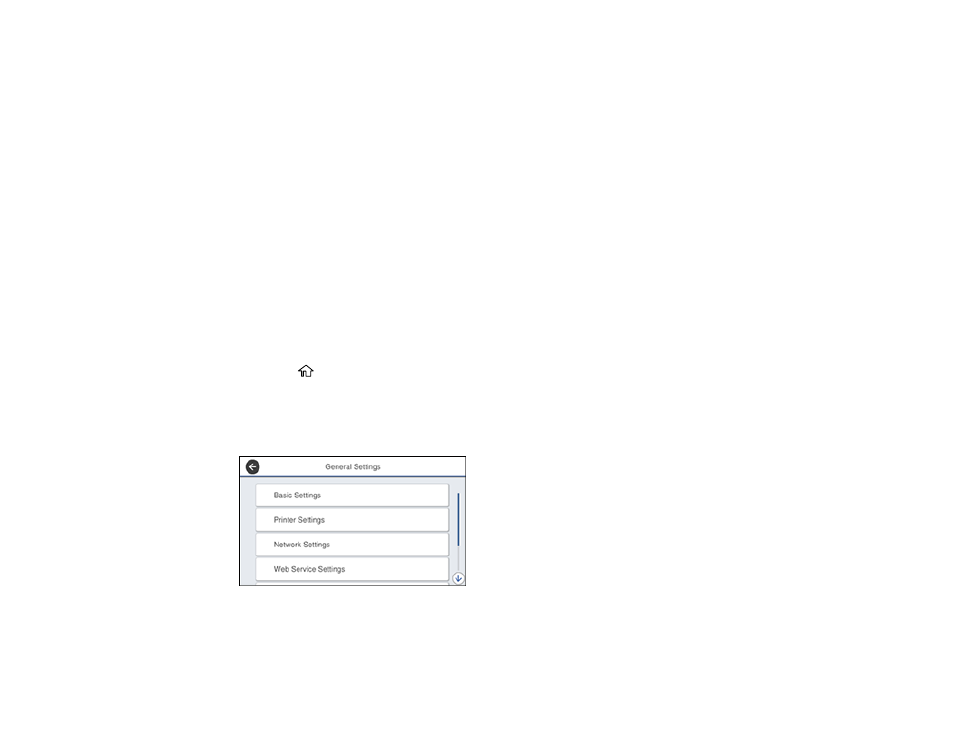
General Settings
.
You see a screen like this:
4.
Select
Printer Settings
.
- Stylus Pro 7800 (11 pages)
- Stylus Pro 4000 (49 pages)
- Stylus Photo R300 (2 pages)
- Stylus Pro 7000 (147 pages)
- AcuLaser C3000 (316 pages)
- Stylus Pro 7900 (24 pages)
- Stylus Pro 4450 (21 pages)
- 1000 (272 pages)
- T034120 (4 pages)
- T580300 (4 pages)
- 300 (91 pages)
- B 510DN (190 pages)
- B 510DN (218 pages)
- Stylus NX510 (8 pages)
- Stylus Photo RX580 (95 pages)
- T549300 (4 pages)
- B 500DN (168 pages)
- AculaserCX11NF (5 pages)
- 480SXU (24 pages)
- 4500 (317 pages)
- STYLUS RX500 (99 pages)
- 2100 (13 pages)
- Stylus NX215 (2 pages)
- T098320 (4 pages)
- T041020 (4 pages)
- R210 (8 pages)
- All-In-One Stylus Photo RX600 (164 pages)
- 777I (53 pages)
- T033120 (4 pages)
- Stylus CX7000F (8 pages)
- 60 (113 pages)
- T034220 (4 pages)
- WorkForce 40 Series (36 pages)
- T054220 (4 pages)
- Stylus CX3200 (11 pages)
- Stylus CX7800 (18 pages)
- T060220 (4 pages)
- 2500 (180 pages)
- AcuLaser CX11N (4 pages)
- AcuLaser CX11N (32 pages)
- 2000P (16 pages)
- T606600 (4 pages)
- Stylus CX6000 (18 pages)
- FS-4000DN (2 pages)
- MSDS T544700 (4 pages)