
Connecting your phone device to the printer – Epson EcoTank ET-4550 User Manual
Page 66
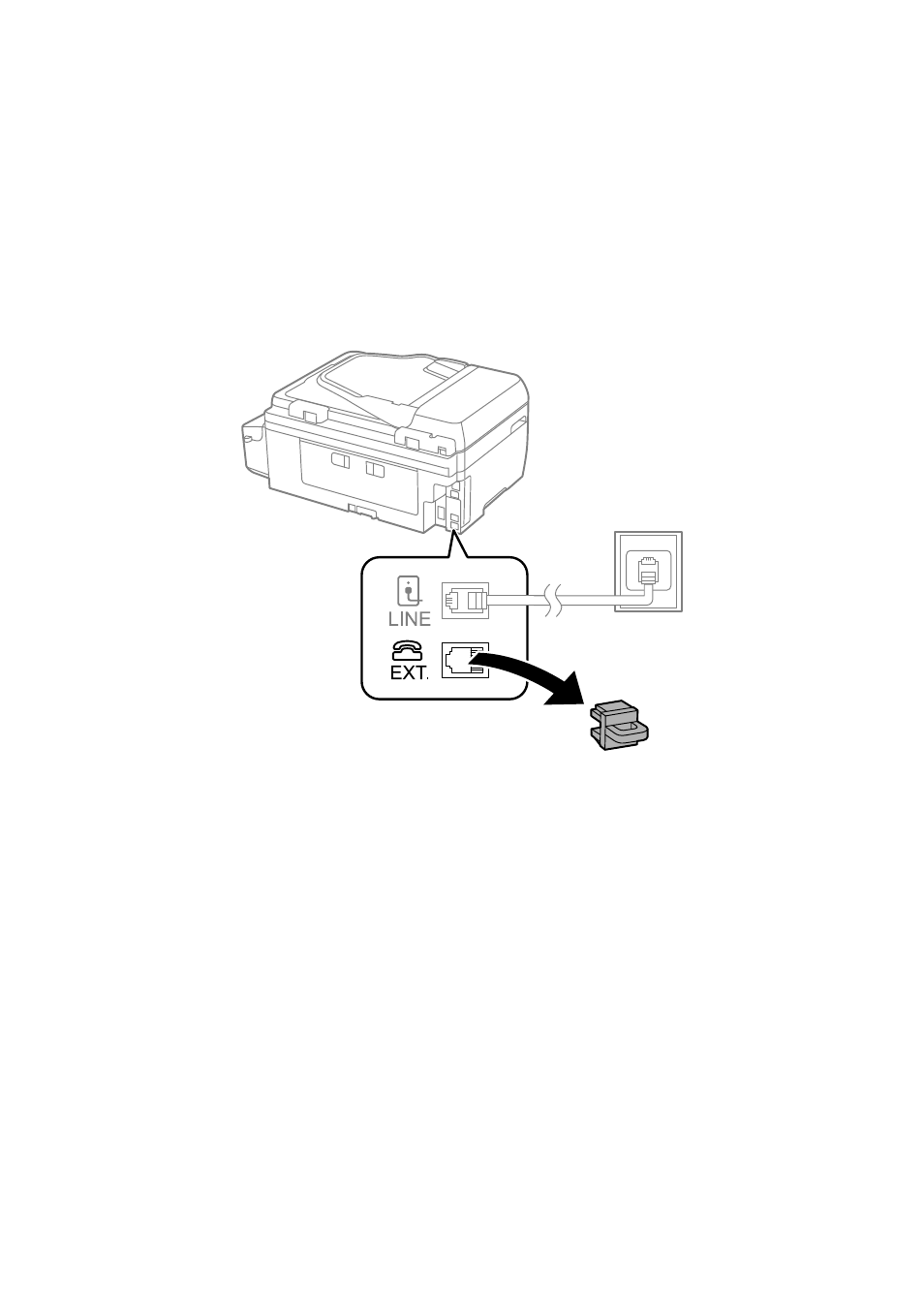
Connecting Your Phone Device to the Printer
When using the printer and your telephone on a single phone line, connect the telephone to the printer.
Note:
❏ If your phone device has a fax function, disable the fax function before connecting. See the documentation provided with
the phone device for more details.
❏ Set the number of Rings to Answer before receiving faxes to a larger number than for the answering machine.
1.
Remove the cap from the EXT. port on the back of the printer.
User's Guide
Faxing
66
This manual is related to the following products:
See also other documents in the category Epson Multifunction Devices:
- Stylus NX420 (52 pages)
- WorkForce 520 series (64 pages)
- WorkForce 630 (64 pages)
- Stylus NX420 (2 pages)
- Stylus NX420 (56 pages)
- WorkForce 600 Series (56 pages)
- WorkForce 600 Series (5 pages)
- WorkForce 610 Series (8 pages)
- WorkForce 610 Series (60 pages)
- Artisan 810 Series (64 pages)
- Artisan 810 Series (8 pages)
- WorkForce 520 series (2 pages)
- Stylus SX515W (2 pages)
- Stylus SX515W (72 pages)
- Stylus Photo PX710W (108 pages)
- Stylus Photo TX800FW (2 pages)
- Stylus Photo TX800FW (116 pages)
- CX11NF (144 pages)
- Expression Premium XP-630 (160 pages)
- Expression Home XP-332 (91 pages)
- Expression Home XP-445 (4 pages)
- Expression Premium XP-900 (162 pages)
- L1455 (233 pages)
- L605 (4 pages)
- L655 (35 pages)
- Stylus CX9300F (1 page)
- Stylus CX9300F (44 pages)
- Stylus Office BX310FN (60 pages)
- Stylus Office BX310FN (20 pages)
- Stylus Office BX310FN (2 pages)
- Stylus Office SX600FW (24 pages)
- Stylus Office SX600FW (2 pages)
- Stylus Office SX600FW (96 pages)
- Stylus BX625FWD (4 pages)
- Stylus BX625FWD (148 pages)
- WorkForce Pro WF-R8590 DTWF (69 pages)
- WorkForce Pro WF-R8590 DTWF (243 pages)
- WP-M4525DNF (2 pages)
- WP-M4525DNF (203 pages)
- COLOR Copy Station 8600 (48 pages)
- COLOR Copy Station 8600 (242 pages)
- WorkForce AL-MX300DN (38 pages)
- WorkForce AL-MX300DN (92 pages)
- WorkForce AL-MX300DN (287 pages)