
Printing with os x – Epson B163A User Manual
Page 19
14
Printing From Start to Finish
Printing with OS X
If you’re using an OS X compatible printing application, follow the steps below to
print a document. (If you’re using an application that’s compatible only with
Macintosh Classic mode, follow the steps on page 12 instead.)
Before you begin, make sure you added your printer to Print Center as described on
the Start Here sheet.
1. From the File menu, select
Page Setup
.
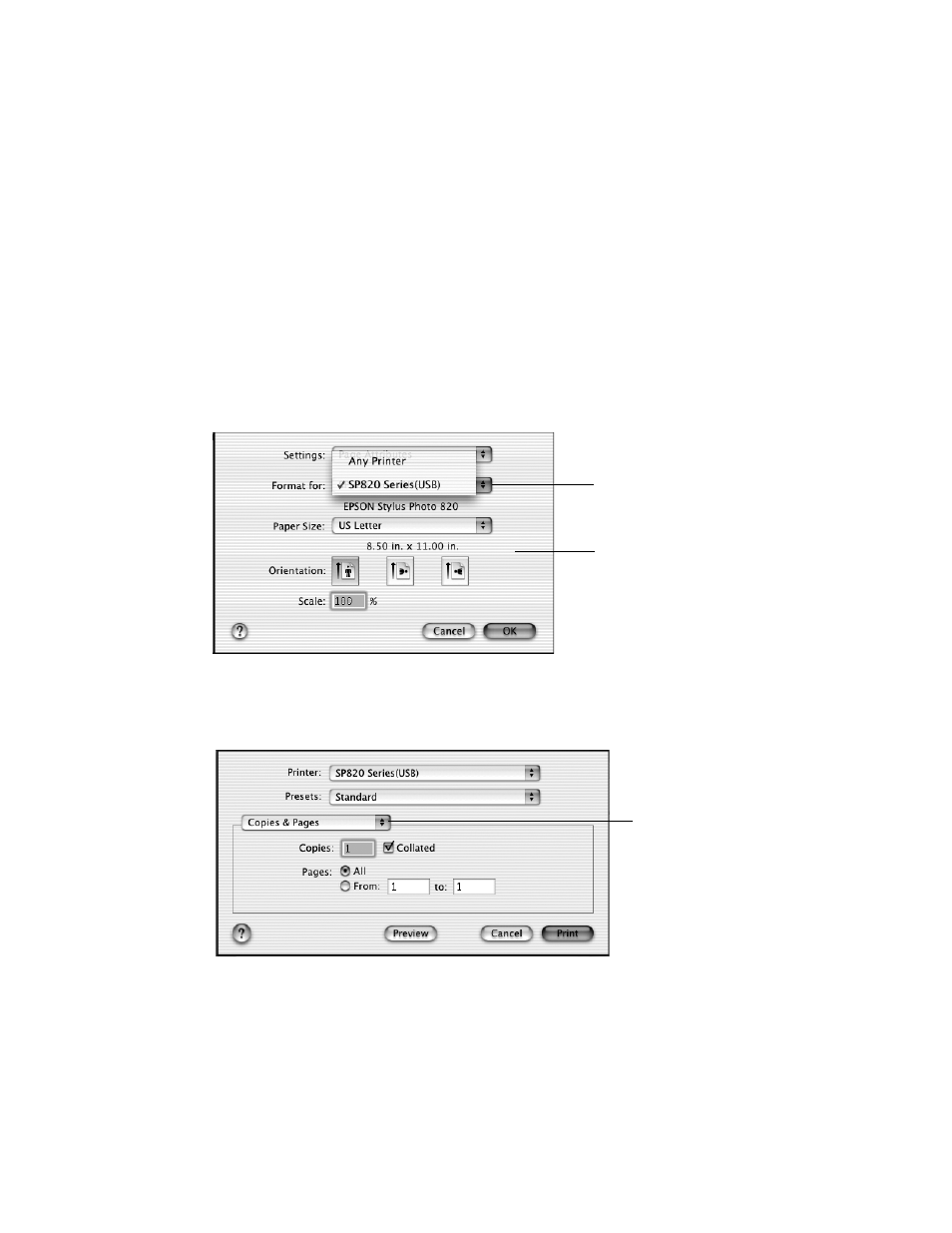
2. Select the following Page Setup settings as necessary:
3. When you’re finished, click
OK
.
4. Select
from the File menu. You see a screen like this:
5. Select
Print Settings
from the pull-down menu.
Select SP820 Series
from the Format for
pop-up menu
Select the Paper Size,
Orientation, and any
other settings you
want to use
Click here and
select Print
Settings
- Stylus Pro 7800 (11 pages)
- Stylus Pro 4000 (49 pages)
- Stylus Photo R300 (2 pages)
- Stylus Pro 7000 (147 pages)
- AcuLaser C3000 (316 pages)
- Stylus Pro 7900 (24 pages)
- Stylus Pro 4450 (21 pages)
- 1000 (272 pages)
- T034120 (4 pages)
- T580300 (4 pages)
- 300 (91 pages)
- B 510DN (190 pages)
- B 510DN (218 pages)
- Stylus NX510 (8 pages)
- Stylus Photo RX580 (95 pages)
- T549300 (4 pages)
- B 500DN (168 pages)
- AculaserCX11NF (5 pages)
- 480SXU (24 pages)
- 4500 (317 pages)
- STYLUS RX500 (99 pages)
- 2100 (13 pages)
- Stylus NX215 (2 pages)
- T098320 (4 pages)
- T041020 (4 pages)
- R210 (8 pages)
- All-In-One Stylus Photo RX600 (164 pages)
- 777I (53 pages)
- T033120 (4 pages)
- Stylus CX7000F (8 pages)
- 60 (113 pages)
- T034220 (4 pages)
- WorkForce 40 Series (36 pages)
- T054220 (4 pages)
- Stylus CX3200 (11 pages)
- Stylus CX7800 (18 pages)
- T060220 (4 pages)
- 2500 (180 pages)
- AcuLaser CX11N (4 pages)
- AcuLaser CX11N (32 pages)
- 2000P (16 pages)
- T606600 (4 pages)
- Stylus CX6000 (18 pages)
- FS-4000DN (2 pages)
- MSDS T544700 (4 pages)