
Epson 1170 User Manual
Page 33
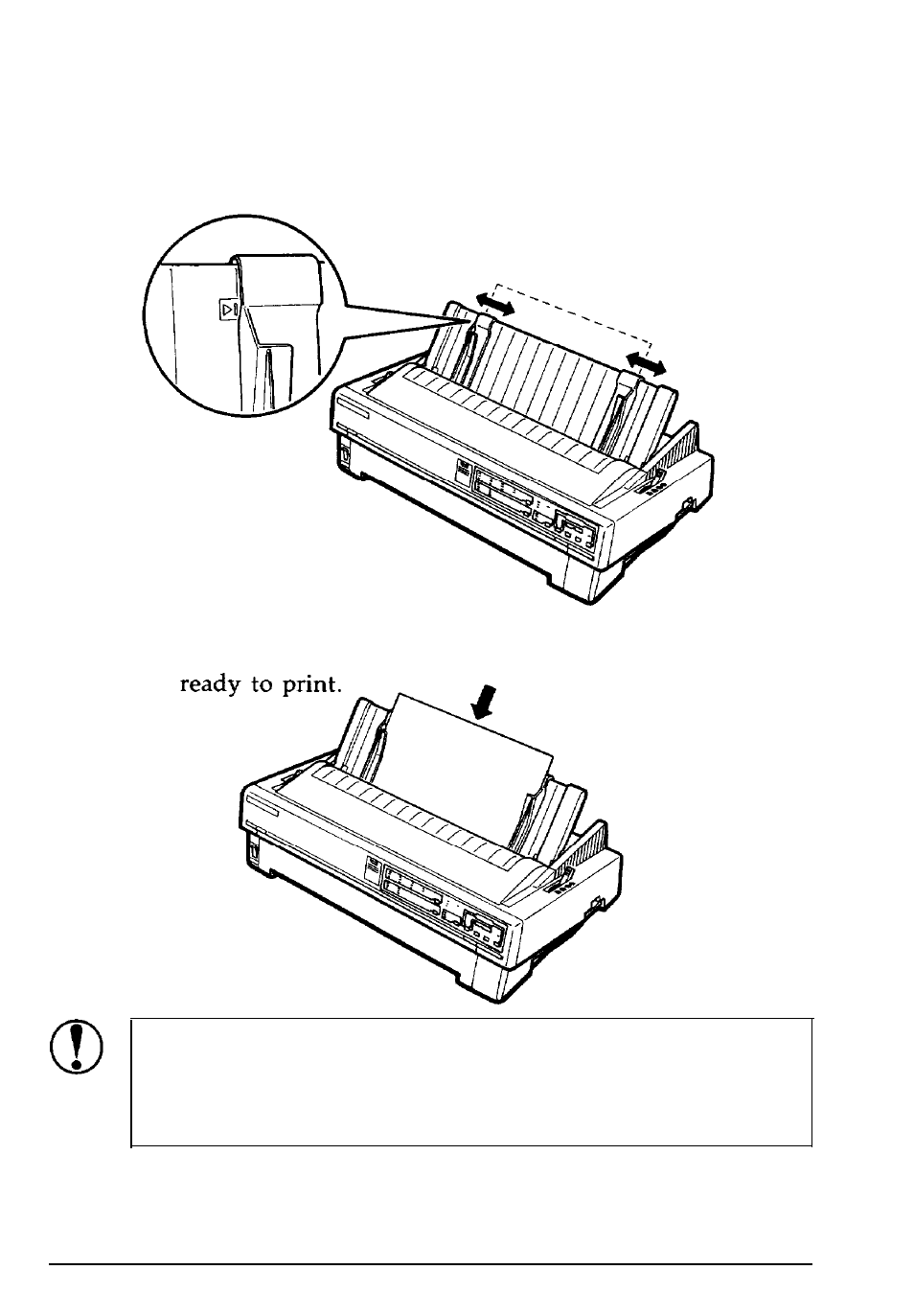
Using Single Sheets
3.
Move the left edge guide until it locks in place next to the
Move the left edge guide until it locks in place next to the
arrow the paper guide. Next adjust the right edge guide to
arrow the paper guide. Next adjust the right edge guide to
match the width of your paper.
match the width of your paper.
4.
Slide a sheet of paper down between the edge guides until it
meets resistance. The printer loads the paper automatically and
you are
CAUTION: Use the knob on the left side of the printer
only to clear paper jams when the printer is off.
Otherwise you may damage the printer or lose the top-
of-form position.
If the platen turns but the printer doesn’t load the paper,
completely remove the paper and reinsert it more firmly.
To eject the paper, press the LOAD/EJECT button.
Paper Handling 2-5
- Stylus Pro 7800 (11 pages)
- Stylus Pro 4000 (49 pages)
- Stylus Photo R300 (2 pages)
- Stylus Pro 7000 (147 pages)
- AcuLaser C3000 (316 pages)
- Stylus Pro 7900 (24 pages)
- Stylus Pro 4450 (21 pages)
- 1000 (272 pages)
- T034120 (4 pages)
- T580300 (4 pages)
- 300 (91 pages)
- B 510DN (190 pages)
- B 510DN (218 pages)
- Stylus NX510 (8 pages)
- Stylus Photo RX580 (95 pages)
- T549300 (4 pages)
- AculaserCX11NF (5 pages)
- B 500DN (168 pages)
- 480SXU (24 pages)
- 4500 (317 pages)
- STYLUS RX500 (99 pages)
- 2100 (13 pages)
- Stylus NX215 (2 pages)
- T098320 (4 pages)
- T041020 (4 pages)
- R210 (8 pages)
- All-In-One Stylus Photo RX600 (164 pages)
- 777I (53 pages)
- T033120 (4 pages)
- Stylus CX7000F (8 pages)
- 60 (113 pages)
- T034220 (4 pages)
- WorkForce 40 Series (36 pages)
- T054220 (4 pages)
- Stylus CX3200 (11 pages)
- Stylus CX7800 (18 pages)
- T060220 (4 pages)
- 2500 (180 pages)
- AcuLaser CX11N (32 pages)
- AcuLaser CX11N (4 pages)
- 2000P (16 pages)
- T606600 (4 pages)
- Stylus CX6000 (18 pages)
- FS-4000DN (2 pages)
- MSDS T544700 (4 pages)