
HP Officejet 6700 Premium e-All-in-One Printer - H711n User Manual
Page 137
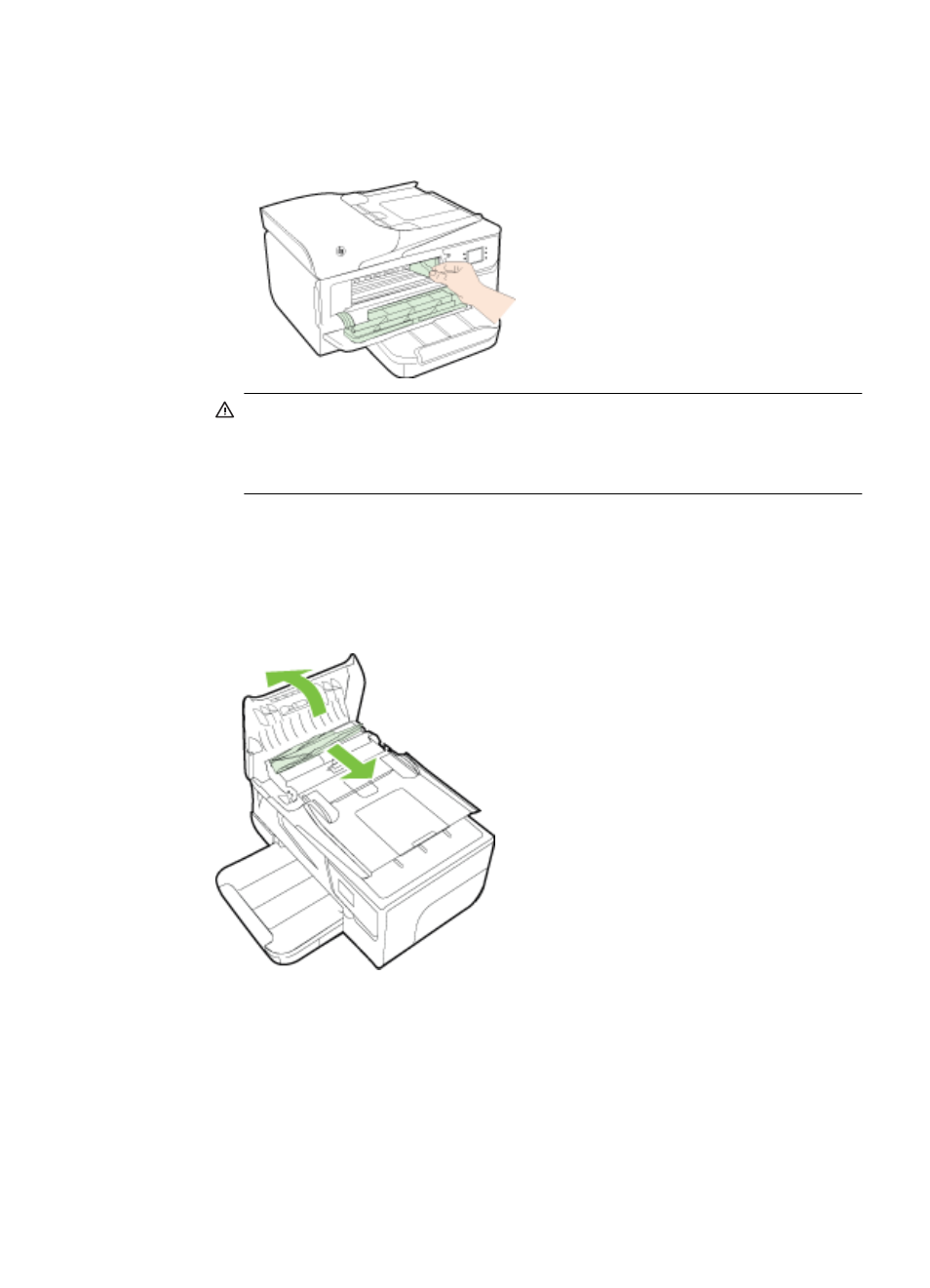
c.
Move the carriage to the left, locate any jammed media inside the printer on
the right side of the carriage, free any paper scraps or wrinkled media, and
pull the media towards you through the front of the printer.
WARNING! Do not reach into the printer when it is turned on and the
carriage is stuck. When you open the ink cartridge access door, the carriage
should return to its position on the right side of the printer. If it does not move
to the right, turn off the printer before you remove any jam.
4.
After clearing the jam, close all covers, turn on the printer (if you turned it off) and
resend the print job.
To clear a paper jam in the automatic document feeder
1.
Lift the cover of the automatic document feeder.
2.
Lift the tab located on the front edge of the ADF.
Clear jams
133
- Laserjet p1606dn (152 pages)
- LaserJet 1320 (9 pages)
- LaserJet 1320 (184 pages)
- LaserJet 1320 (4 pages)
- LaserJet 1320 (2 pages)
- Deskjet 6940 (150 pages)
- LaserJet P2035n (148 pages)
- LaserJet 4250 (304 pages)
- LaserJet P2055dn (176 pages)
- Deskjet 5650 (165 pages)
- LASERJET PRO P1102w (158 pages)
- LaserJet P2015 (158 pages)
- DesignJet 500 (16 pages)
- DesignJet 500 (268 pages)
- Officejet Pro 8000 - A809 (140 pages)
- Officejet 6100 (138 pages)
- Officejet 6000 (168 pages)
- LASERJET PRO P1102w (2 pages)
- 2500c Pro Printer series (66 pages)
- 4100 mfp (164 pages)
- 3600 Series (6 pages)
- 3392 (10 pages)
- LASERJET 3800 (18 pages)
- 3500 Series (4 pages)
- Photosmart 7515 e-All-in-One Printer - C311a (62 pages)
- PSC-500 (40 pages)
- 2500C/CM (65 pages)
- QMS 4060 (232 pages)
- 2280 (2 pages)
- 2430dtn (4 pages)
- 1500 (13 pages)
- 1000 Series (1 page)
- TOWERFEED 8000 (36 pages)
- Deskjet 3848 Color Inkjet Printer (95 pages)
- 2100 TN (184 pages)
- B209 (24 pages)
- Designjet 100 Printer series (1 page)
- QM2-111 (35 pages)
- 2100 (5 pages)
- 2000CP series (2 pages)
- 2300L (4 pages)
- 35000 (2 pages)
- 3015 (2 pages)
- Color LaserJet CM3530 Multifunction Printer series (302 pages)
- StudioJet (71 pages)