
Selecting atv equalizer option, Seiecting a tv equaiizer option – Philips Matchline 55PP9753 User Manual
Page 38
Attention! The text in this document has been recognized automatically. To view the original document, you can use the "Original mode".
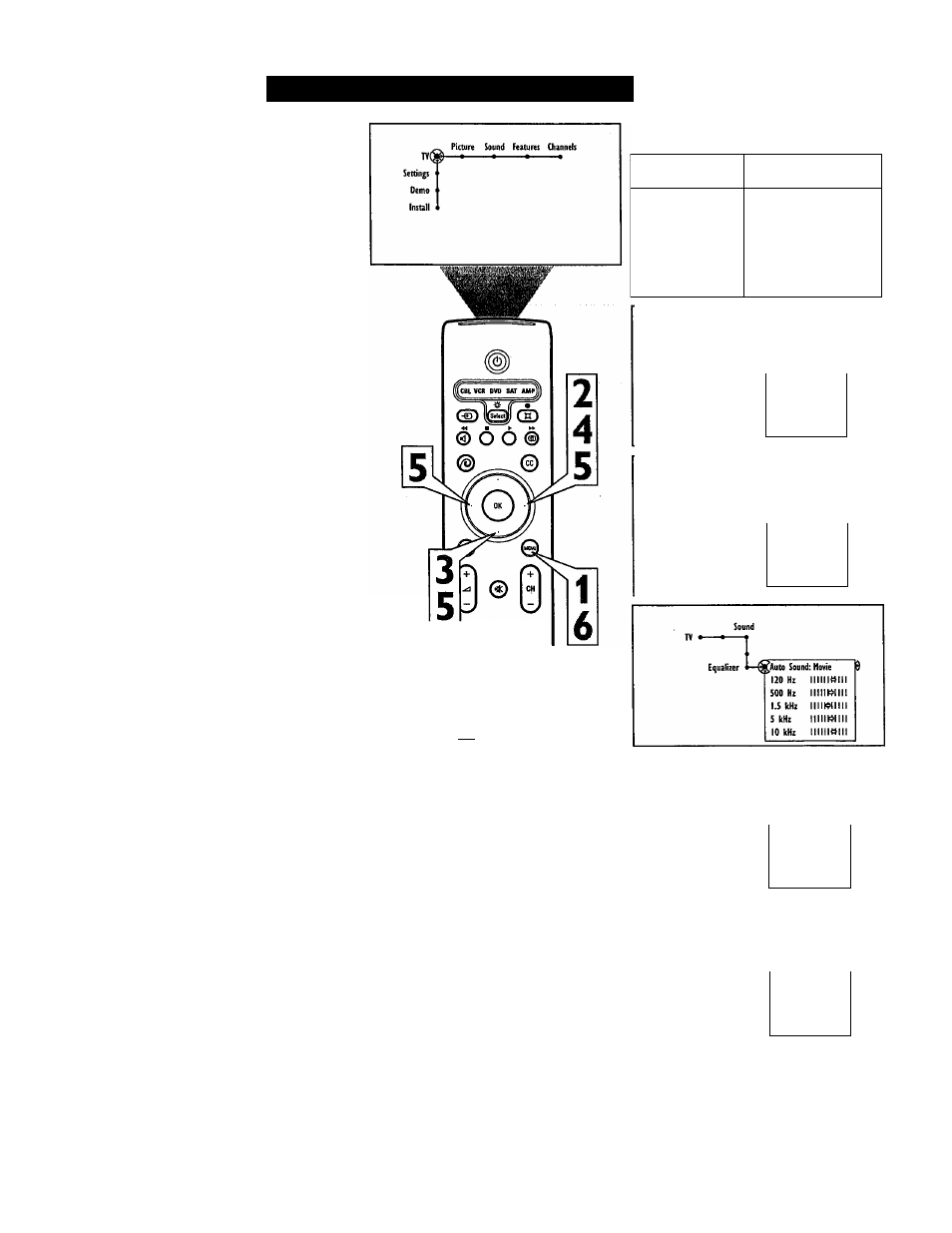
Selecting aTV Equalizer Option
The Equalizer control will change the dynam
ics of the sound being heard through the TV.
You can adjust the settings for the Personal
Equalizer option. The other options have been
preset at the factory and caimot be changed.
1
2
3
4
5
Press the Menu button on the remote to
display the on-screen menu.
Press the Cursor Right button repeated
ly to select “Sound.”
Press the Cursor Down button repeat
edly until the “Equalizer” control is
selected.
Press the Cursor Right button to enter
the equalizer submenu. Continue to
press the Ciusor Right button to select
one of the options; “Speech,” “Music,”
“Movie,” “Multimedia,” or “Personal.”
If you select the Personal option and
want to make adjustments, press the
Cursor Down button to select an
adjustment, then press the Cursor Left
or Right button to adjust the slider con
trol to the desired position.
NOTE; If you attempt to change the settings
for the factory-preset options Speech, Music,
Movie, or Multimedia, the Equalizer control
will default to the Personal option.
6
Press the Menu button to remove the
on-screen menu from the TV screen.
Soujsd Features Channels
Auto sound
Equalizer
Volume
Balance
Loudness
Headphone volume
5 • ■
Sound
Equalizer
^Auto Sound: Speech 9
120 Hz
iimilllll
500 Hz
mollili
1.5 kHz
llll) 5 kHz llllll:>IIII 10 kHz llllll^llll Equalizer ^Auto Sound: Husk 5 "3 0© o © © © © © AcAnCtolnl fSI (s) 120 Hz llllllll«n 500 Hz iiiiimiii 1.5 kHz iiiimiiii 5 kHz iiiiimiii 10 kHz 11III1I44II Sound Equalizer •^Auto Sound: Hultimedia $ 120 Hz lllllll« 500 Hz inumili 1.5 kHz iiimiiiti 5 kHz iiimiiiii 10 kHz IIIIKHIIIl Equalizer i»^Auto Sound: Penonal 9 120 Hz IIIIIIKHII 500 Hz i i i i m i i i i 1.5 kHz i i i m i i i i i 5 kHz IIIIIK>IIII 10 kHz i i i i i m i i i 38
© © ©