
Instrument setup, 1 unpacking and installation, Unpacking and installation – Leica Biosystems EG1150 H User Manual
Page 13
13
Leica EG1150 H – Paraffin Embedding Station
4. Instrument Setup
4.1 Unpacking and installation
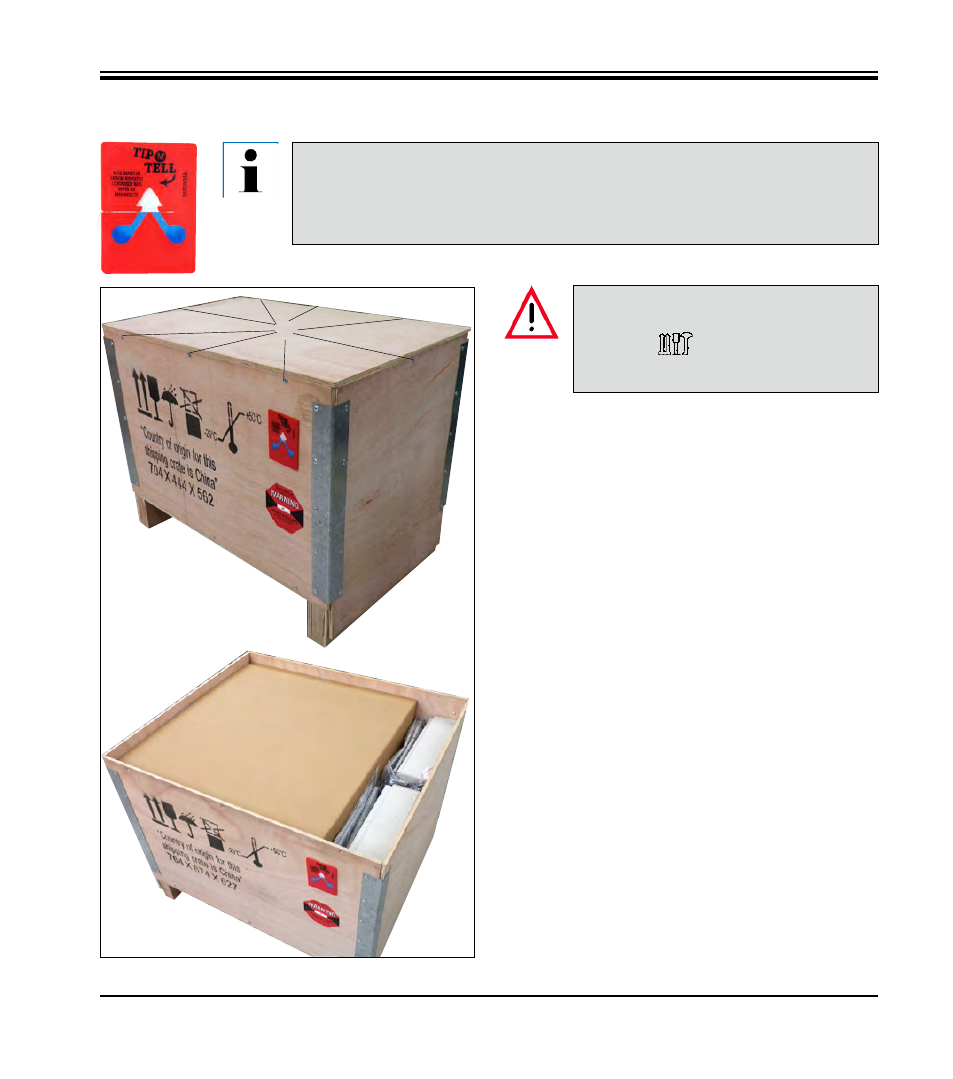
When the instrument is delivered, check the tilt indicators on the packaging.
If the arrowhead is blue, the shipment was transported laying flat, was tilted at
too great an angle or fell over during transport.
Note this on the shipping documents and check the shipment for possible damage.
1. Remove 8x screws (1) for the cover (2).
2. Remove the cover (2).
3. Lift up and remove the accessories (3) and
inside cover (4).
These unpacking instructions only
apply if the box is placed with the
symbols
facing upwards for
unpacking.
1
2
3
4
Fig. 4
3
See also other documents in the category Leica Biosystems Equipment:
- SM2010 R (46 pages)
- CM305 S (66 pages)
- CE Knife holder (14 pages)
- CM1950 (78 pages)
- VT1200/VT1200 S (62 pages)
- VT1000 S (42 pages)
- HI1220 (18 pages)
- HI1210 (18 pages)
- CM1850 UV (56 pages)
- CM1850 UV (54 pages)
- CM1510-S (56 pages)
- CM3600 XP (114 pages)
- CM1100 (36 pages)
- CM1860/CM1860 UV (98 pages)
- Premium blade holder (14 pages)
- CM1520 (92 pages)
- VT1000 A (49 pages)
- VT1000 P (48 pages)
- SP2600 (51 pages)
- SM2500 (76 pages)
- SM2400 (8 pages)
- SM2000R (22 pages)
- EG1160 (32 pages)
- EG1150 C (20 pages)
- EG1130 (2 pages)
- EG1120 (2 pages)
- EG F (18 pages)
- ASP300 (70 pages)
- PELORIS_PELORIS II (160 pages)
- TP1020 (102 pages)
- ASP200 S (88 pages)
- ASP300 S (88 pages)
- ASP6025 (178 pages)
- LN22 (44 pages)
- RM CoolClamp (20 pages)
- RM2265 (88 pages)
- RM2255 (82 pages)
- RM2245 (78 pages)
- RM2235 (78 pages)
- RM2125 RTS (60 pages)
- SP9000 (30 pages)
- SP1600 (10 pages)
- ST4040 (50 pages)
- ST5020 (88 pages)