
Editing the timer list, Erasing the timer list, Xcvkl – Samsung DVD-VR375A-XAA User Manual
Page 64: Recording
64_
recording
recording
The timer recording time may differ from the set time depending on disc status and overall timer recording status
(for example, recording times overlapping, or when the previous recording ends within 3 minutes before the start
time of the next recording.)
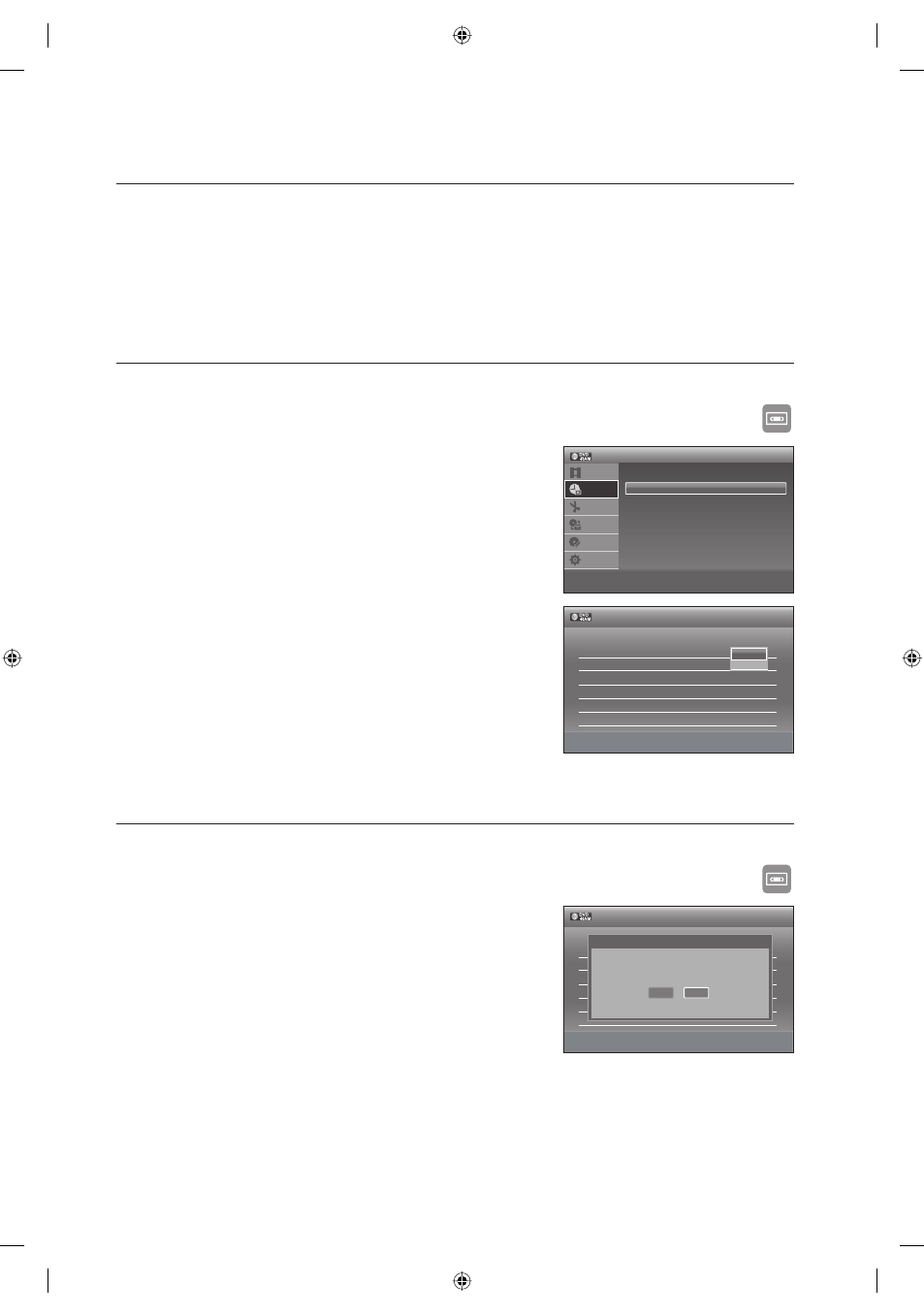
EDITING THE TIMER LIST
Follow these directions to edit the timer record list.
XCVKL
Press the MENU button.
Press the
▲▼ button to select Timer, then press the ENTER
button.
Press the
▲▼ button to select Timer List, then press the ENTER
button.
Press the
▲▼ button to select the number of the scheduled
record list you want to edit, then press the ENTER button.
The Edit and Erase items are displayed.
Press the
▲▼ button to select Edit, then press the ENTER
button.
The Timer Recording screen is displayed. Edit the items you
want
to
modify.
See the Timer Recording section for more information on Timer
Recording Input items. (See pages 62~63)
Press the ENTER button to confi rm the edited setting.
ERASING THE TIMER LIST
Follow these directions to erase a title from the timer record list.
XCVKL
Press the MENU button.
Press the
▲▼ button to select Timer, then press the ENTER
button.
Press the
▲▼ button to select Timer List, then press the ENTER
button.
Press the
▲▼ button to select the number of the scheduled
record list you want to erase, and then press the ENTER button.
The Edit and Erase items are displayed.
Press the
▲▼ button to select erase, then press the ENTER or ► button.
You will be prompted with a delete confi rm message such as “Do you want to erase ‘No.01’?”.
Press the
◄► buttons to select OK, then press the ENTER button.
The selected title will be erased from the list.
You can not delete programs that are currently being recorded.
M
1.
2.
3.
4.
•
5.
•
6.
1.
2.
3.
4.
•
5.
•
6.
•
M
12:00 AM
Timer
Title List
Timer
Edit
Dubbing
Disc
Setting
Setup
>
Move
sEnter
rReturn
eExit
Timer - Standard
Timer List
m
Move
sEnter
rReturn
eExit
No. Media Date Start End Ch Mode Edit
01 DVD 01/01 12:00 12:00 AV 1 --
►
02 --- --/-- --:-- --:-- ---- --
►
03 --- --/-- --:-- --:-- ---- --
►
04 --- --/-- --:-- --:-- ---- --
►
05 --- --/-- --:-- --:-- ---- --
►
06 --- --/-- --:-- --:-- ---- --
►
12:00 AM
Timer List
Edit
Erase
m
Move
sEnter
rReturn
eExit
No. Media Date Start End Ch Mode Edit
01 DVD 01/01 12:00 12:00 AV 1 --
►
02 --- --/-- --:-- --:-- ---- --
►
03 --- --/-- --:-- --:-- ---- --
►
04 --- --/-- --:-- --:-- ---- --
►
05 --- --/-- --:-- --:-- ---- --
►
06 --- --/-- --:-- --:-- ---- --
►
12:00 AM
Timer List
Do you want to erase "No. 01"?
OK
Cancel
01613A-03-VR375-XAA-ENG.indb 64
01613A-03-VR375-XAA-ENG.indb 64
2008-06-11 오후 2:18:50
2008-06-11 오후 2:18:50